Intranet Builder 2.4: design your intranet before you deploy it
A design studio in Setup Center and Configuration Manager, ten starting designs, dark themes and new mega menu designs — plus a recap of what 2.2 and 2.3 added.
 Brillienta team·Published ·4 min read
Intranet Builder creates and maintains a modern intranet on SharePoint Online — a home site, department and HR sites, knowledge sites and an administration site — from approved templates. Release 2.4 is about how that intranet looks, and about choosing it before anything is installed.
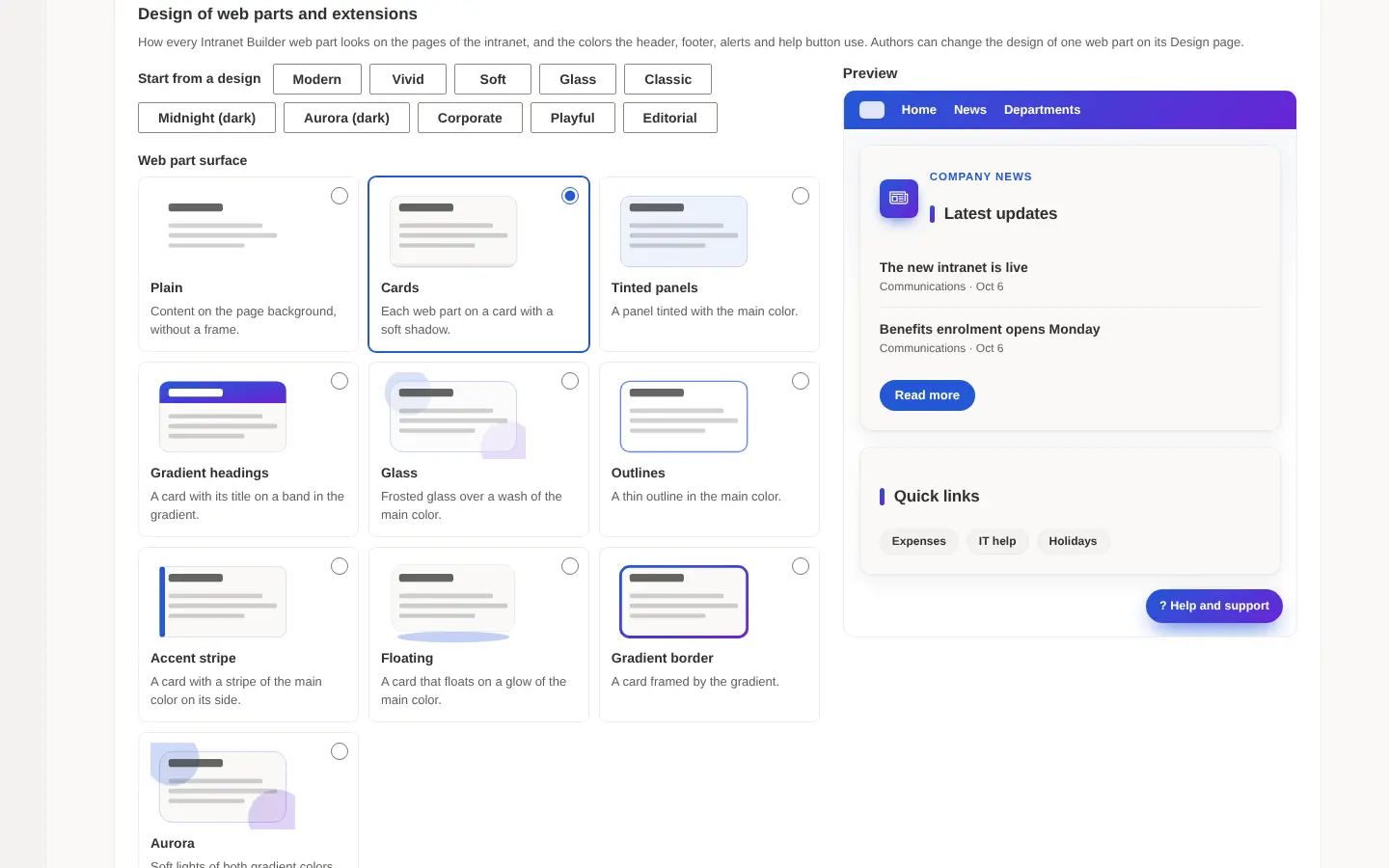
A design studio, in both places it matters
The design studio sets the look of every web part and extension. It lives in Setup Center, so the design is chosen before installation and carried in the installation file, and in Configuration Manager, so it can be changed afterwards without rebuilding pages.
- Ten starting designs: Modern, Vivid, Soft, Glass, Classic, Corporate, Playful and Editorial, plus Midnight and Aurora in dark.
- Surfaces and titles: web part surface, title style and size, corner radius, shadow and a second colour for gradients. Where a colour would be hard to read on a background, a darker shade is used automatically.
- Themes and texture: light or dark themes, background patterns, a pointer effect and the font.
- Mega menus: lists, cards, tiles, a feature panel and a dark design.
What came in 2.2 and 2.3
2.3 added search pages built on PnP Modern Search, redesigned site templates, four new web parts (news slideshow, call to action, quote and contact table), header and footer designs, and the option to keep SharePoint's own header and footer on a site.
2.2 added a guided setup that installs the intranet without typing commands. Setup.cmd installs PowerShell 7 and PnP.PowerShell if they are missing, and a typical first installation takes about thirty minutes.
By the numbers
Intranet Builder 2.4 has 47 modules, 39 web parts in six packages, 9 extensions and 5 site templates. Updates stay additive: new columns, views and settings are added, nothing is removed or renamed, and new modules are opt-in for each site.