Overview
Action centre for HR; a personal workspace for everyone else.
 brillienta
Book a demo ↗
brillienta
Book a demo ↗
✳ BRILLIENTA HRMS · VERSION 2.1
Directory, onboarding, leave and attendance, helpdesk, tasks, recruitment, performance, learning, expenses, assets, payroll, news and reports — in one web part on your HR site. All data lives in SharePoint lists on that site. No server, no database, no third-party API.
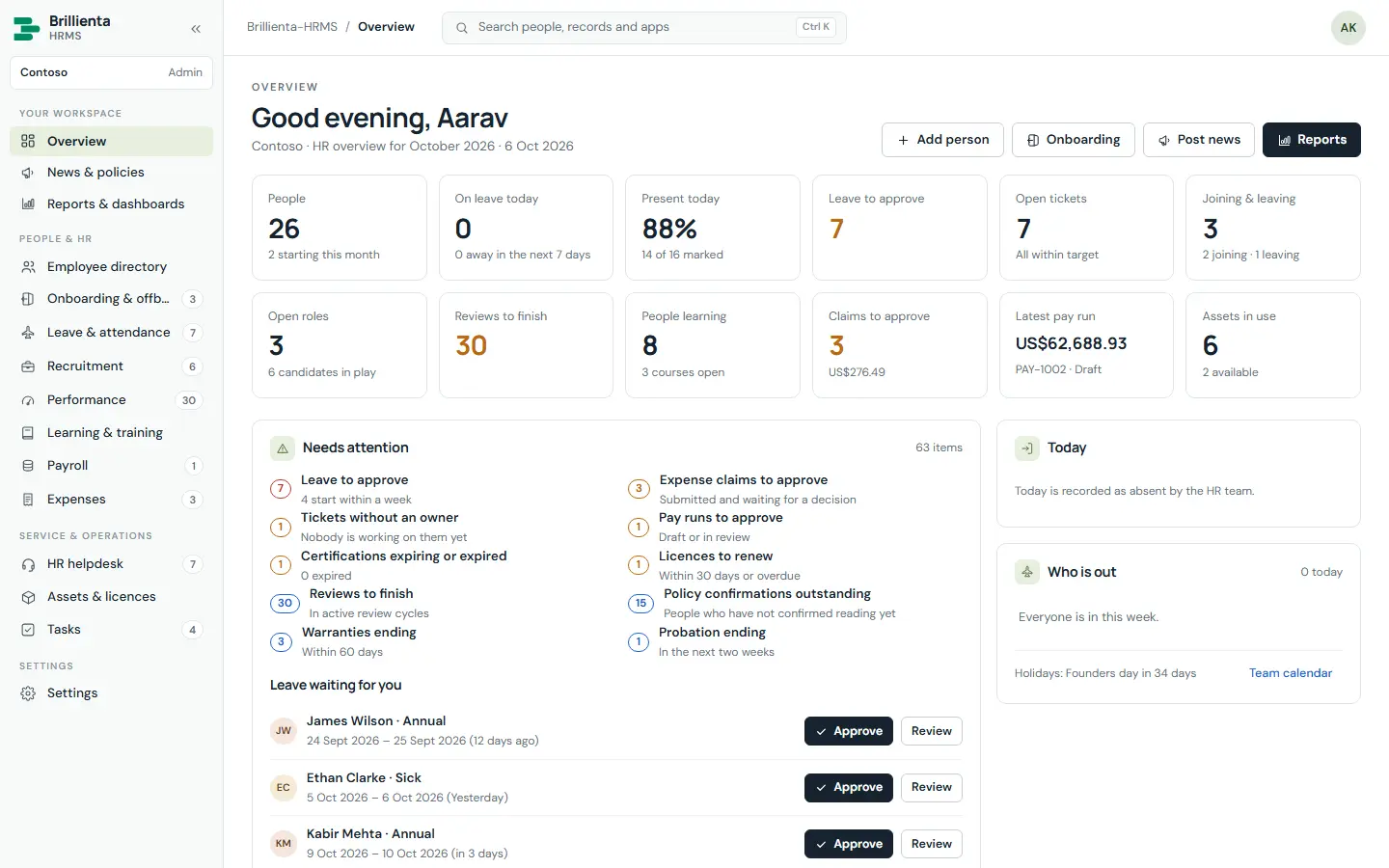
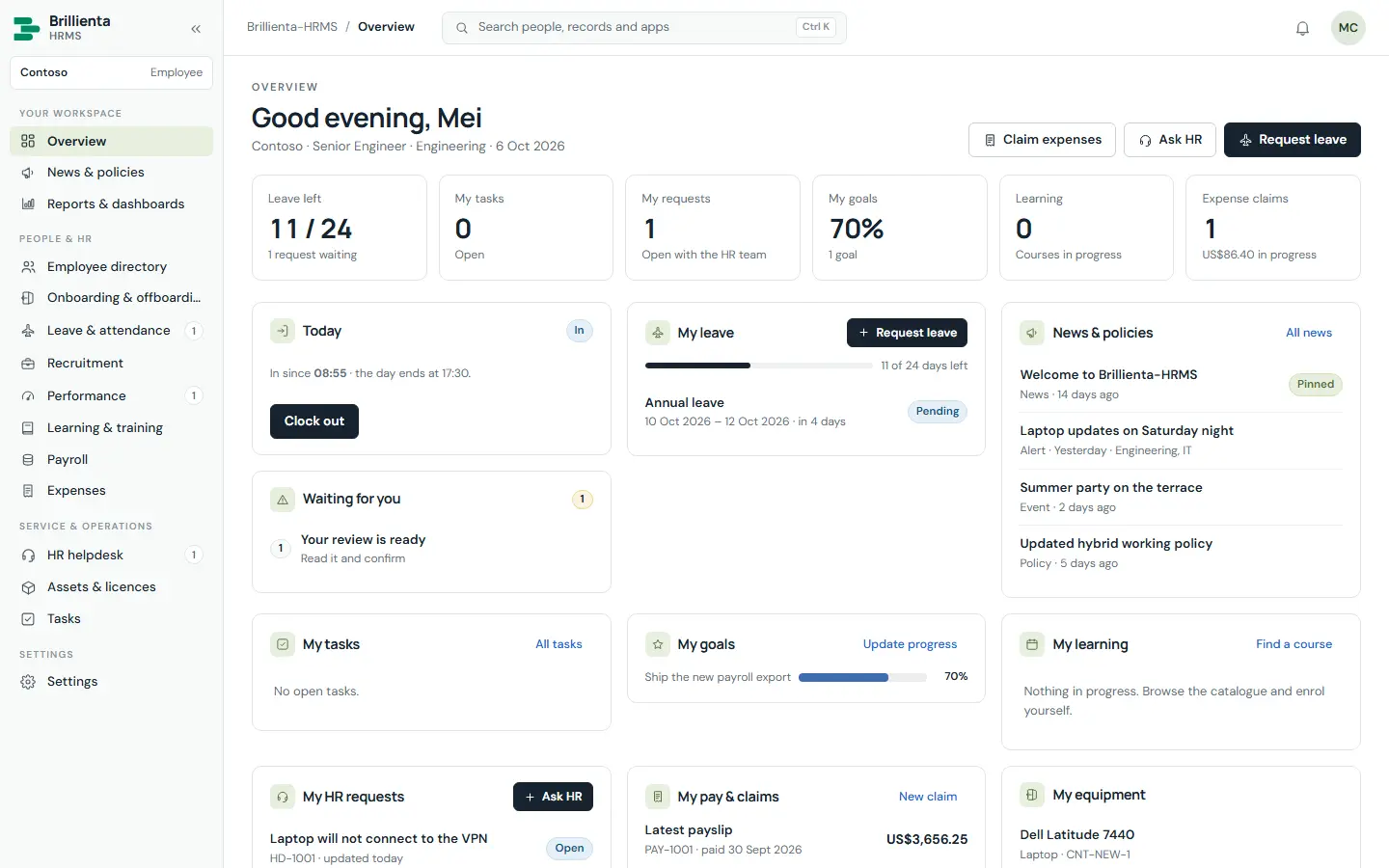
ROLE-AWARE BY DESIGN
HR gets an action centre of everything waiting. Every employee gets a personal workspace — and never sees data outside their role.
EVERY APP
A person synced or added once appears everywhere — the directory and every HR app share one list. Each card shows the lowest plan that includes the app.
Action centre for HR; a personal workspace for everyone else.
Targeted, pinned and scheduled — with read confirmations.
Search, rich profiles, Teams presence, org chart and kudos.
Dated checklists shared by HR, manager, IT and the person.
Approvals, balances, team calendar, roster and timesheets.
Numbered tickets with SLA targets, notes and ratings.
Board and list with sub-tasks, priorities and due dates.
Openings, pipeline board, scorecards and one-click hire.
Weighted goals, review cycles and competency reviews.
Course catalogue, enrolments and certification renewals.
Claims with receipts, bulk decisions and payroll pay-back.
Equipment, warranties, licence seats and Intune sync.
Pay runs with tax and pension lines; payslips on payment.
Report library, builder and saved team reports.
Leave, tickets, goals, courses, claims, equipment, payslips.
A CLOSER LOOK
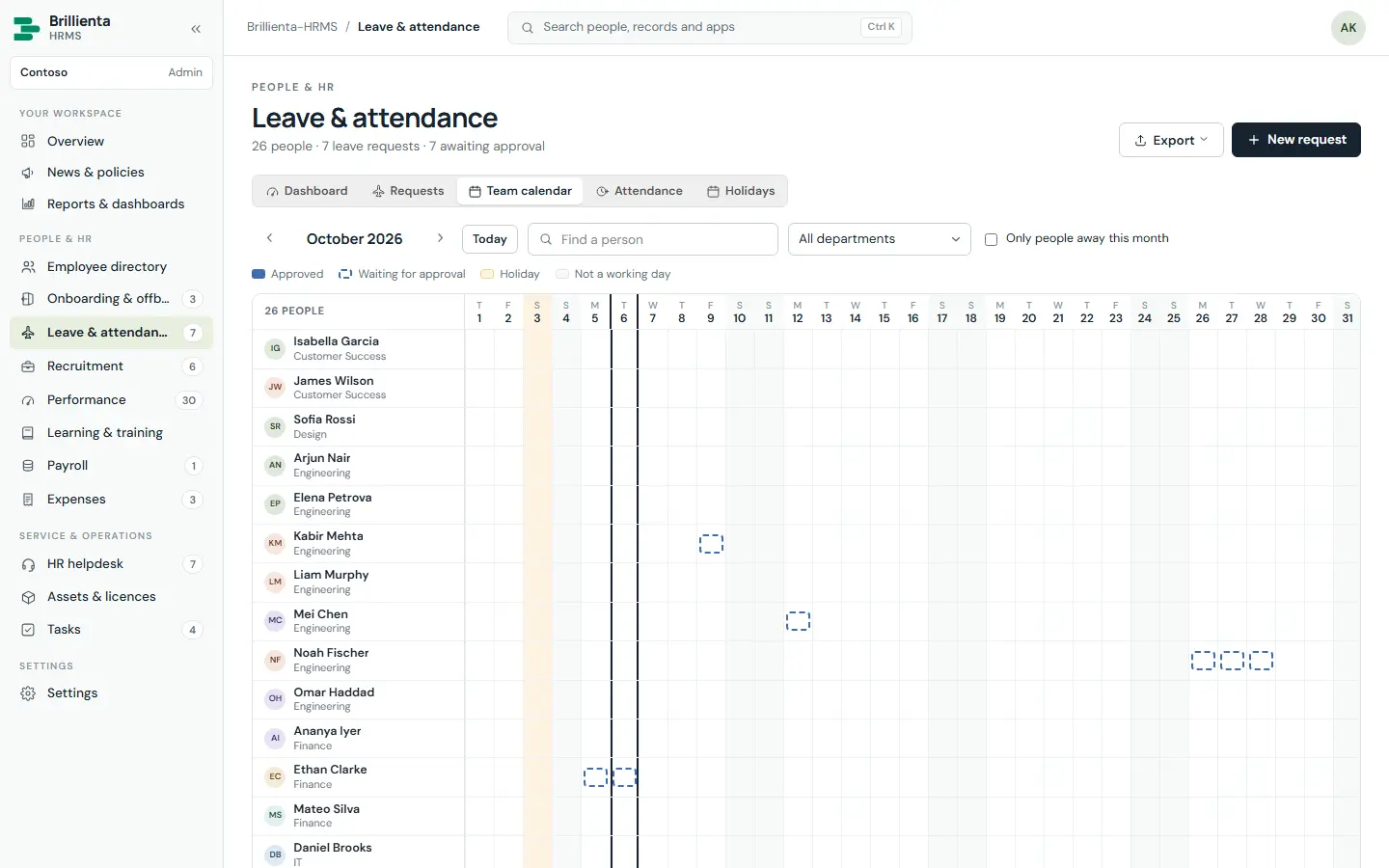
Requests move from Pending to Approved, Rejected or Cancelled. Approved annual leave comes off the balance and cancelling gives it back; balances follow your leave year and carry-over.
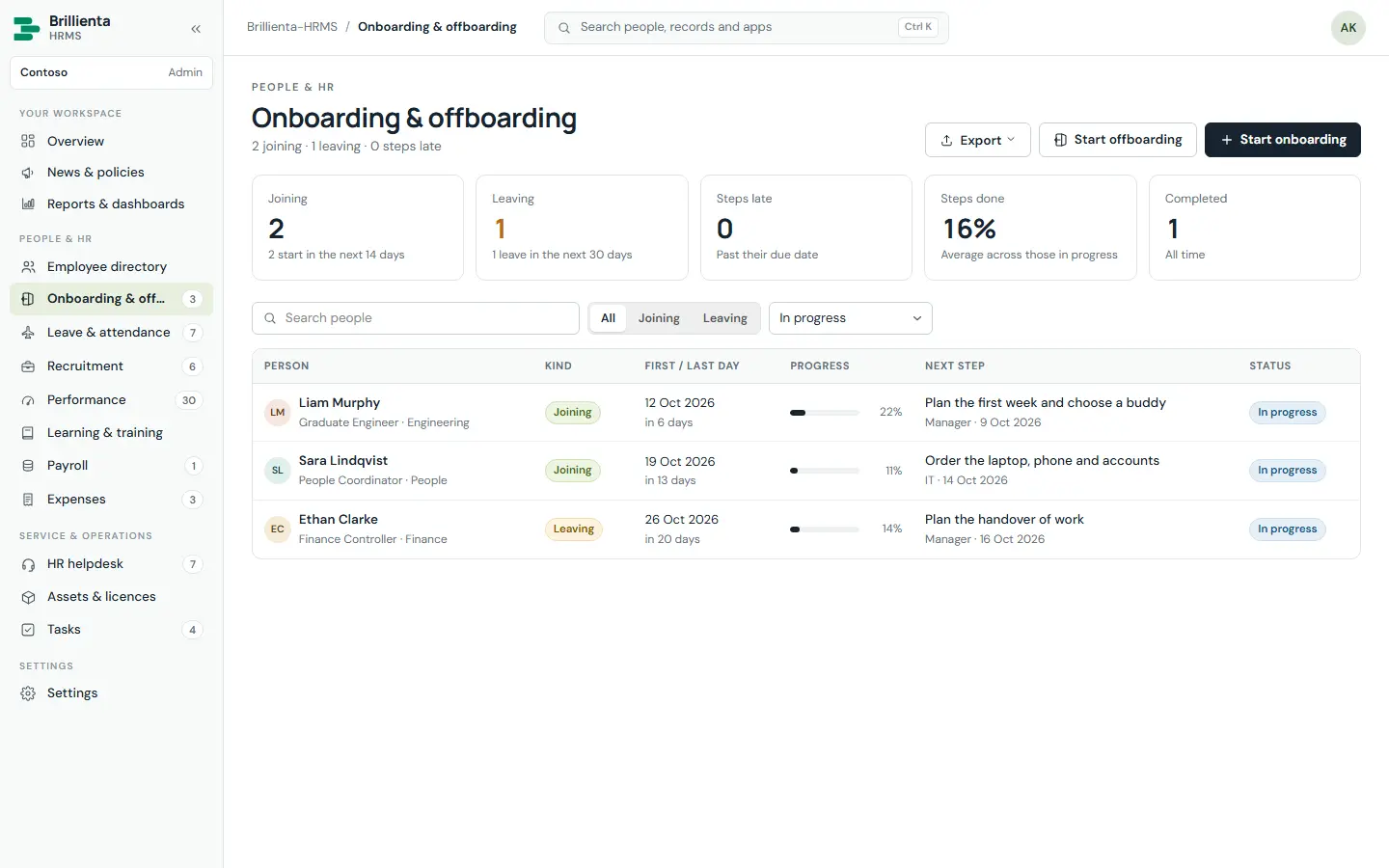
A dated checklist for each person joining or leaving, copied from templates and shared between HR, the manager, IT and the person. Offboarding lists the equipment and licence seats to collect.
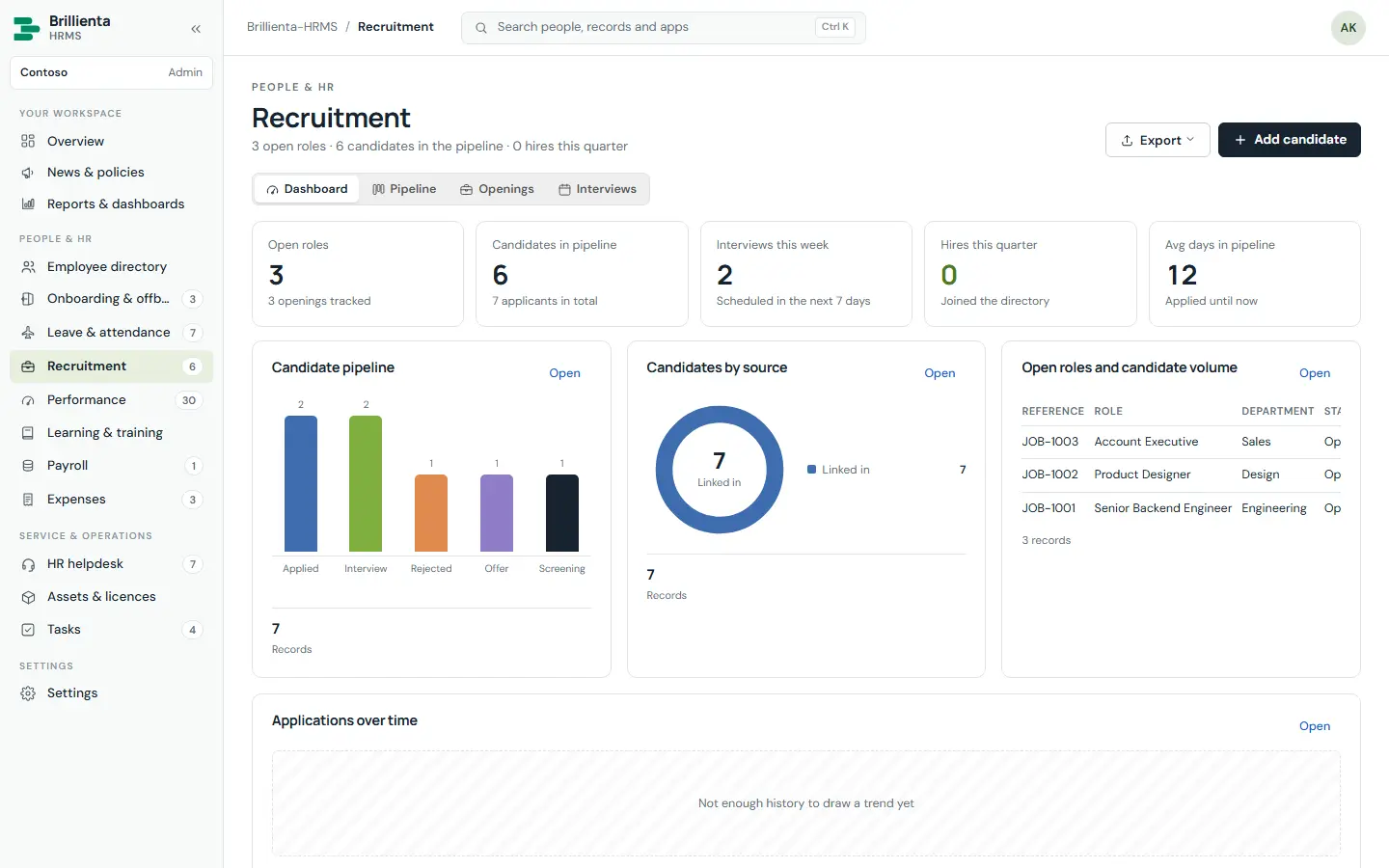
Job openings and a candidate pipeline — Applied, Screening, Interview, Offer, Hired or Rejected — with interviews and scorecards. Moving to Hired creates the employee in one confirmation.
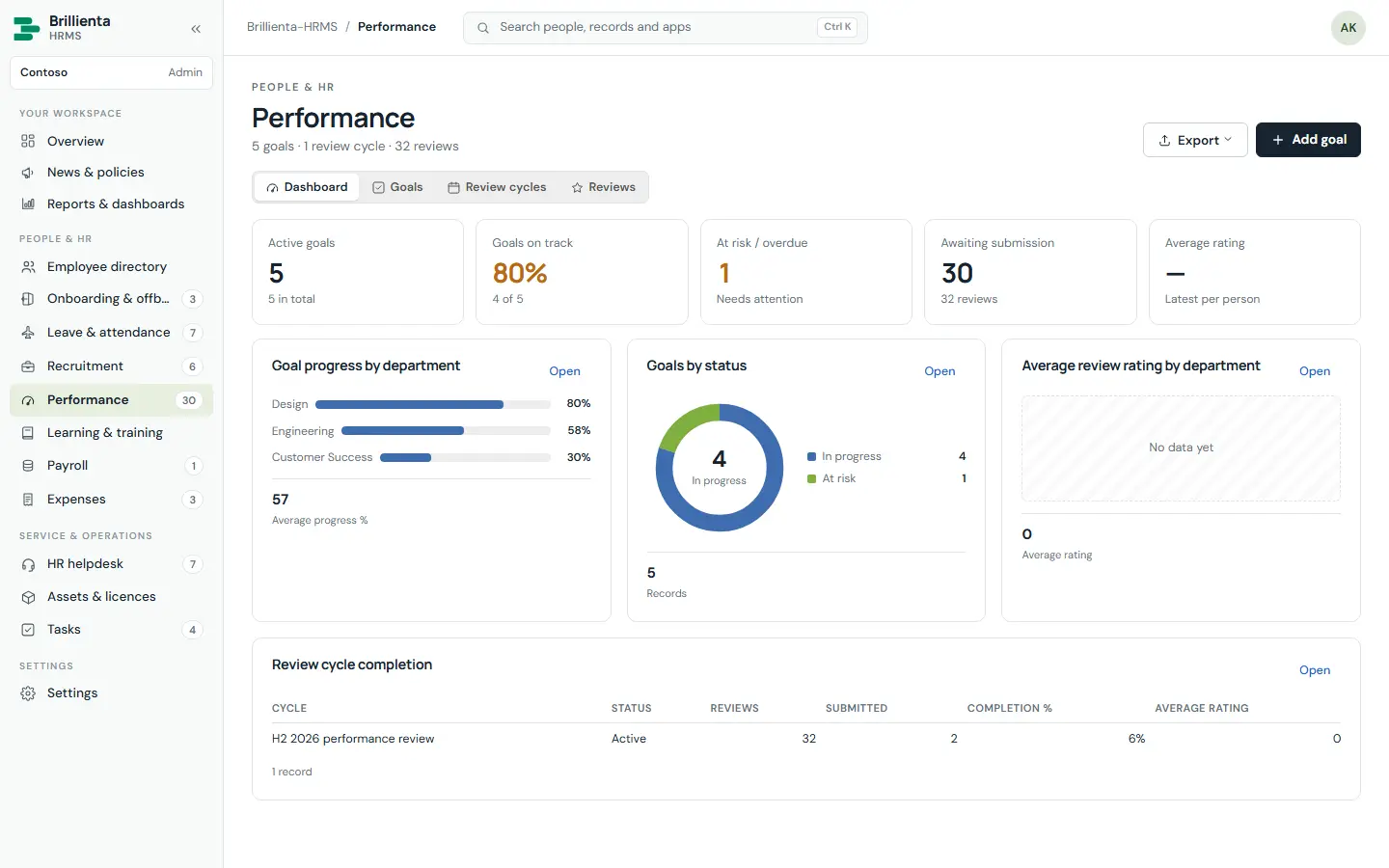
Weighted goals people update themselves, review cycles and competency reviews on your rating scale — plus a course catalogue with self-enrolment and certifications that renew.
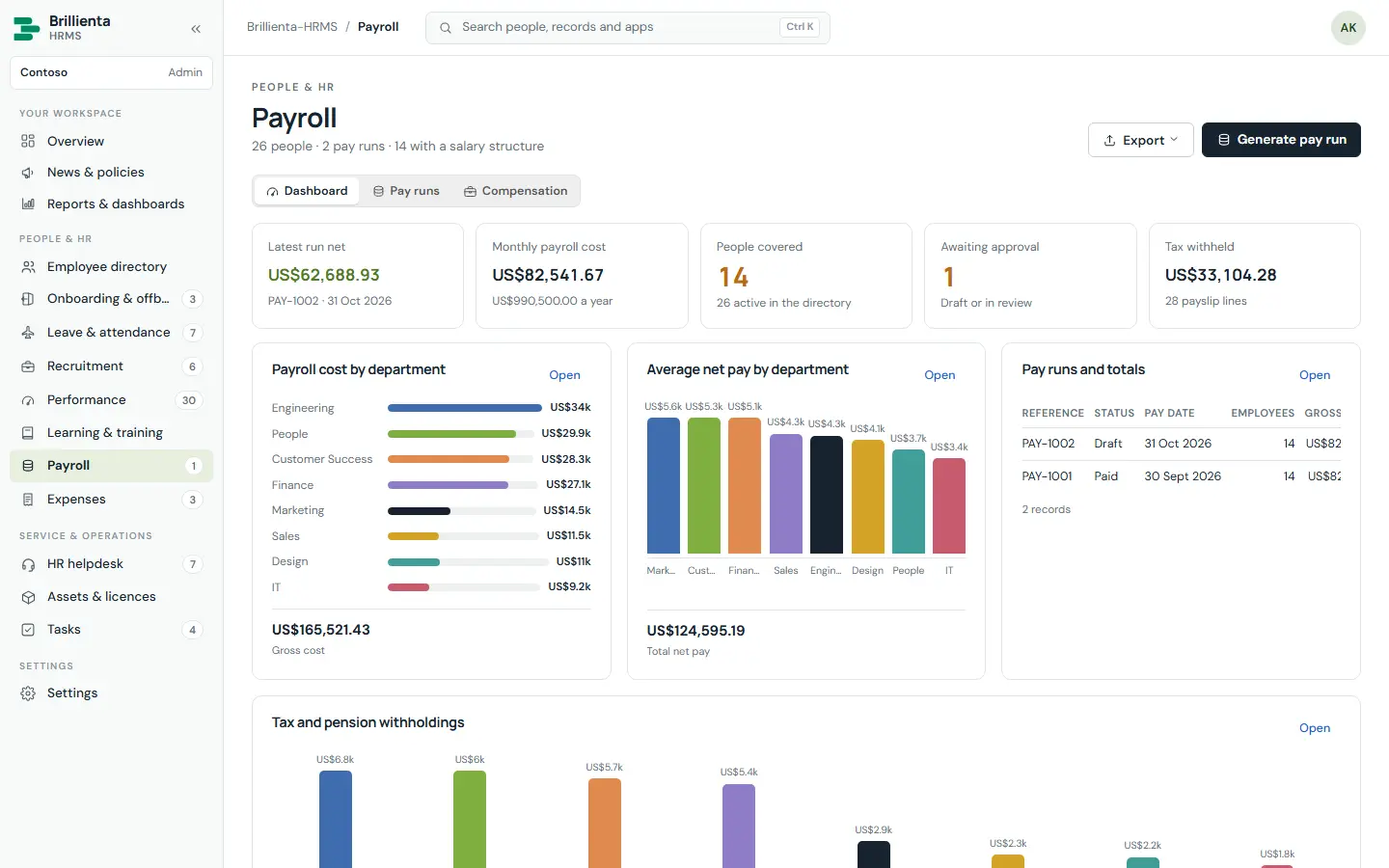
Salary structures and pay runs (Draft → Review → Approved → Paid) with tax, pension and expense lines. Paying a run releases payslips; payroll lists are closed to the HR team in SharePoint.
ROLES & PERMISSIONS
A person can hold several roles; the most permissive wins. Saving roles updates the SharePoint groups, so app roles and real permissions always agree.
| Capability | Employee | HR team | Asset manager | Auditor | Admin |
|---|---|---|---|---|---|
| Own leave, clock in/out, tickets, tasks, goals, courses, claims, payslips and equipment | ✓ | ✓ | ✓ | — | ✓ |
| Manage people, leave, attendance, recruitment, performance, learning, tickets, onboarding, news | — | ✓ | — | — | ✓ |
| Manage assets & licences | — | — | ✓ | — | ✓ |
| Decide leave & expenses, manage payroll & settings | — | — | — | — | ✓ |
| Read everything, including payroll and activity (changes nothing) | — | — | — | ✓ | ✓ |
SECURITY
What the app hides is also closed in SharePoint — not just a hidden button.
PLANS
Each plan includes everything before it. Licence keys are signed and bound to your tenant; seats count active employees.
Core HR for a growing team: directory, onboarding, leave and attendance, news and policies, HR helpdesk, tasks and reports
billed yearly · $1,188 / year
≈ $1.98 per employee per month at full seats
Talent and operations: recruitment, performance, learning, expenses, assets and licences, custom columns, directory sync
billed yearly · $3,588 / year
≈ $1.20 per employee per month at full seats
Everything in Plus, plus:
Payroll, Intune device sync and unlimited employees
billed yearly · $8,388 / year
Flat price — no per-employee charges
Everything in Pro, plus:
Prices in USD per Microsoft 365 tenant, excluding taxes. Seats count active employees. Every installation starts with a 14-day trial of all Enterprise features — no card needed. Larger seat counts and multi-year terms: talk to us.
| Feature | Plus | Pro | Enterprise |
|---|---|---|---|
| Overview dashboard and team checklist | ✓ | ✓ | ✓ |
| News and policies with acknowledgements | ✓ | ✓ | ✓ |
| Onboarding and offboarding checklists | ✓ | ✓ | ✓ |
| Employee directory, org chart and CSV import | ✓ | ✓ | ✓ |
| Leave, approvals, attendance and holidays | ✓ | ✓ | ✓ |
| HR helpdesk tickets with SLA targets | ✓ | ✓ | ✓ |
| Task manager | ✓ | ✓ | ✓ |
| Report library and app dashboards | ✓ | ✓ | ✓ |
| Attachments on records | ✓ | ✓ | ✓ |
| Email notifications (standard wording) | ✓ | ✓ | ✓ |
| Excel and PDF export | ✓ | ✓ | ✓ |
| Recruitment: openings, pipeline, interviews and hiring | — | ✓ | ✓ |
| Performance: goals, review cycles and reviews | — | ✓ | ✓ |
| Learning: courses, enrolments and certifications | — | ✓ | ✓ |
| Assets and the software licence library | — | ✓ | ✓ |
| Custom columns | — | ✓ | ✓ |
| Report builder and saved reports | — | ✓ | ✓ |
| Custom email templates | — | ✓ | ✓ |
| Microsoft Entra directory sync | ✓ | ✓ | ✓ |
| Expense claims with approval and payroll pay-back | — | ✓ | ✓ |
| Payroll: compensation, pay runs and payslips | — | — | ✓ |
| Intune device sync | — | — | ✓ |
SUITE BUNDLE
HRMS, Helpdesk, Asset Management, Employee Directory and TaskManager — each on its Pro plan.
DEPLOYMENT
Most of the time goes on choosing the site and the people for each role.
Add brillienta-hrms.sppkg to the tenant app catalog. Approve Graph permissions only if you want directory sync, presence or device sync.
Add Brillienta HRMS to a page on your HR site. A full-width section works best; the app fills the window.
Organisation, people, options and install — creates 33 lists, writes the configuration and secures the lists.
Activate the licence, import the email flow, assign roles, set policies, run sync and switch on privacy.
RESOURCES
The complete documentation, our security model and practical articles for Brillienta HRMS.
In SharePoint lists on your own HR site — one item per record, with typed columns for views, Excel and Power BI. No vendor database, no third-party service.
Record-level saves, version-checked reference numbers (HD-1001, JOB-1001, PAY-1001) and live refresh every 5 seconds to 2 minutes. A stale page can never delete someone else’s records, and open Settings drafts merge instead of overwriting.
Yes. Lists are read in id-ordered pages, so the threshold does not apply; tens of thousands of records per list are comfortable.
The app queues each email in an Outbox list. A Power Automate flow — built for your site by the app — sends it from your HR mailbox and marks it Sent, Rejected or Failed. Use a service account with Send As so mail doesn’t stop when someone leaves.
Brand colour, logo, dark mode, landing app, leave, attendance, SLA, expense and payroll policies, custom columns on 14 record types, and email wording and layout — all in Settings, no code.
Deploy the new package. The first visit by a list manager upgrades additively — only adding lists, columns, indexes and choice values. Your data and custom columns survive every release.
ONE APP, OR THE FULL LIFECYCLE