Web parts
React and TypeScript web parts with property panes, theme support and responsive layouts.
- Dashboards, forms and data views
- Property panes with validation
- Full-width and Teams-ready layouts
 brillienta
Book a demo ↗
brillienta
Book a demo ↗
HOME / SERVICES / SPFX DEVELOPMENT
✳ SPFX DEVELOPMENT SERVICES
All six Brillienta products are SPFx solutions — Intranet Builder alone has 39 web parts and 9 extensions. We bring the same React and TypeScript engineering, testing and packaging to the web parts and extensions you need.
A consulting and development service — scoped and quoted per project. Looking for a ready-made app? See our products.
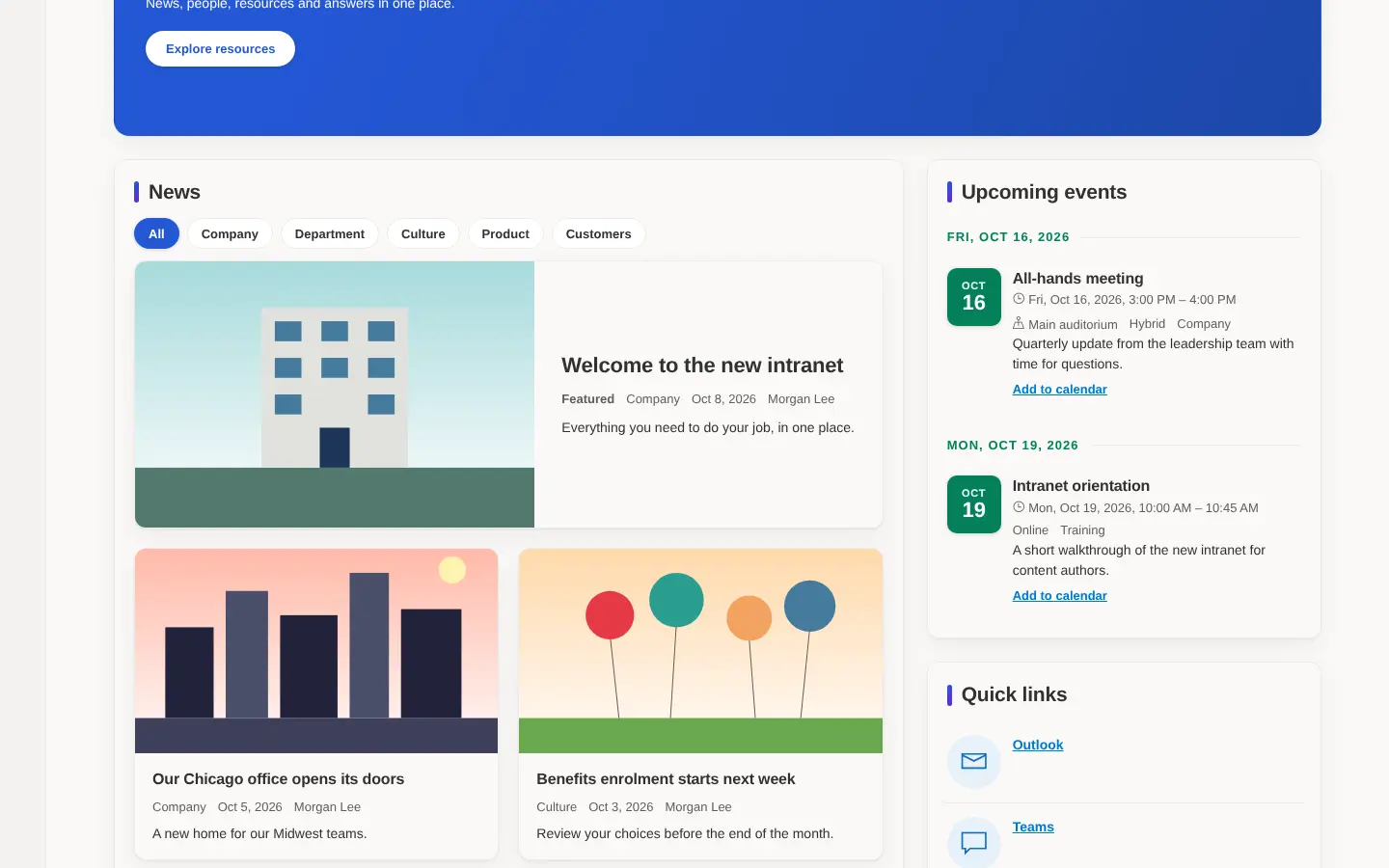
Built by us: an intranet home page made entirely of our own SPFx web parts.
01 / PROBLEMS WE SOLVE
The situations that usually lead teams to us.
You need a view, form or dashboard that SharePoint does not offer, and it must look native on every page.
A global header, footer, banner or help button should appear everywhere without editing pages one at a time.
Classic script injections no longer work on modern pages and need a supported replacement.
An old SPFx version, a failing build or missing source makes updates risky.
02 / CAPABILITIES
Pick one or combine them. Every engagement starts from the business problem, not the technology.
React and TypeScript web parts with property panes, theme support and responsive layouts.
Code that runs on every page of a site or tenant.
Actions and rendering inside SharePoint lists and libraries.
Data from Microsoft 365 and your own APIs, called as the signed-in user.
Finding content across sites, including PnP Modern Search based pages.
Builds you can deploy and upgrade with confidence.
03 / ARCHITECTURE & SECURITY
The same rules we follow in our own products — documented in our security overview and trust center.
04 / TYPICAL SOLUTIONS
Representative solution types — every project is scoped to your process.
News rollups, events, people, quick links, policies and acknowledgements.
KPIs and work queues over SharePoint lists or external data.
Navigation, branding, banners and footers applied across a tenant.
Command-set actions and field rendering that speed up daily list work.
The same SPFx web part surfaced as a Microsoft Teams tab or personal app.
05 / HOW A PROJECT RUNS
Fixed scope where it can be, flexible where it must be. See ways to engage: assessment, project build, dedicated team or support.
Workshops with the people who do the work. Output: requirements, constraints and an estimate.
Architecture, permissions and screens. Output: a prototype and a fixed plan.
Short iterations with demos on your tenant. Output: tested, packaged releases.
Rollout, training and admin guides. Output: a solution your team can run.
06 / RELATED PRODUCTS
Ready-made Brillienta products, licensed per tenant with a 14-day trial. We can tailor them, or build from scratch when that fits better.
The SharePoint Framework is Microsoft's supported way to build web parts and extensions for SharePoint Online and Teams, using TypeScript and a JavaScript framework such as React.
Yes. An SPFx web part can be exposed as a Teams tab or personal app from the same package.
Yes. We review the source, upgrade the SPFx version and dependencies, fix the build and redeploy — or recommend a rewrite when that is cheaper.
No. SPFx runs on SharePoint Online. Features that use other services, such as Azure Functions, follow those services' pricing.
Yes. Source, build scripts and deployment instructions for bespoke work are handed over.
SPFX DEVELOPMENT