Information architecture
A structure built from how people actually look for things.
- Hub sites and site hierarchy
- Global and hub navigation
- Content types and metadata
 brillienta
Book a demo ↗
brillienta
Book a demo ↗
HOME / SERVICES / SHAREPOINT INTRANET DEVELOPMENT
✳ SHAREPOINT INTRANET DEVELOPMENT
We design and build intranets on SharePoint Online: the structure, navigation, branding, custom components and governance that make an intranet useful long after launch. Where it fits, we start from Intranet Builder, our own provisioning product, so budget goes into what is specific to you.
A consulting and development service — scoped and quoted per project. Looking for a ready-made app? See our products.
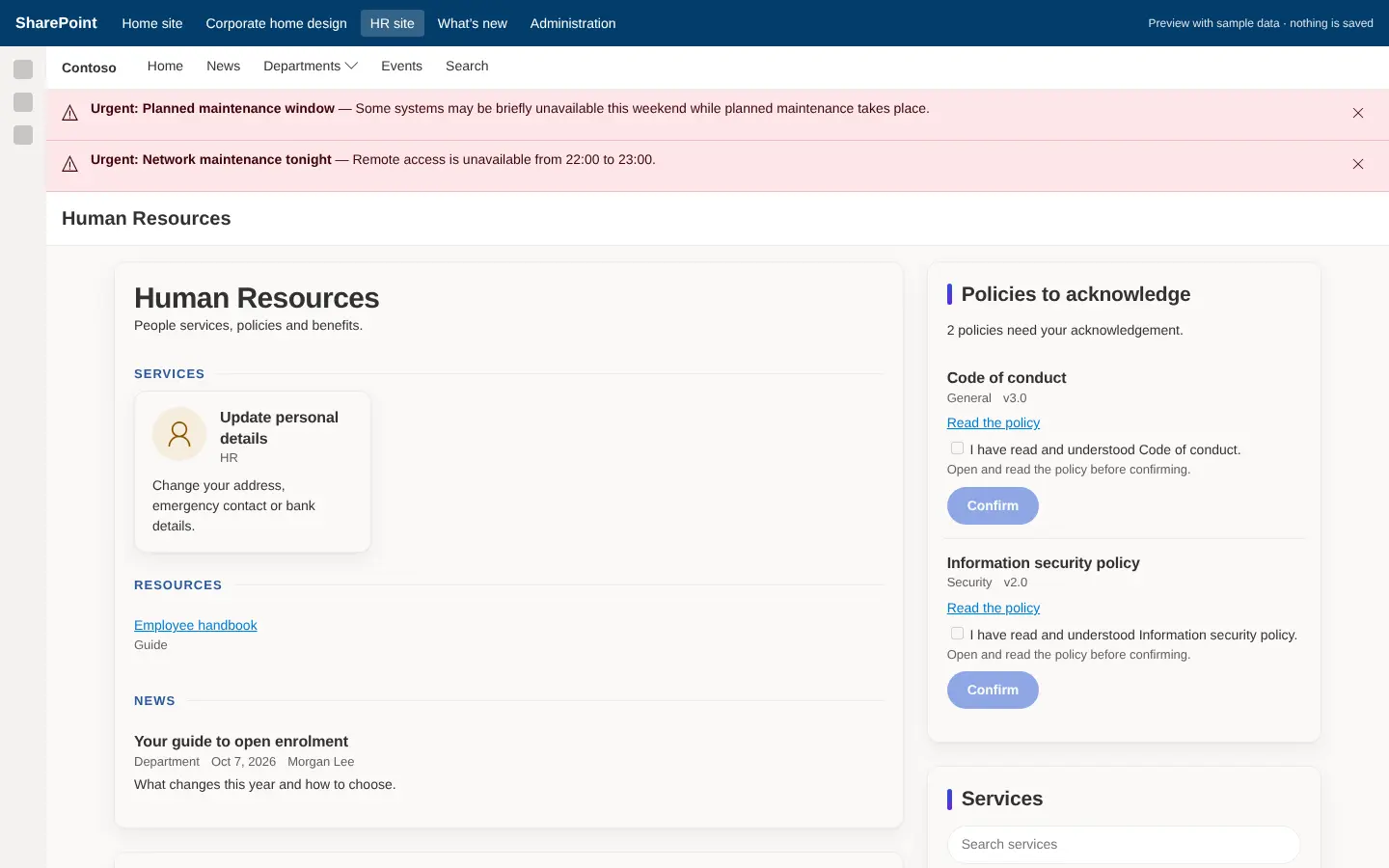
Built by us: an HR portal site on a SharePoint intranet.
01 / PROBLEMS WE SOLVE
The situations that usually lead teams to us.
Content is spread over sites, Teams channels and file shares with no structure or search that works.
News and pages are not maintained because publishing is hard and ownership is unclear.
Departments built their own sites, so navigation and branding are inconsistent.
Without governance, permissions and lifecycle rules the intranet drifts within a year.
02 / CAPABILITIES
Pick one or combine them. Every engagement starts from the business problem, not the technology.
A structure built from how people actually look for things.
An intranet that looks like your organisation on every device.
SPFx web parts and extensions where out-of-the-box parts fall short.
The intranet where people already work.
Rules that keep the intranet healthy.
A launch your people notice — and a team that can run it.
03 / ARCHITECTURE & SECURITY
The same rules we follow in our own products — documented in our security overview and trust center.
04 / TYPICAL SOLUTIONS
Representative solution types — every project is scoped to your process.
News, events, leadership messages, quick links and alerts for everyone.
HR, IT, finance and operations sites with consistent navigation.
Searchable policies, FAQs and read-and-confirm acknowledgements.
Everything a new starter needs in one place.
Classic or on-premises intranets moved to modern SharePoint Online.
05 / HOW A PROJECT RUNS
Fixed scope where it can be, flexible where it must be. See ways to engage: assessment, project build, dedicated team or support.
Workshops with the people who do the work. Output: requirements, constraints and an estimate.
Architecture, permissions and screens. Output: a prototype and a fixed plan.
Short iterations with demos on your tenant. Output: tested, packaged releases.
Rollout, training and admin guides. Output: a solution your team can run.
06 / RELATED PRODUCTS
Ready-made Brillienta products, licensed per tenant with a 14-day trial. We can tailor them, or build from scratch when that fits better.
Intranet Builder is a licensed product with fixed packages. This page is about custom intranet projects — often both are combined.
Intranet Builder is a licensed product that provisions a complete intranet from templates. This service is a custom project: discovery, design, custom components, migration and governance. Many projects use Intranet Builder as the starting point.
It depends on scope, content and decision-making. After discovery we give a phased plan with a working release at the end of each phase.
Yes — through Viva Connections or by adding intranet pages as Teams tabs.
Yes. We plan what to move, archive or retire, and migrate content with its structure and metadata.
Your team, with admin guides and training — or us, on a support retainer.
SHAREPOINT INTRANET DEVELOPMENT