Entra ID and people data
Users, managers, departments, groups and photos kept in step.
- Directory and org-chart sync
- Group membership automation
- Joiner, mover and leaver handling
 brillienta
Book a demo ↗
brillienta
Book a demo ↗
HOME / SERVICES / MICROSOFT GRAPH INTEGRATION
✳ MICROSOFT GRAPH DEVELOPMENT
Our products sync people from Entra ID, devices from Intune and tasks with Planner and Azure DevOps — each with documented, least-privilege Microsoft Graph permissions. We build the same kind of integration for your systems.
A consulting and development service — scoped and quoted per project. Looking for a ready-made app? See our products.
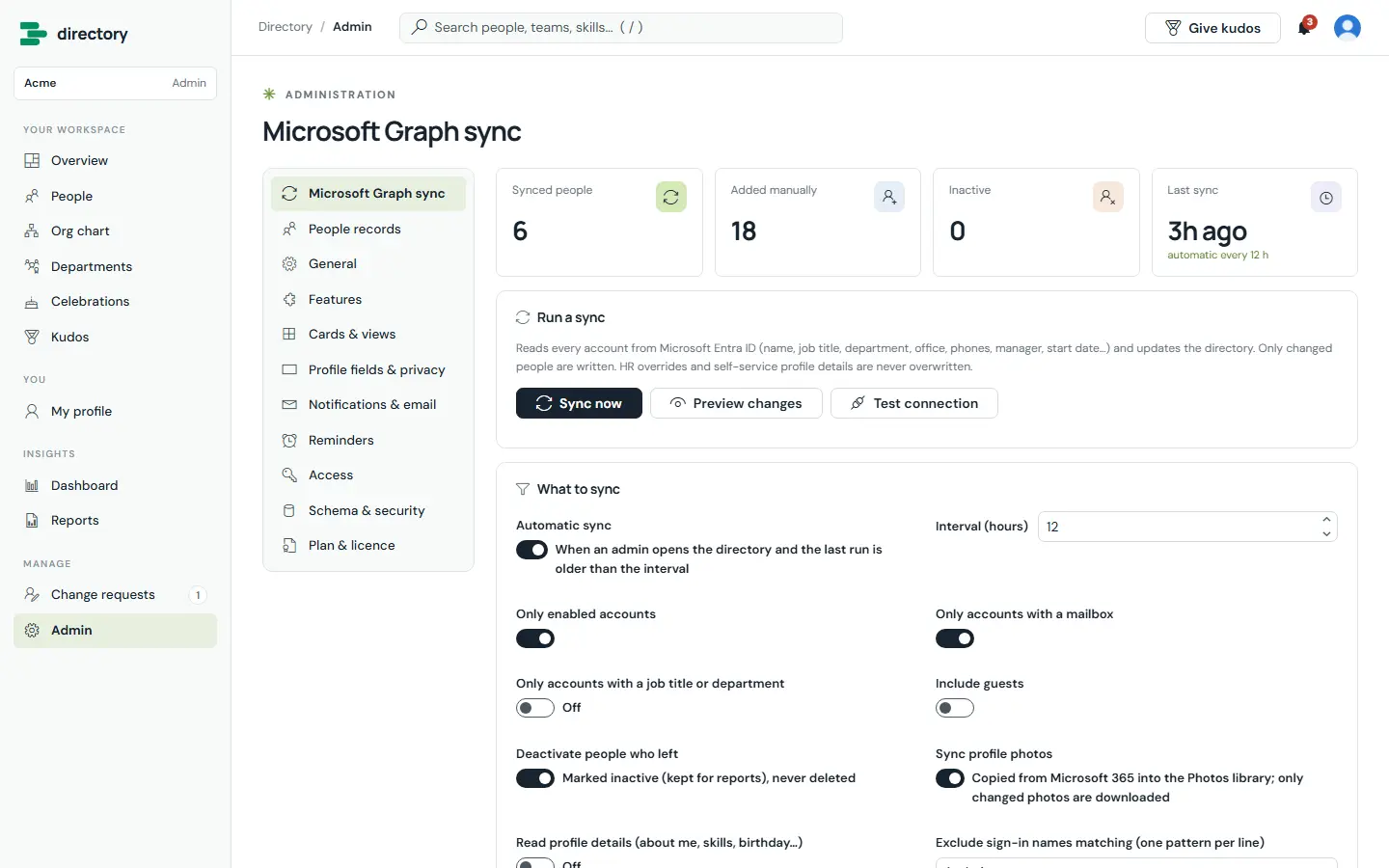
Built by us: Entra ID sync in Employee Directory, with a preview before anything changes.
01 / PROBLEMS WE SOLVE
The situations that usually lead teams to us.
Names, managers and departments are re-typed into other systems and drift out of date.
An integration was granted broad application permissions nobody can justify in a security review.
HR, ERP or finance data never reaches Microsoft 365, or the other way round.
A sync job on an old VM fails quietly and nobody notices.
02 / CAPABILITIES
Pick one or combine them. Every engagement starts from the business problem, not the technology.
Users, managers, departments, groups and photos kept in step.
Device and compliance data alongside your own records.
Tasks, events and messages connected to your apps.
Microsoft 365 connected to the systems that run the business.
03 / ARCHITECTURE & SECURITY
The same rules we follow in our own products — documented in our security overview and trust center.
04 / TYPICAL SOLUTIONS
Representative solution types — every project is scoped to your process.
Entra ID people data into SharePoint lists and apps, with leavers deactivated, not deleted.
Intune devices matched to an asset register.
Two-way connections with Planner or Azure DevOps.
Approved APIs connecting business systems to Microsoft 365.
05 / HOW A PROJECT RUNS
Fixed scope where it can be, flexible where it must be. See ways to engage: assessment, project build, dedicated team or support.
Workshops with the people who do the work. Output: requirements, constraints and an estimate.
Architecture, permissions and screens. Output: a prototype and a fixed plan.
Short iterations with demos on your tenant. Output: tested, packaged releases.
Rollout, training and admin guides. Output: a solution your team can run.
06 / RELATED PRODUCTS
Ready-made Brillienta products, licensed per tenant with a 14-day trial. We can tailor them, or build from scratch when that fits better.
Delegated whenever a person is using the app, so access is limited to what they can already see. Application permissions only for background services, scoped as narrowly as possible.
In the browser for user-driven features, or in Azure Functions in your own subscription when a server is needed.
Usually, if it has an approved API. We review the API and security requirements during discovery.
Yes. We document every permission, where data flows and how secrets are handled.
MICROSOFT GRAPH INTEGRATION