Always in step with Microsoft 365
Names, titles, departments, managers, offices, phones, start dates and photos come from Entra ID. Leavers are deactivated, never deleted.
 brillienta
Book a demo ↗
brillienta
Book a demo ↗
HOME / PRODUCTS / EMPLOYEE DIRECTORY
PEOPLE · VERSION 1.5
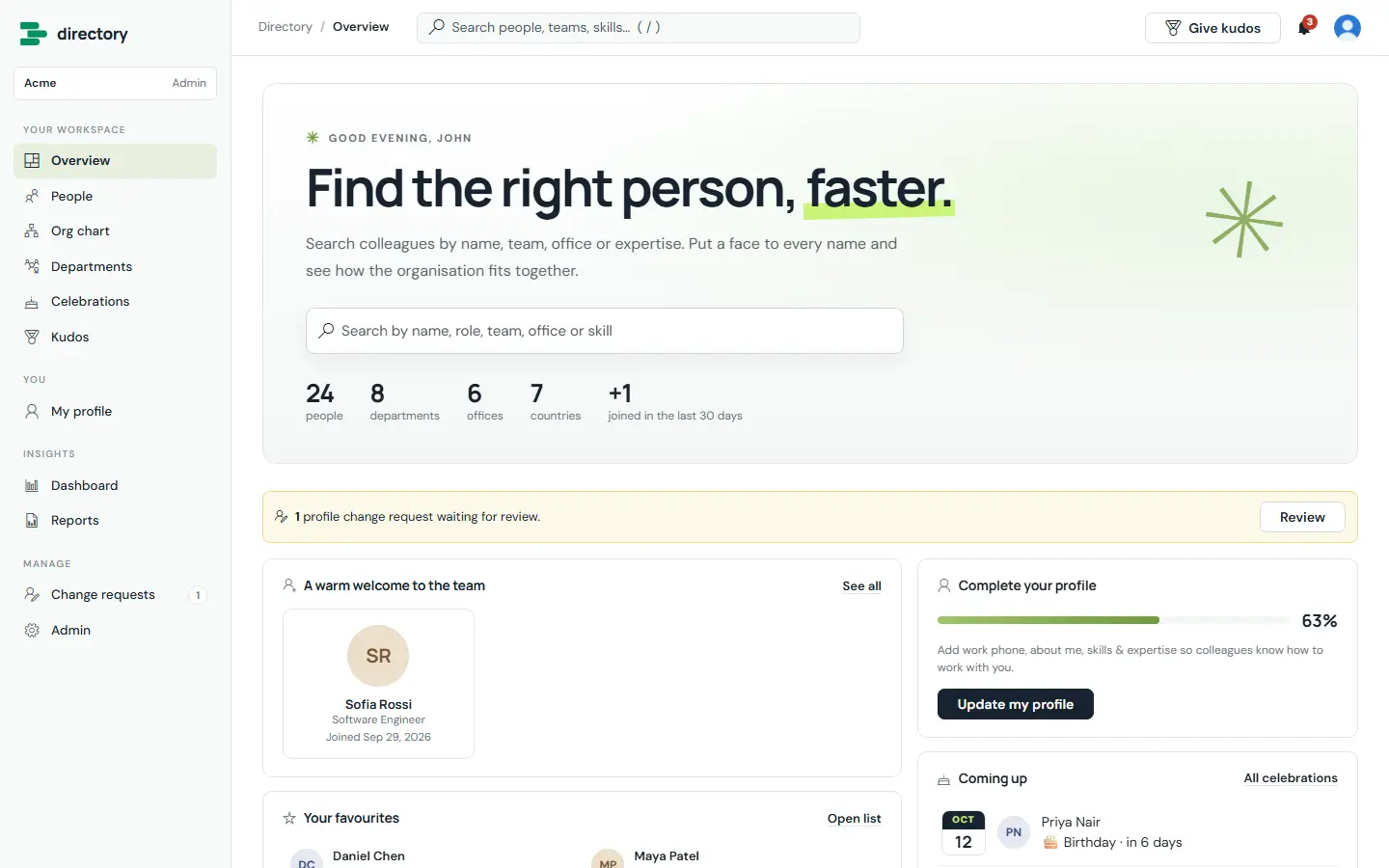
A people directory that keeps itself up to date from Microsoft Entra ID, and adds what daily use needs: rich profiles, an org chart, departments, celebrations, kudos, HR governance, notifications, dashboards and reports.
From $29 / month · 14-day free trial of every feature
WHY EMPLOYEE DIRECTORY
Names, titles, departments, managers, offices, phones, start dates and photos come from Entra ID. Leavers are deactivated, never deleted.
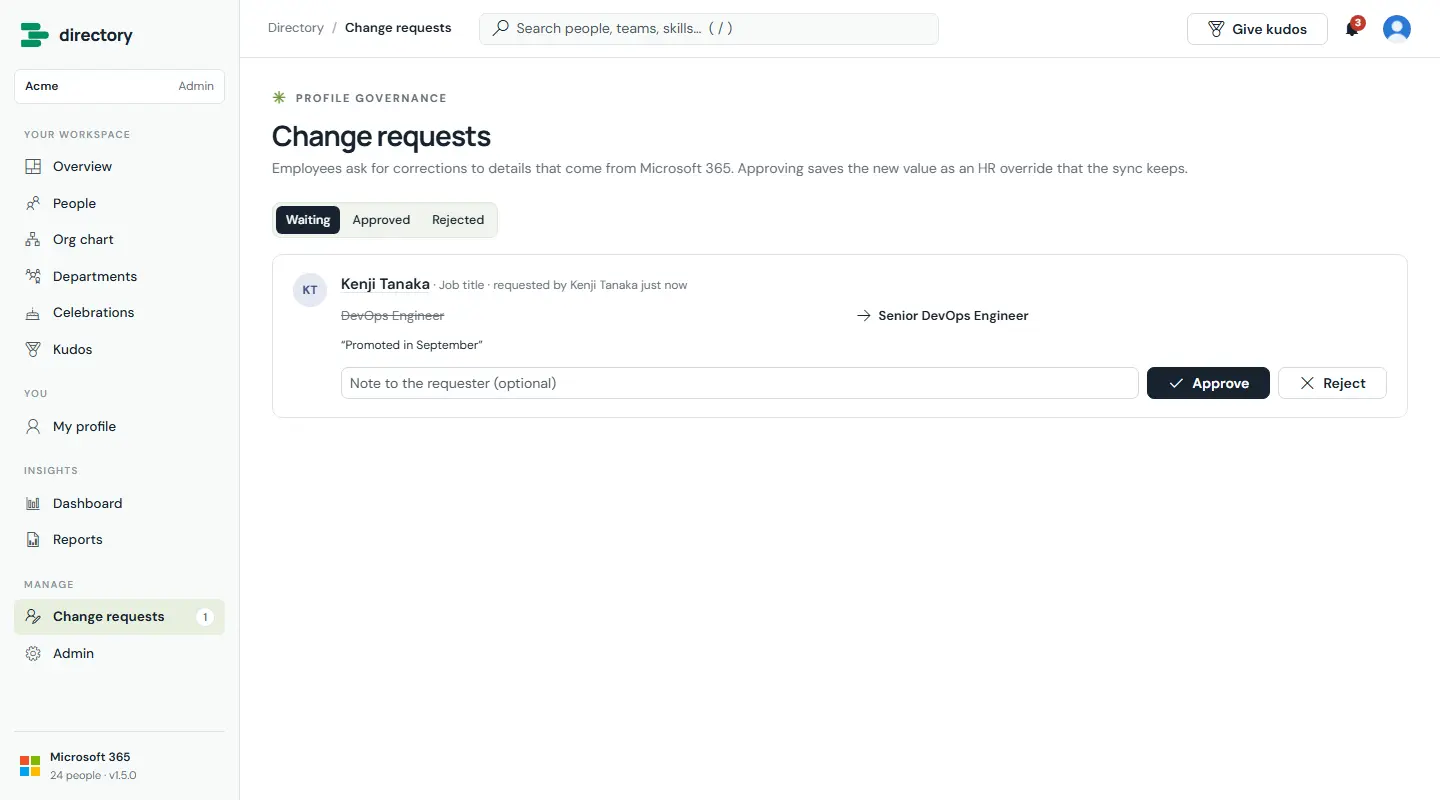
Employees ask HR to correct Microsoft 365 details; HR approves or declines, and every decision is logged.
Org chart, departments, celebrations, kudos, reminders, a workforce dashboard and ten HR reports.
Its own groups, permission levels and item-level security; private lists kept out of search.
FEATURES
The tags show who uses each feature and the lowest plan that includes it. Every screen is the real product with fictional demo data.
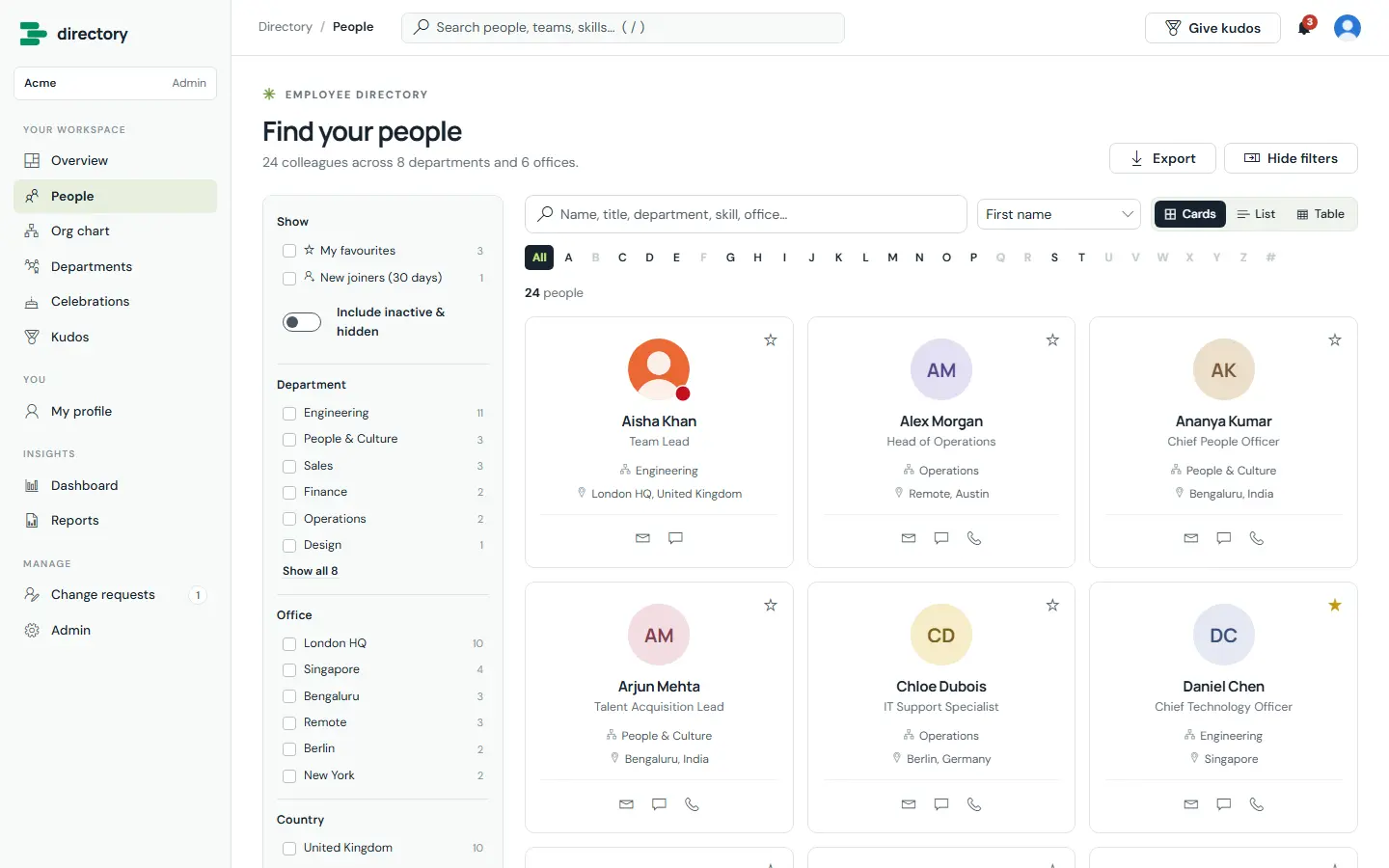
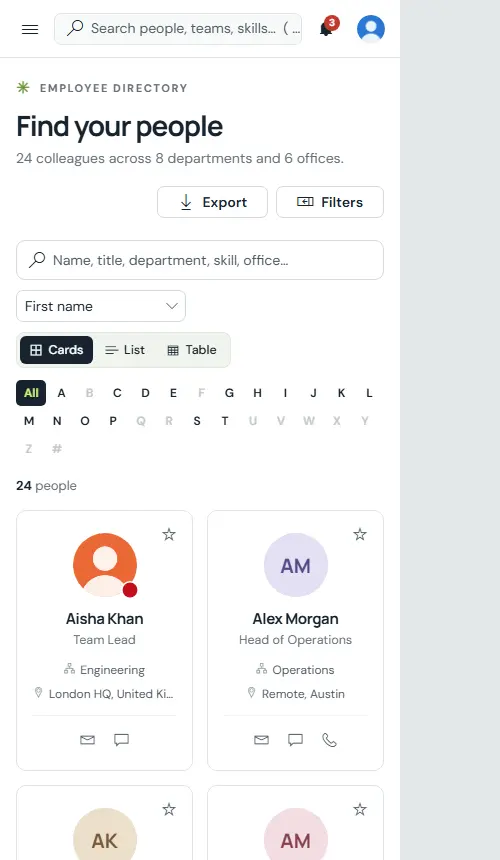
Find anyone by name, job title, department, office, skill or any visible field. Narrow results with filters and the A–Z bar, and show them as cards, a compact list or a sortable table.
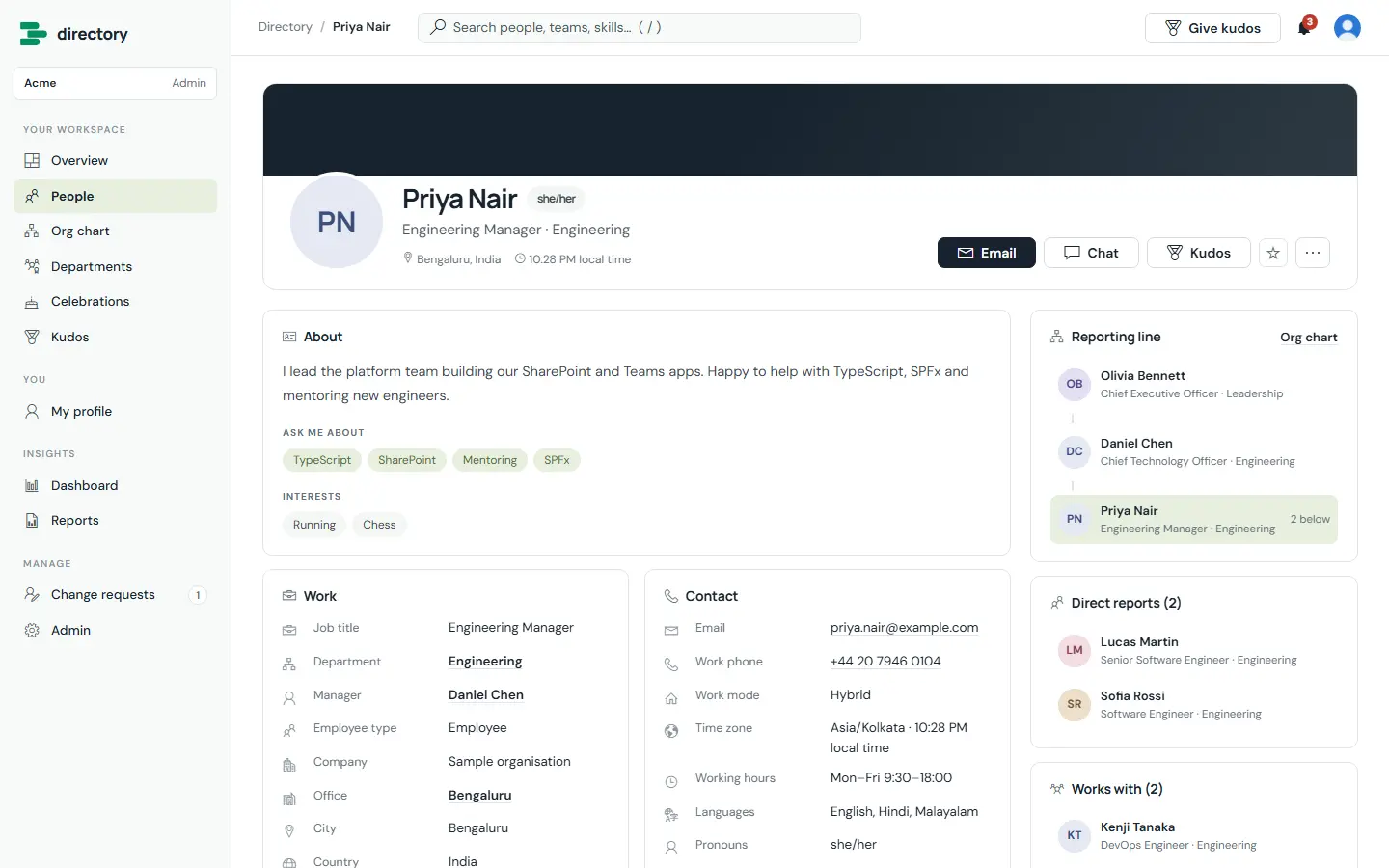
Work and contact details from Microsoft 365, the person’s own “about me”, skills and working hours, their reporting line, direct reports, the people they work with and the kudos they have received.
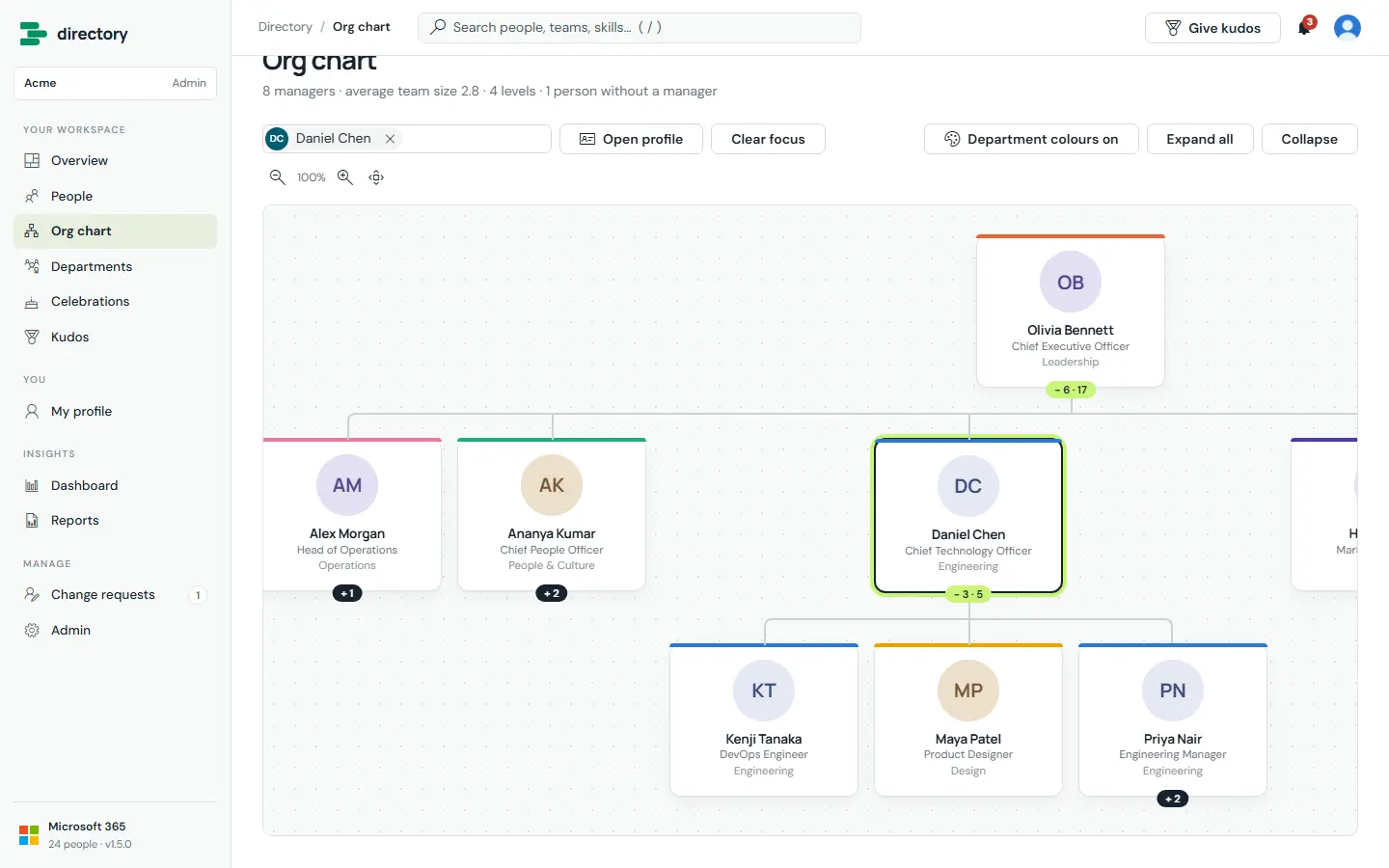
The reporting structure from the managers in Entra ID. Search for anyone to open their whole reporting line; expand and collapse branches, zoom and pan.
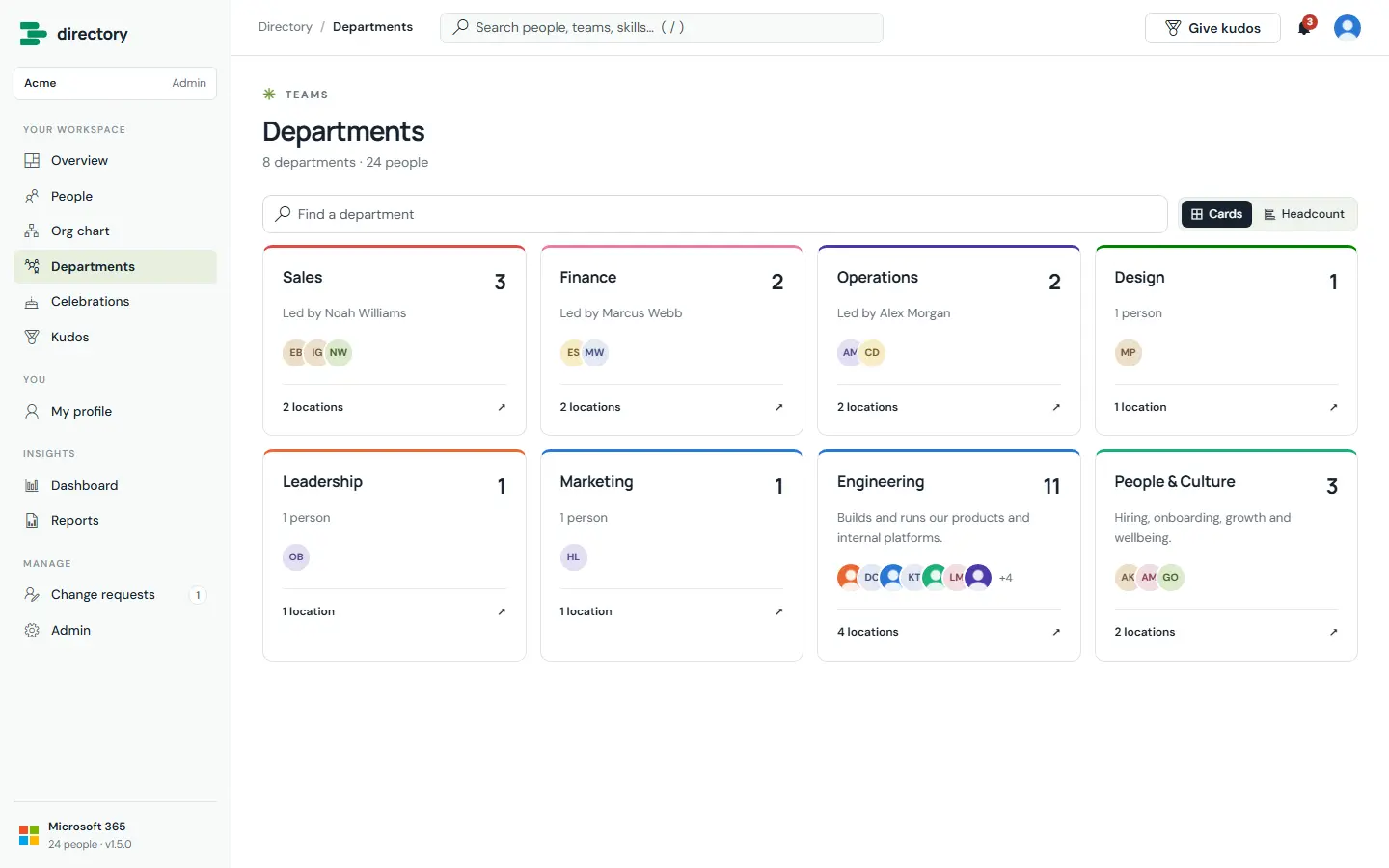
Every department gets its own page with its people, head, locations and roles — as cards or a headcount chart. Admins add a description, head, colour and parent department.
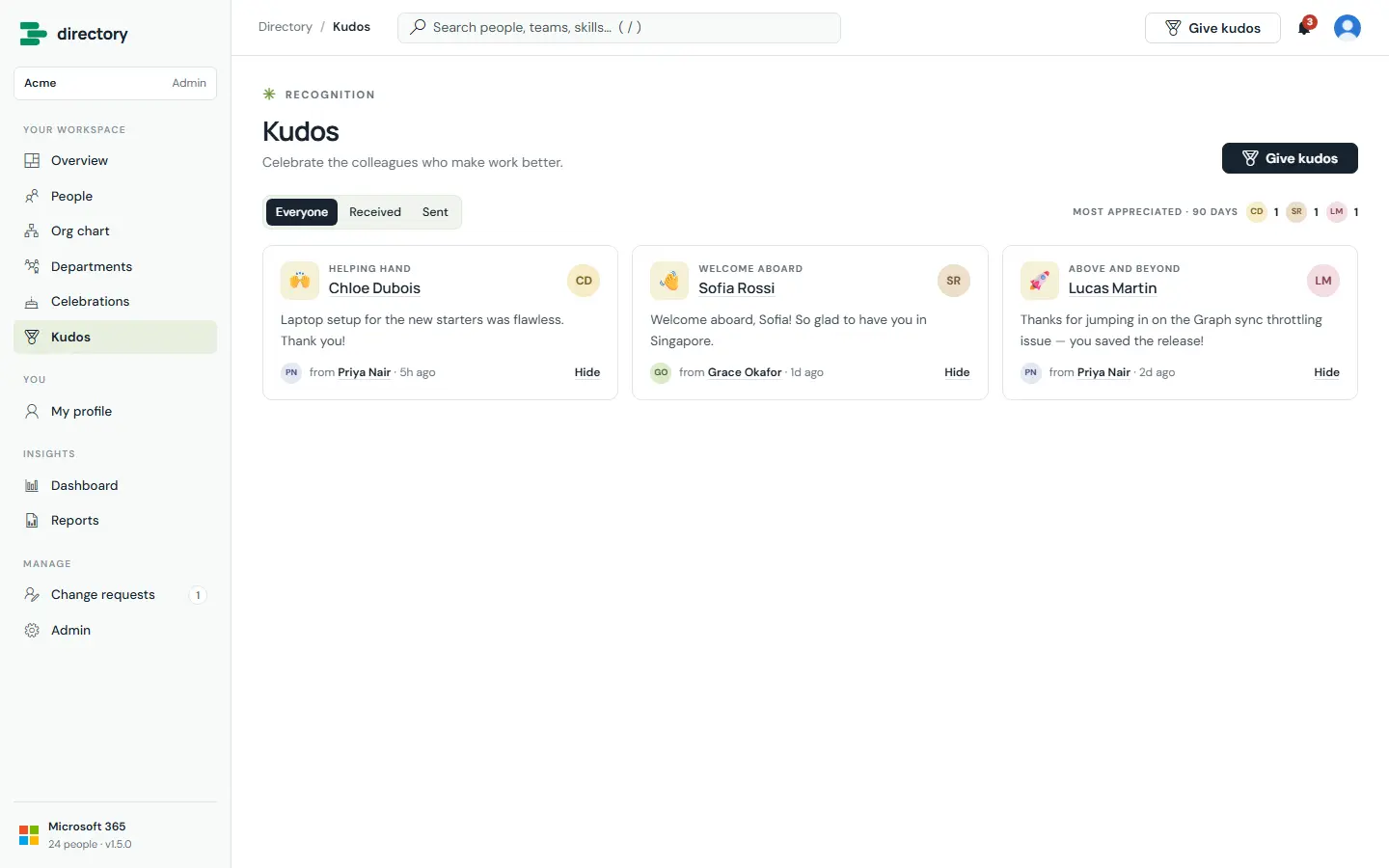
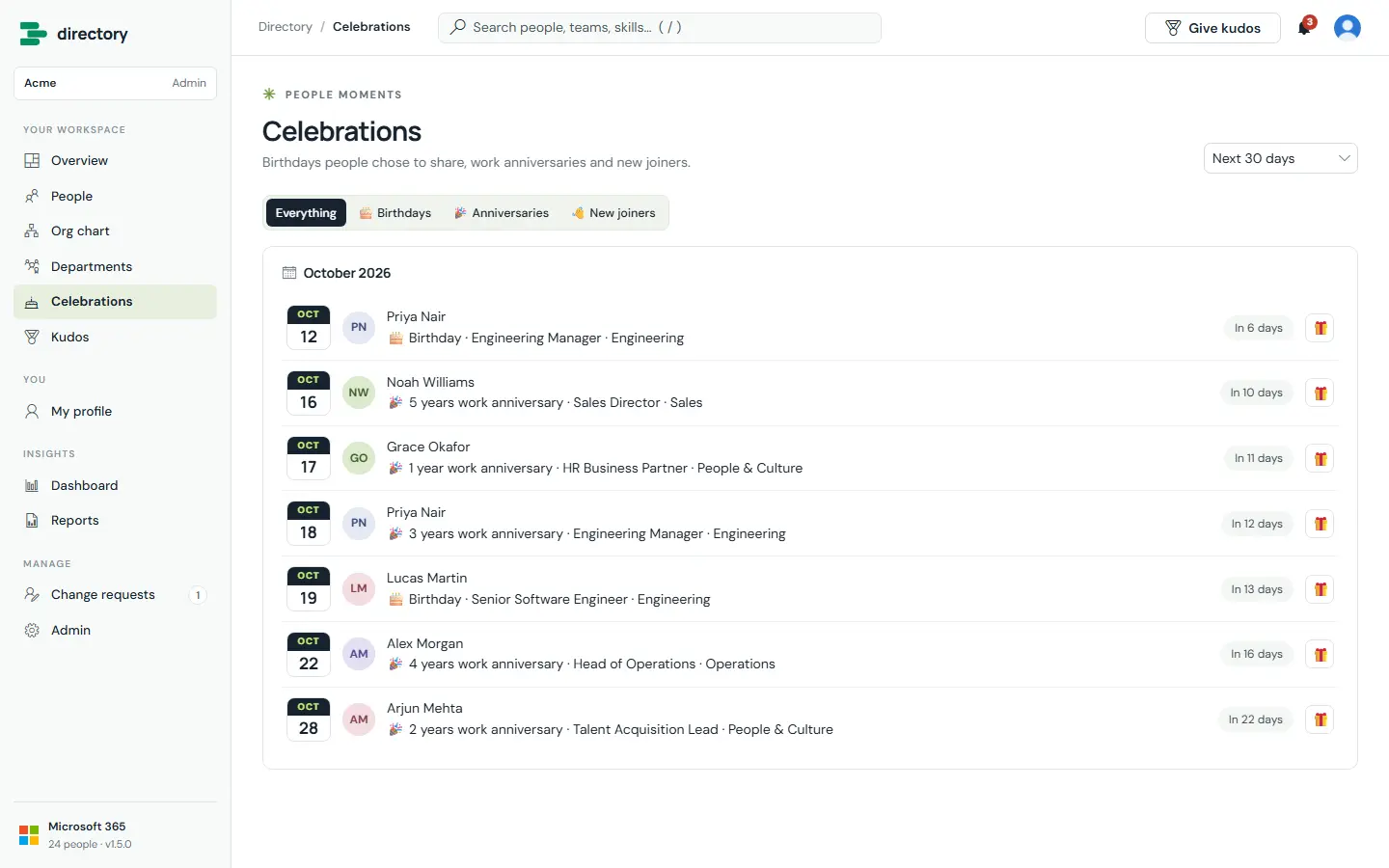
Upcoming birthdays (only for people who share them), work anniversaries and new joiners — and a public kudos wall with eight badges, where the recipient is notified.
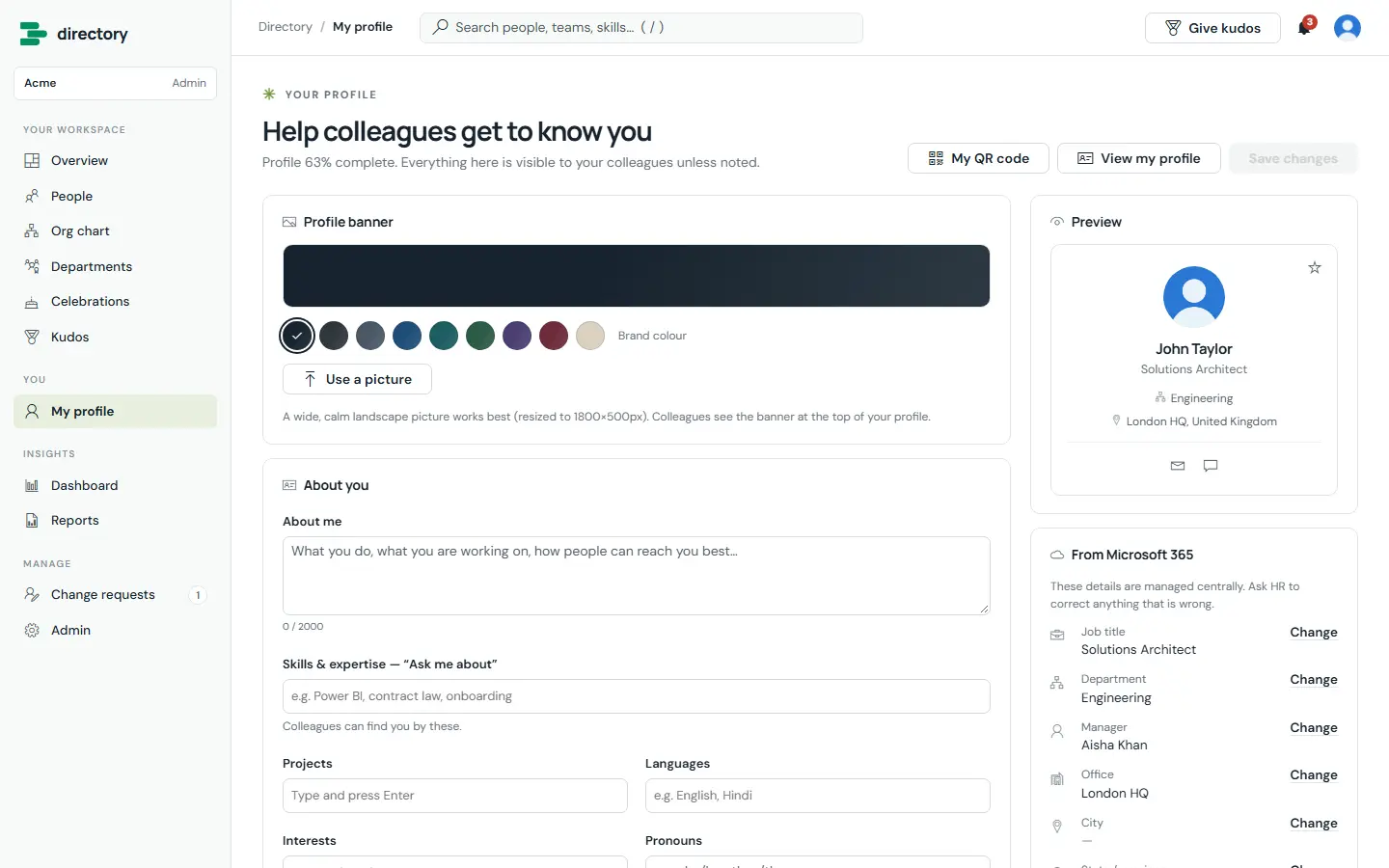
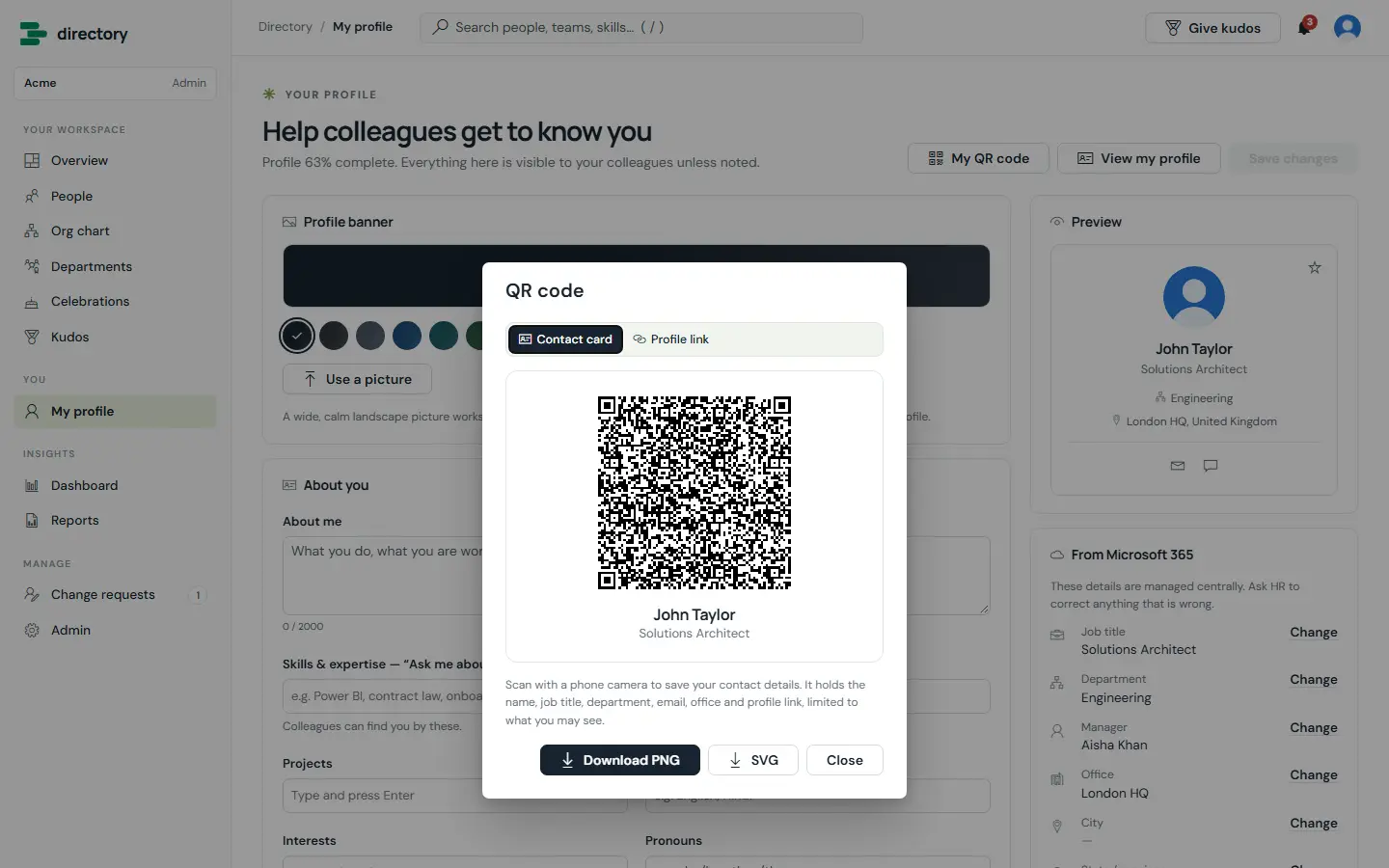
Each person keeps their own profile current — about me, skills, projects, languages, pronouns, work mode, hours, time zone and banner. Details from Microsoft 365 can’t be edited directly: “Change” sends a request to HR, who approve or decline it.
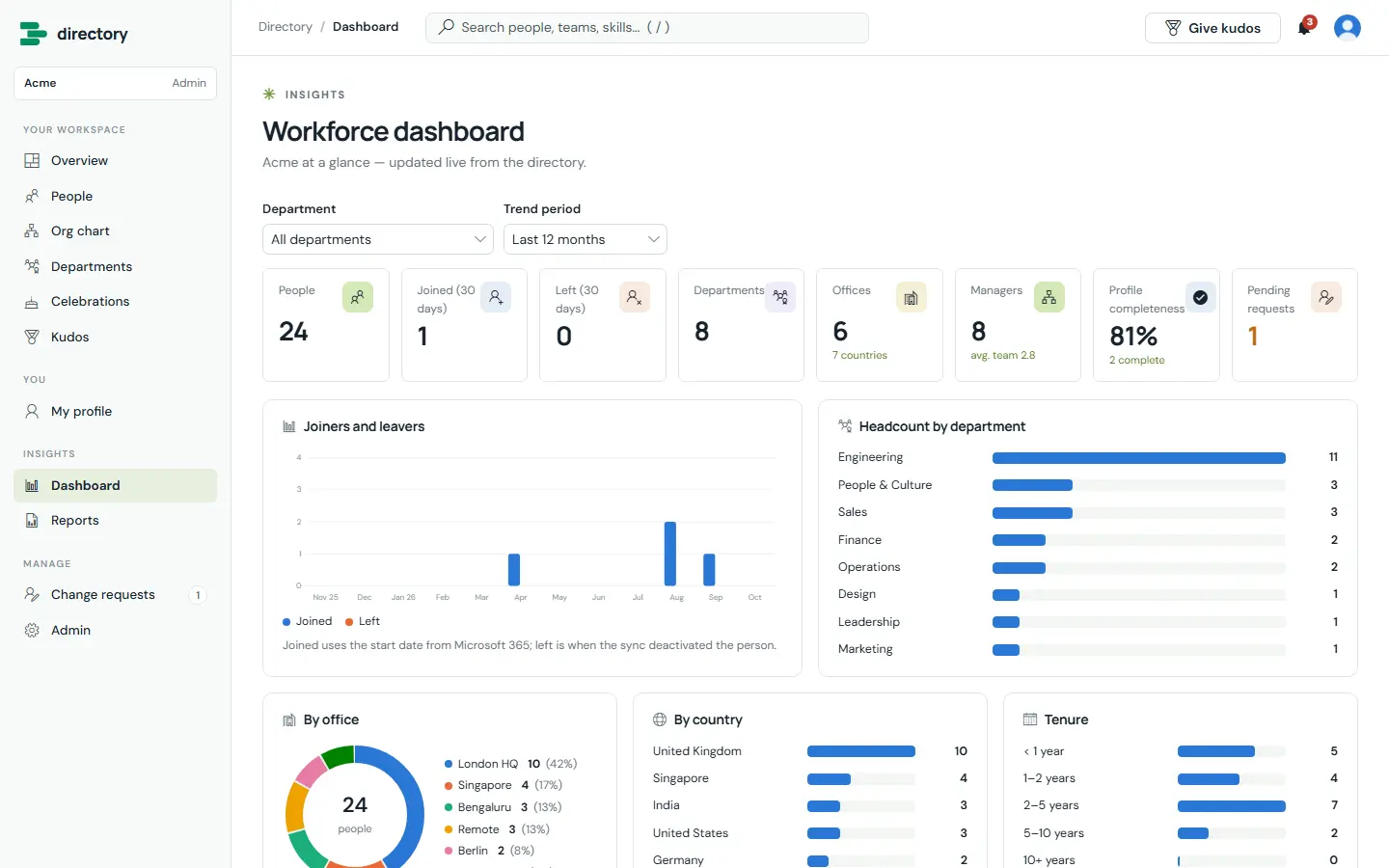
Headcount, joiners and leavers, departments, offices, countries, tenure, employee types, work modes, team sizes, profile completeness and top skills — plus ten operational reports for HR, filterable and exportable to CSV.
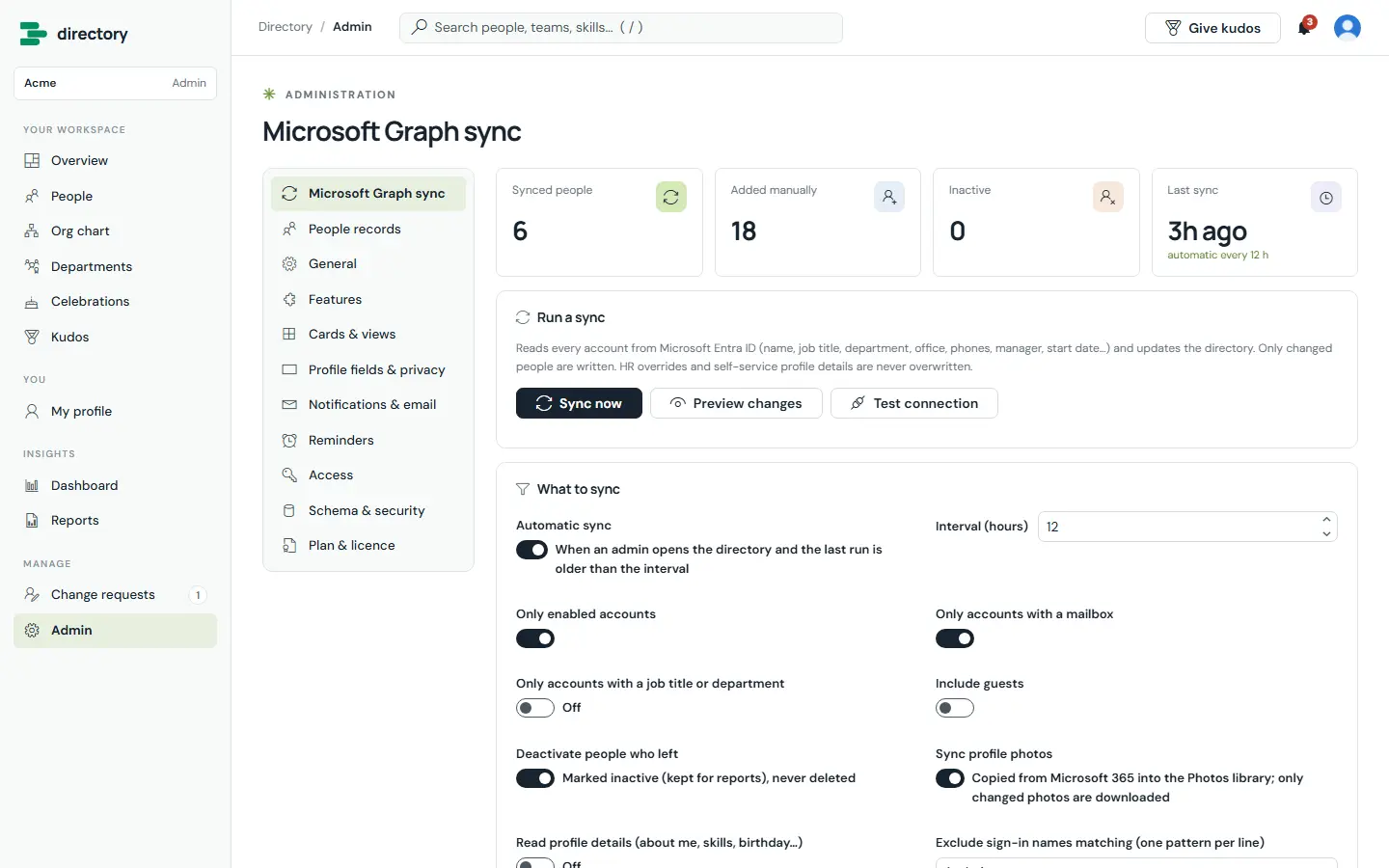
Reads every account from Entra ID — names, titles, departments, offices, phones, managers, start dates and photos — with filters that decide who appears. “Preview changes” shows exactly what a sync would create, update and deactivate.
PNG or SVG, ready for a badge — holding only what the viewer may see.
15 templates with placeholders and a branded layout (email: Pro).
Complete your profile, birthdays, anniversaries, new starters and a welcome on day one.
Star colleagues and find them on the overview page.
Design cards, list rows, table columns and org-chart cards with live previews.
For each of 25 fields: Everyone, HR only or Nobody.
Logo, home banner, colour, headline and start page (Enterprise).
Send email from a shared mailbox with a fallback (Enterprise).
HOW IT WORKS
No server, database or Azure function. The app runs as the signed-in person and reads and writes only your site.
Runs in the browser as the signed-in user, full screen, with a phone layout and Teams support.
Hidden lists with the prefix ED_: employees, profiles, departments, change requests, kudos, favourites, notifications, logs and a photo library.
Entra ID users, managers, photos, Teams presence and sending email — all with the user’s own delegated permissions.
| Microsoft Graph permission | Used for |
|---|---|
User.Read.All | Reading users, managers, profile details and photos |
Presence.Read.All | Teams status badges |
Mail.Send | Email notifications from the acting person’s mailbox |
Mail.Send.Shared | Email from a shared mailbox (Enterprise) |
Delegated permissions, approved once by an administrator in the SharePoint admin center. If one isn’t approved, only that feature is unavailable.
ADMINISTRATION
Admins change everything in the app’s own Admin pages, with validation before anything saves.
Welcome, Organisation, Access, Options and Install — about a minute, safe to run again.
Run now, preview, test connection, filters, interval and photo handling.
Override synced details per field, hide people, or add contractors by hand.
Visibility and completeness for each of the 25 profile fields.
Default layout, page size, sort, filters, quick actions and org-chart cards.
Organisation, app name, logo, banner, colour, headline, celebrations windows and formats.
Directory admins and HR people — saving updates the SharePoint groups.
Validate and repair lists, apply security, and plan & licence.
ROLES & PERMISSIONS
The role decides what the screens offer; SharePoint permissions, set up by the app, decide what can actually be read and changed. Features also depend on the plan.
| Capability | Employee | HR | Admin |
|---|---|---|---|
| Search people; profiles, org chart, departments, celebrations, kudos | ✓ | ✓ | ✓ |
| Edit own profile, banner and favourites | Own | Own | Own |
| File a change request | For self | For anyone | For anyone |
| Approve or decline change requests | — | ✓ not own | ✓ not own |
| Edit employee records, overrides, hide or add people | — | ✓ | ✓ |
| Reports, audit log, sync history | — | ✓ | ✓ |
| Run a sync; send reminders | — | — | ✓ |
| Settings, fields, notifications, access, branding | — | — | ✓ |
SECURITY
All data lives in your SharePoint site and moves only through SharePoint and your own flows. There is no analytics, tracking or vendor cloud.
Security & your data ↗PRICING
One flat price per tenant — not per user. Start with a 14-day trial of every feature, then pick the plan that fits.
People search, profiles and departments, synced from Microsoft 365
billed yearly · $348 / year
≈ $0.10 per person per month at full seats
Org chart, celebrations, kudos, HR governance, dashboards, email and reminders
billed yearly · $948 / year
≈ $0.05 per person per month at full seats
Everything in Plus, plus:
Custom email templates, Teams presence, branding, audit and unlimited people
billed yearly · $2,388 / year
Flat price — no per-person charges
Everything in Pro, plus:
Prices in USD per Microsoft 365 tenant, excluding taxes. Limits count active people shown in the directory. Every installation starts with a 14-day trial of all Enterprise features — no card needed. Larger seat counts and multi-year terms: talk to us.
| Feature | Plus | Pro | Enterprise |
|---|---|---|---|
| People search, filters, A–Z, cards / list / table | ✓ | ✓ | ✓ |
| Rich profiles, reporting line, contact actions, vCard | ✓ | ✓ | ✓ |
| Favourites | ✓ | ✓ | ✓ |
| Department pages | ✓ | ✓ | ✓ |
| Self-service profiles (skills, about me, working hours…) | ✓ | ✓ | ✓ |
| Microsoft Graph sync (manual and automatic) | ✓ | ✓ | ✓ |
| In-app notifications | ✓ | ✓ | ✓ |
| CSV export | ✓ | ✓ | ✓ |
| Interactive org chart | — | ✓ | ✓ |
| Birthdays, work anniversaries and new joiners | — | ✓ | ✓ |
| Kudos and recognition wall | — | ✓ | ✓ |
| Profile change requests and HR review | — | ✓ | ✓ |
| Workforce dashboard and HR reports | — | ✓ | ✓ |
| Email notifications (standard templates) | — | ✓ | ✓ |
| Automatic reminders (profiles, celebrations, new starters, HR digest) | — | ✓ | ✓ |
| Custom email and notification templates | — | — | ✓ |
| Send from a shared mailbox | — | — | ✓ |
| Teams presence | — | — | ✓ |
| Sync about me, skills and birthdays from Microsoft 365 | — | — | ✓ |
| Custom branding (logo, home banner image, colour, headline and text) | — | — | ✓ |
| Audit log, sync history and duplicate reports | — | — | ✓ |
SUITE BUNDLE
HRMS, Helpdesk, Asset Management, Employee Directory and TaskManager — each on its Pro plan.
DEPLOYMENT
Most of the time goes on choosing the site and the people for each role.
Add employee-directory.sppkg to the tenant app catalog and deploy it.
User.Read.All, Presence.Read.All, Mail.Send and Mail.Send.Shared in API access.
Add Brillienta Employee Directory to a page on the chosen site.
Organisation name, admins and HR, “Secure the lists”, access and the first sync.
Paste your key under Admin › Plan & licence — or keep the 14-day trial running.
Automatic Microsoft Graph sync from Entra ID. Only changes are written, leavers are deactivated, and a safeguard stops mass deactivations.
Yes. Change requests go to HR, approved values survive every sync, and nobody can approve their own request.
Yes. The audit log, sync history and reminder log live in your site, and SharePoint keeps version history.
Yes. The layout adapts to phone width, and the package supports Teams tabs and personal apps.
It stays in your SharePoint lists.
RESOURCES
The complete documentation, our security model and practical articles for Brillienta Employee Directory.
TRY IT ON YOUR TENANT