Declarative agents
Agents for Microsoft 365 Copilot grounded in your content.
- Instructions and knowledge sources
- Actions through APIs
- Packaged for Teams and Copilot
 brillienta
Book a demo ↗
brillienta
Book a demo ↗
HOME / SERVICES / COPILOT AND AI AGENTS
✳ COPILOT & AI AGENTS
Brillienta Helpdesk ships its own agent for Microsoft 365 Copilot and Teams, which works through Microsoft Graph with each person's own permissions. We build agents and AI features for your processes in the same way — and help you get your tenant ready for Copilot.
A consulting and development service — scoped and quoted per project. Looking for a ready-made app? See our products.
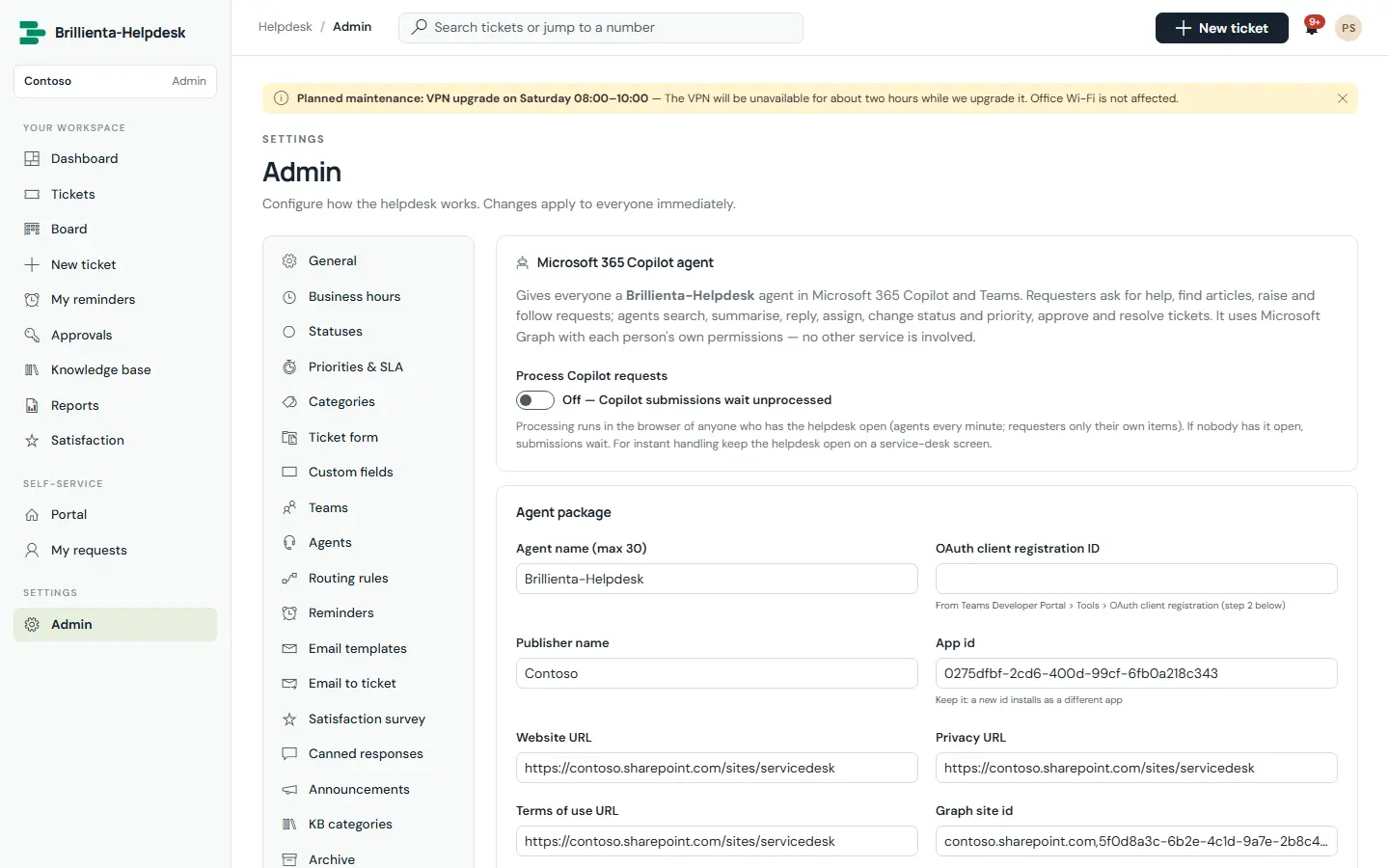
Built by us: the Brillienta Helpdesk agent for Microsoft 365 Copilot and Teams.
01 / PROBLEMS WE SOLVE
The situations that usually lead teams to us.
Copilot respects permissions — so sites and files shared too widely become visible in answers.
People need answers grounded in your policies and processes, not general knowledge.
An assistant that only answers questions still leaves people to raise the request themselves.
Security teams need to know where prompts and data go before AI is switched on.
02 / CAPABILITIES
Pick one or combine them. Every engagement starts from the business problem, not the technology.
Agents for Microsoft 365 Copilot grounded in your content.
Agents and actions built and managed in Copilot Studio.
Generative features inside business apps, in your own Azure subscription.
A review before Copilot is switched on for everyone.
03 / ARCHITECTURE & SECURITY
The same rules we follow in our own products — documented in our security overview and trust center.
04 / TYPICAL SOLUTIONS
Representative solution types — every project is scoped to your process.
Raise, follow and resolve requests from Copilot and Teams.
Answers grounded in your policies and HR content.
Agents over approved SharePoint sites and documents.
Summaries, suggestions and drafting inside SharePoint solutions.
05 / HOW A PROJECT RUNS
Fixed scope where it can be, flexible where it must be. See ways to engage: assessment, project build, dedicated team or support.
Workshops with the people who do the work. Output: requirements, constraints and an estimate.
Architecture, permissions and screens. Output: a prototype and a fixed plan.
Short iterations with demos on your tenant. Output: tested, packaged releases.
Rollout, training and admin guides. Output: a solution your team can run.
06 / RELATED PRODUCTS
Ready-made Brillienta products, licensed per tenant with a 14-day trial. We can tailor them, or build from scratch when that fits better.
Agents for Microsoft 365 Copilot are used by people with Copilot licences. Copilot Studio and Azure OpenAI features follow their own licensing, which we check with you during discovery.
Agents work with the user's own permissions. That is why we review oversharing before rollout — Copilot will find anything a person already has access to.
Through Microsoft 365 Copilot under your Microsoft agreement, or your own Azure OpenAI resource. We do not send your data to other AI services.
Yes, through approved APIs or flows, and always with the user's own permissions.
COPILOT AND AI AGENTS