brillienta Book a demo ↗

HOME / PRODUCTS / INTRANET BUILDER

◫ BRILLIENTA INTRANET BUILDER · VERSION 2.4

Intranet Builder
for Microsoft 365.

The company intranet that lives in your Microsoft 365: a corporate home site, department and HR sites, knowledge sites and a restricted administration site — designed in Setup Center from approved templates, and installed by a PowerShell provisioning engine that is idempotent, resumable and verified.

39web parts in six packages
9extensions on every page and list
47versioned modules
5site templates
contoso.sharepoint.com/sites/intranet
Corporate home site: global navigation, alert banners, welcome hero, news and upcoming events

WHAT YOUR PEOPLE SEE

An intranet people
open every day.

Every screen below is release 2.4 of the real product with a fictional sample organisation. Web parts run with each reader’s own permissions; search results are security-trimmed.

  • Employees
  • Corporate home template

A home site people open every day

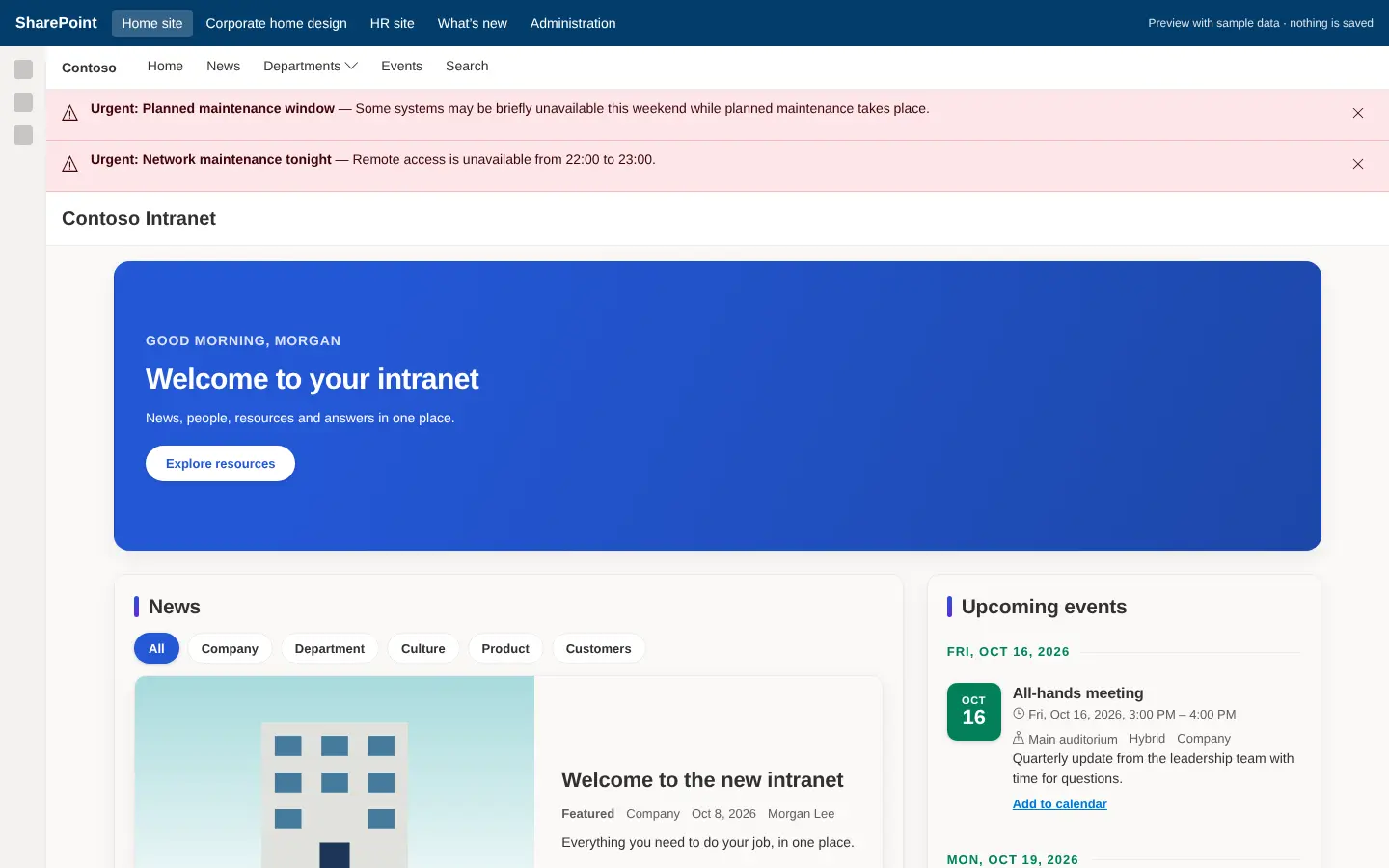
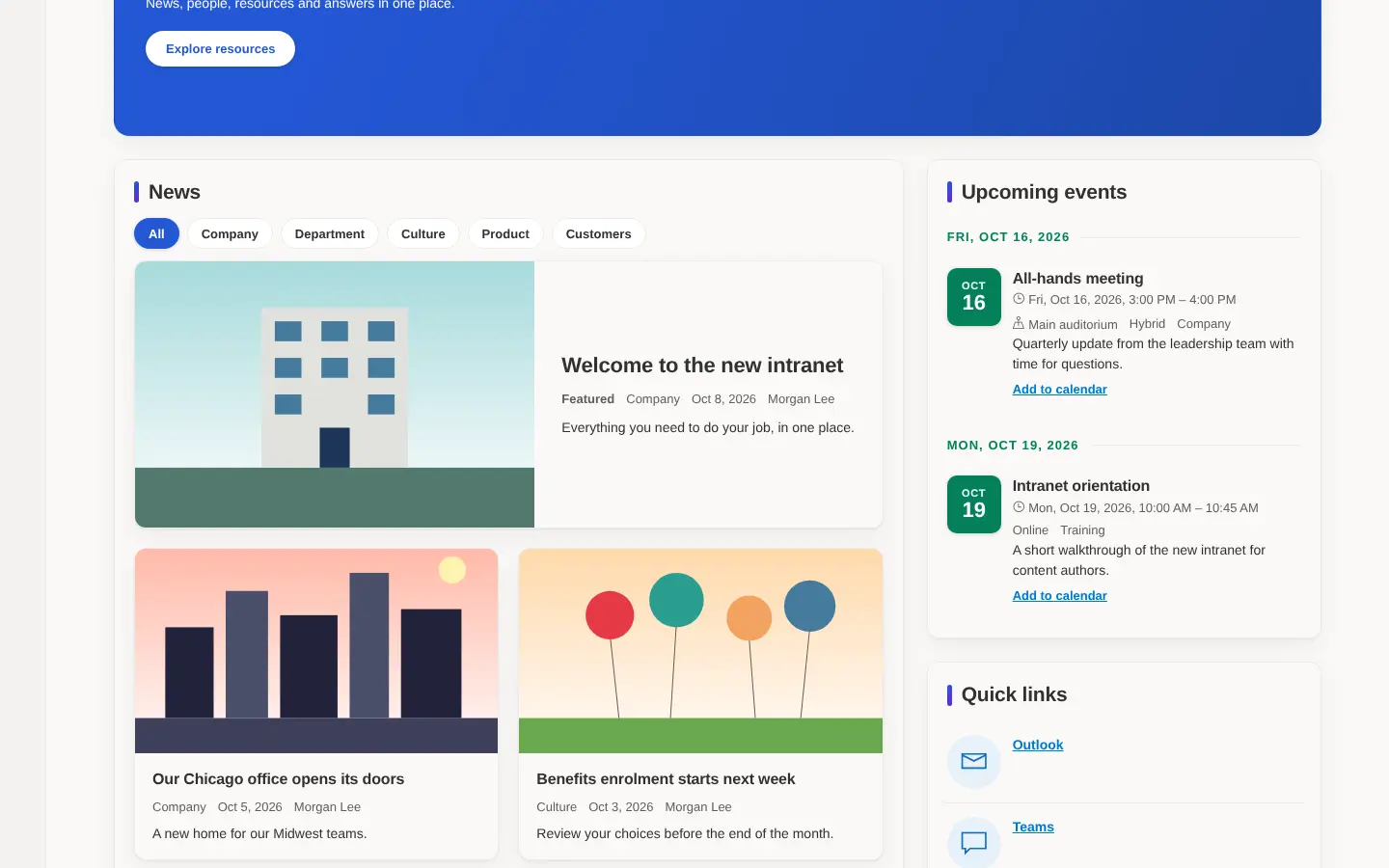
A personal greeting with campaigns, then news with image cards, announcements, events, quick links, my tasks and my requests, applications, people, ideas and documents — every web part on a card surface that follows your design.

  • News with featured image cards and category filters
  • Call to action, quote and contact-table web parts (2.3)
  • Key figures, world clock and system status
  • Audience targeting by Entra ID group on every web part
Intranet home site with news cards, announcements, events, quick links and my tasks
  • Employees
  • HR portal template

An HR portal in one place

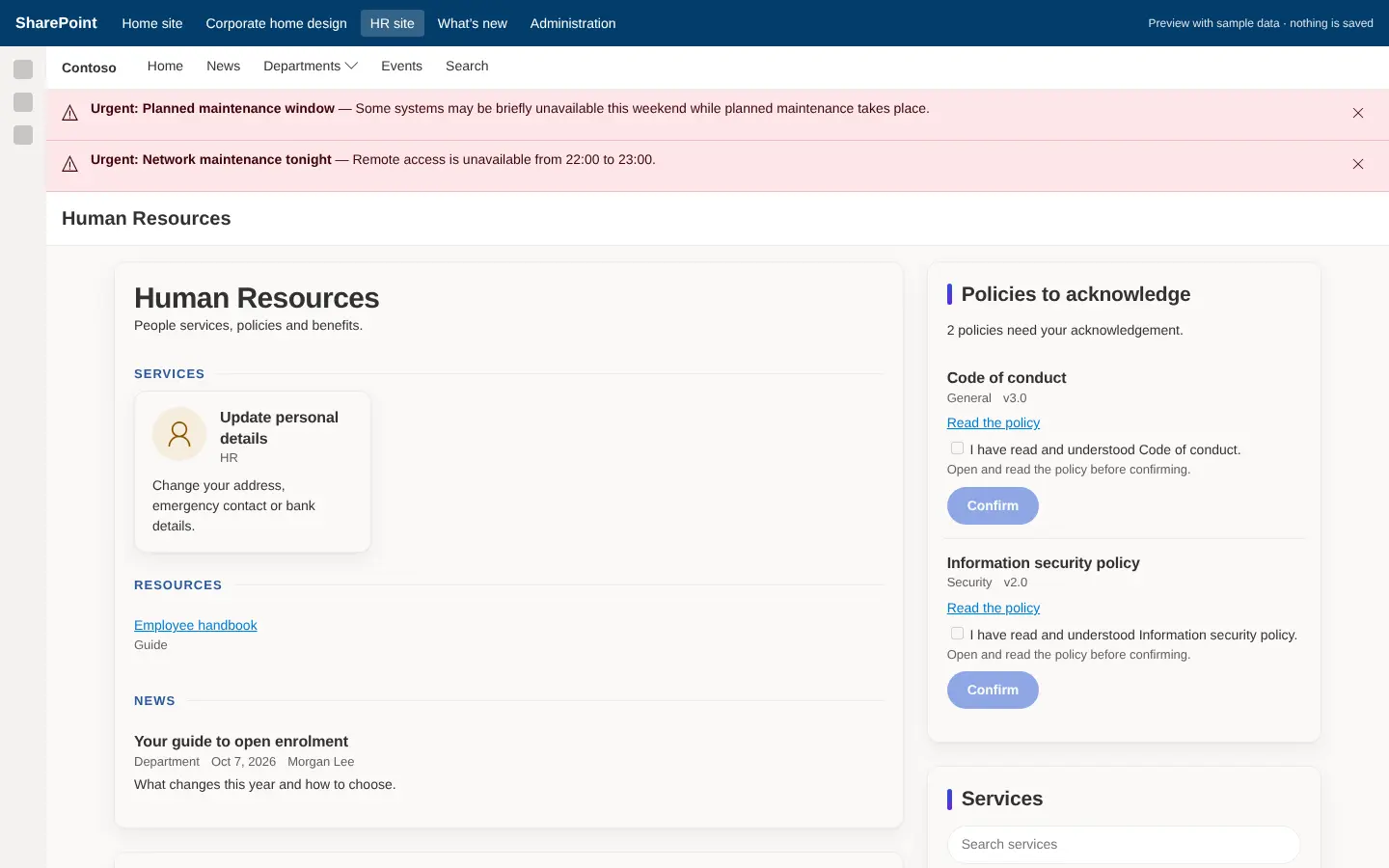
Policies with review status, read-and-confirm acknowledgements, services, new joiners, celebrations and recognition. Each person’s confirmations stay in a restricted list.

  • Policy centre with owners, categories and review dates
  • Feedback and ideas with moderation and visible status
  • FAQ and glossary with helpful / not-helpful feedback
  • Onboarding checklist with private progress
HR portal with services, resources, news and policies to acknowledge
  • Intranet team
  • New in 2.4

Design it before you deploy it

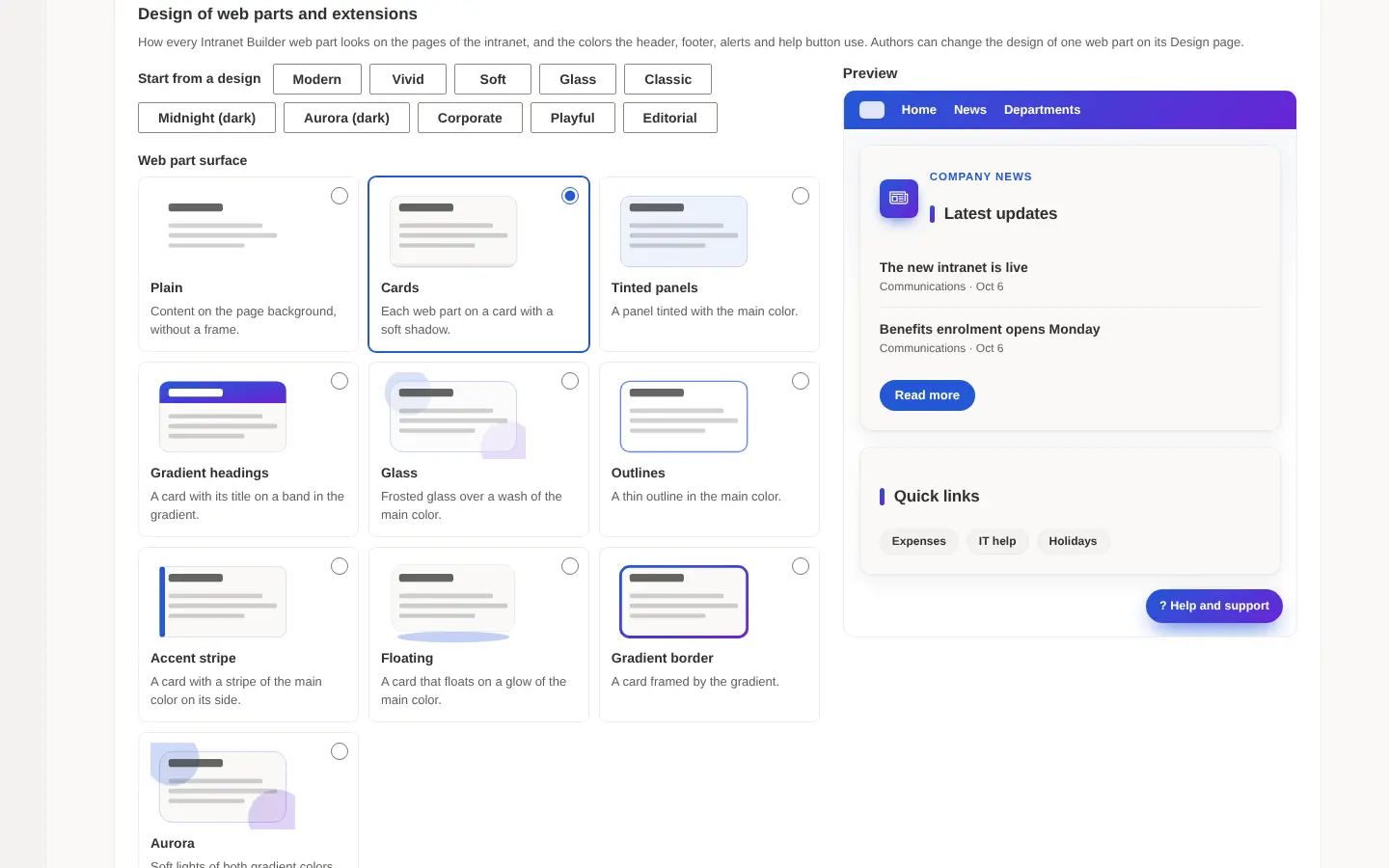
The design studio sets the look of every web part and extension — and it is in both Setup Center and Configuration Manager, so the design is chosen before installation and carried in the installation file.

  • Ten starting designs: Modern, Vivid, Soft, Glass, Classic, Corporate, Playful, Editorial, and Midnight and Aurora in dark
  • Web part surface, title style, corners, shadow and a second gradient colour
  • Light or dark themes, background patterns, pointer effect, title size and font
  • Mega menu designs: lists, cards, tiles, feature panel and dark
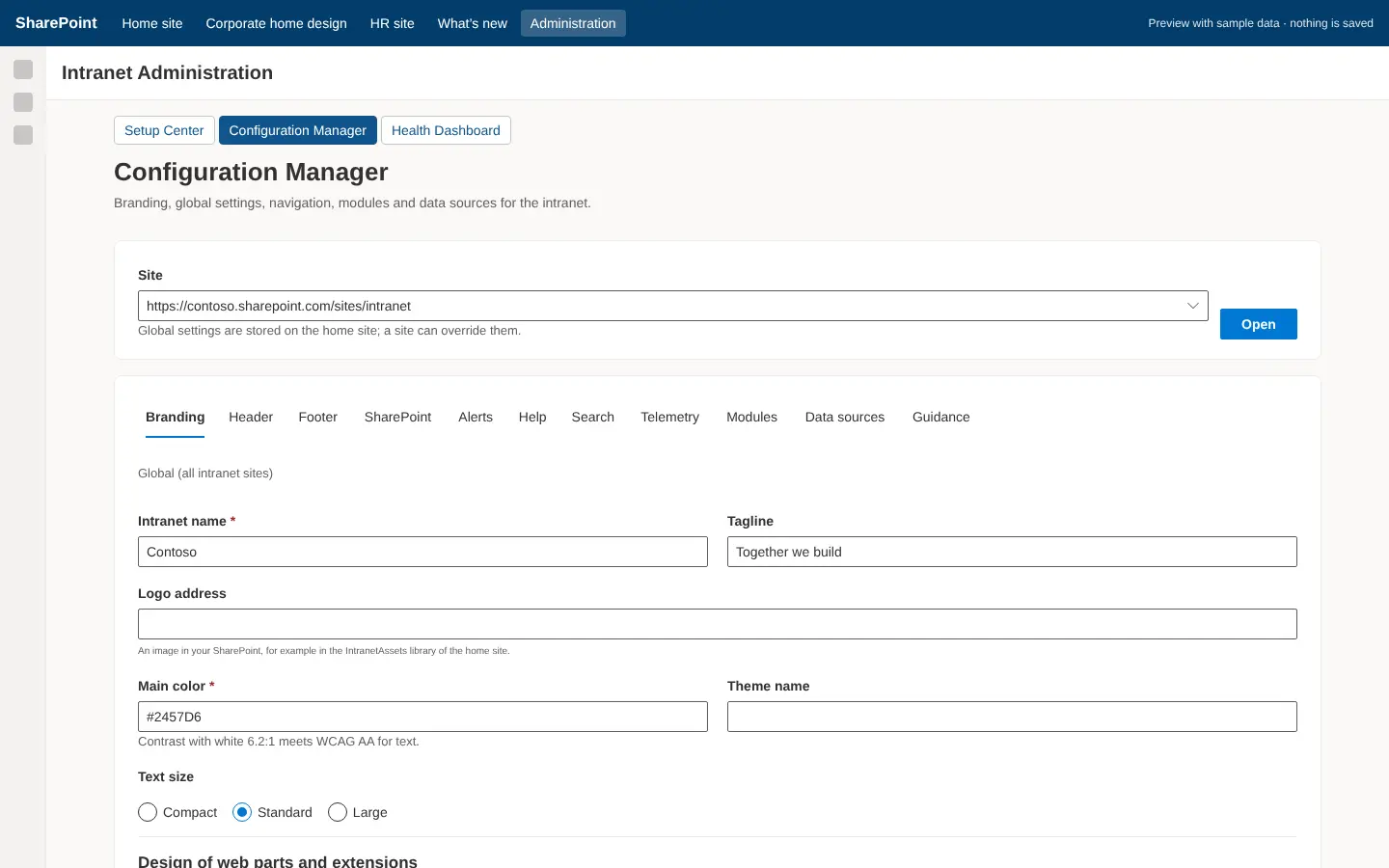
Configuration Manager design studio with presets, web part surfaces, themes and fonts
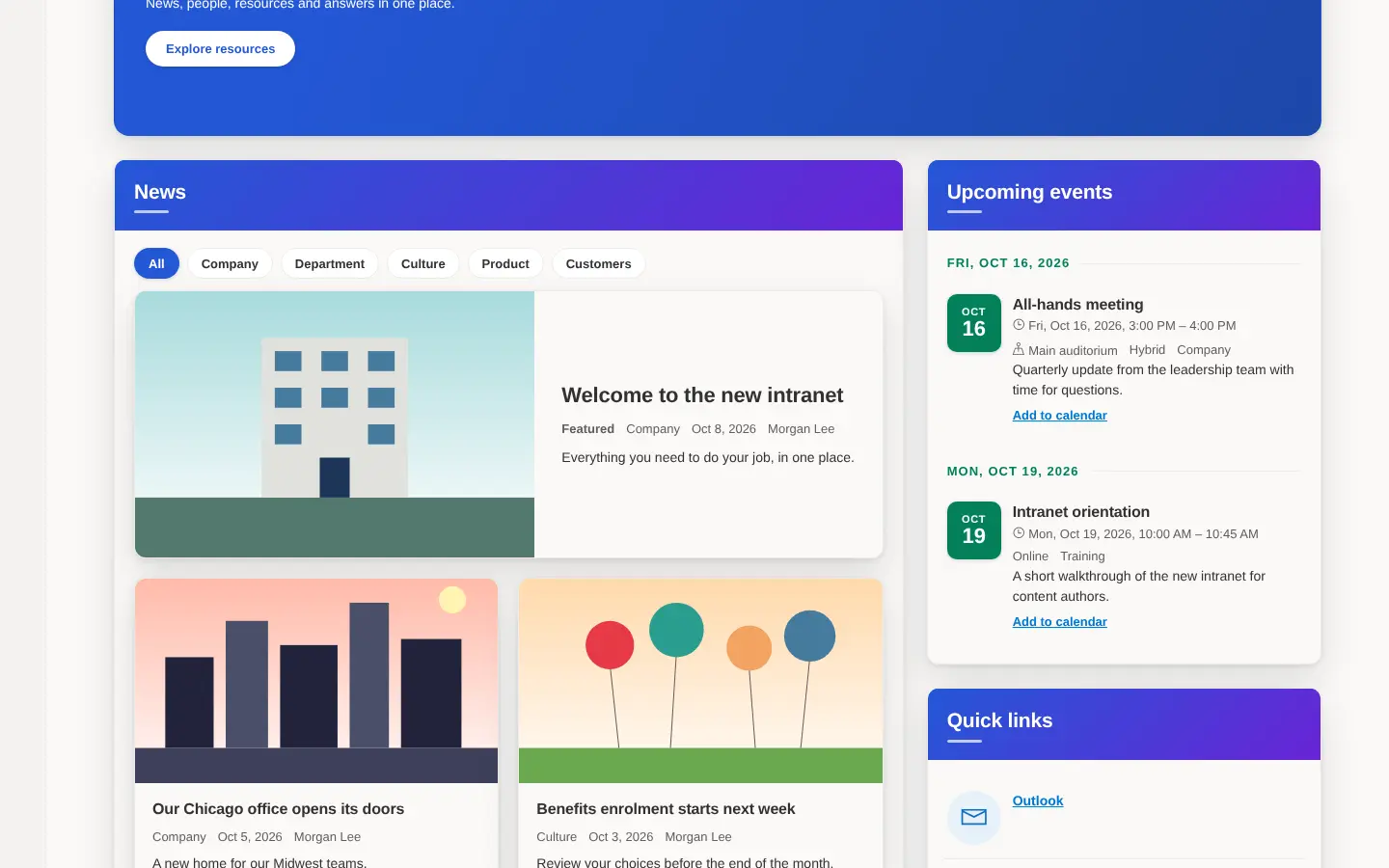
Home site with the Vivid design
VividGradient surfaces and lifted cards.
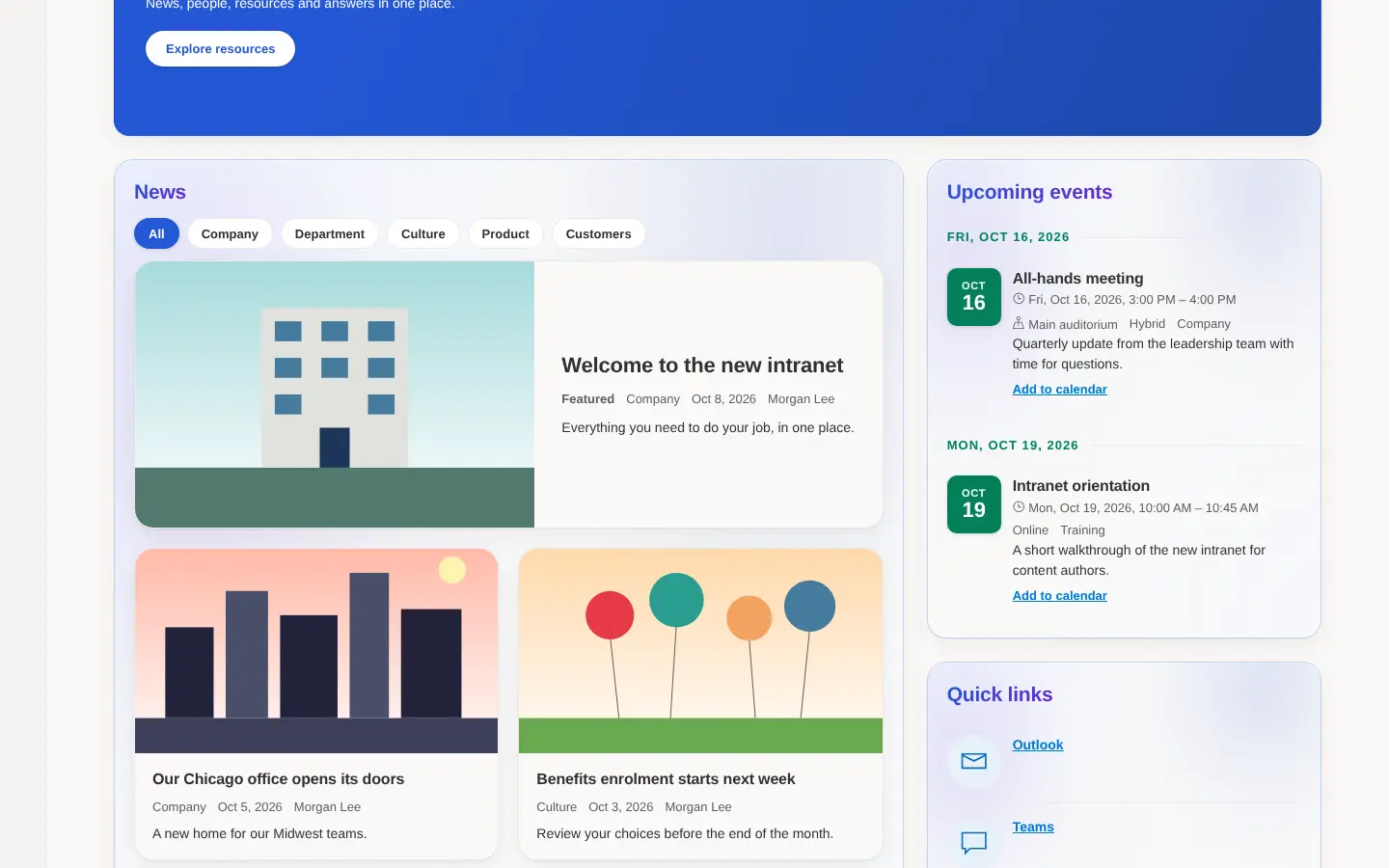
Home site with the Glass design
GlassLight, layered surfaces.
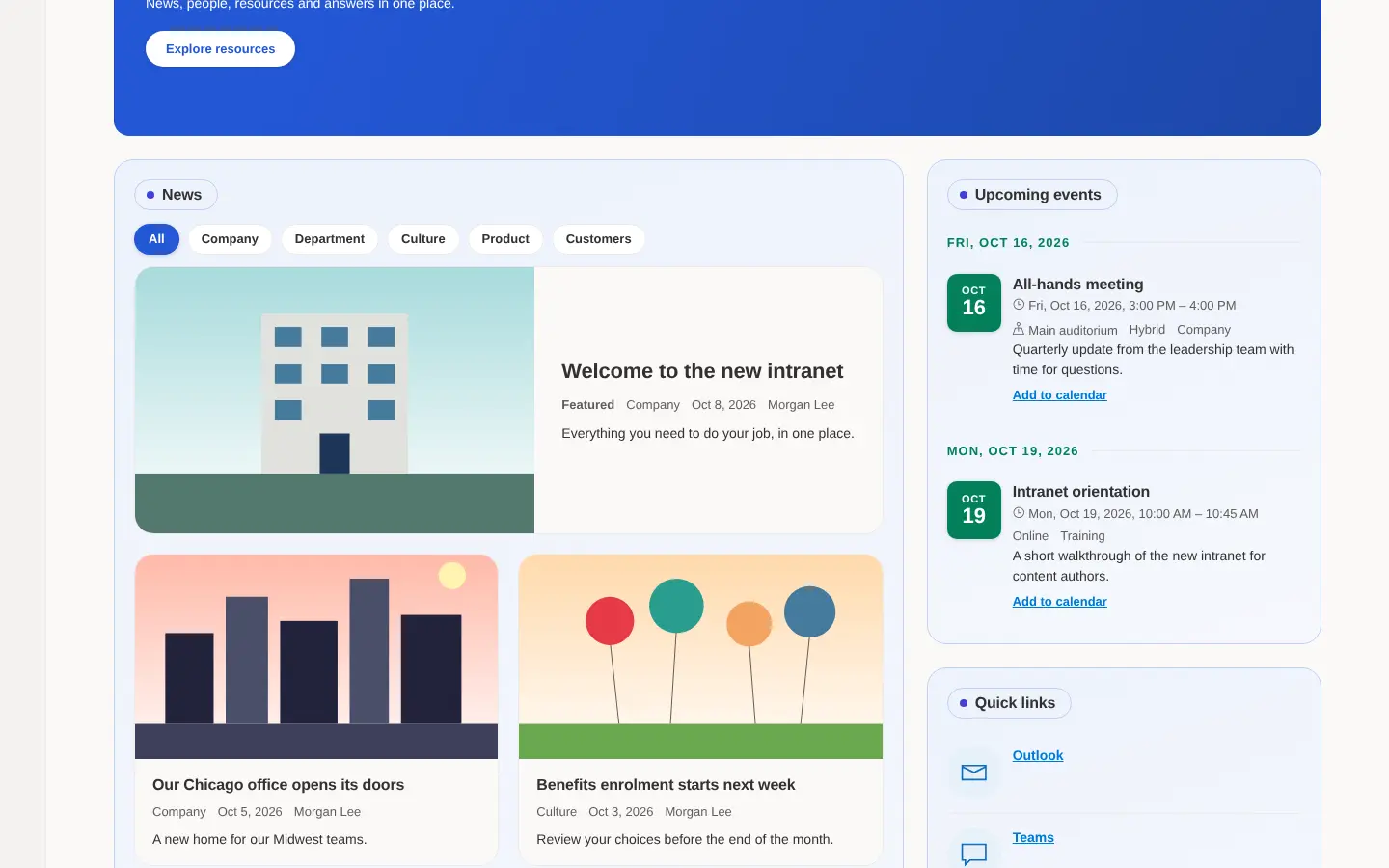
Home site with the Soft design
SoftTinted surfaces and pill headings.
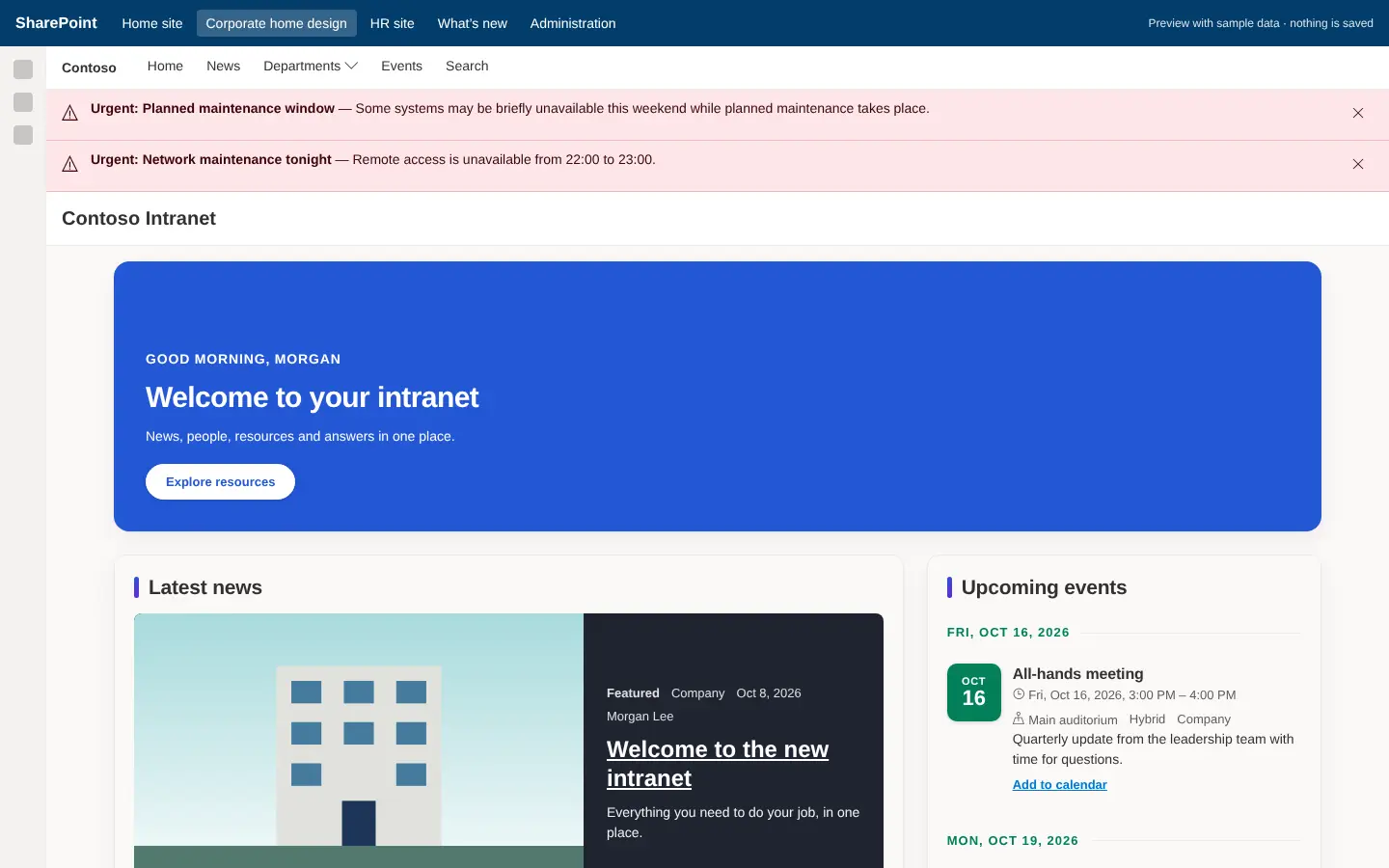
Corporate home design page
Corporate home designThe redesigned home template (2.3).
  • Employees
  • New in 2.3

Search pages, slideshows and redesigned templates

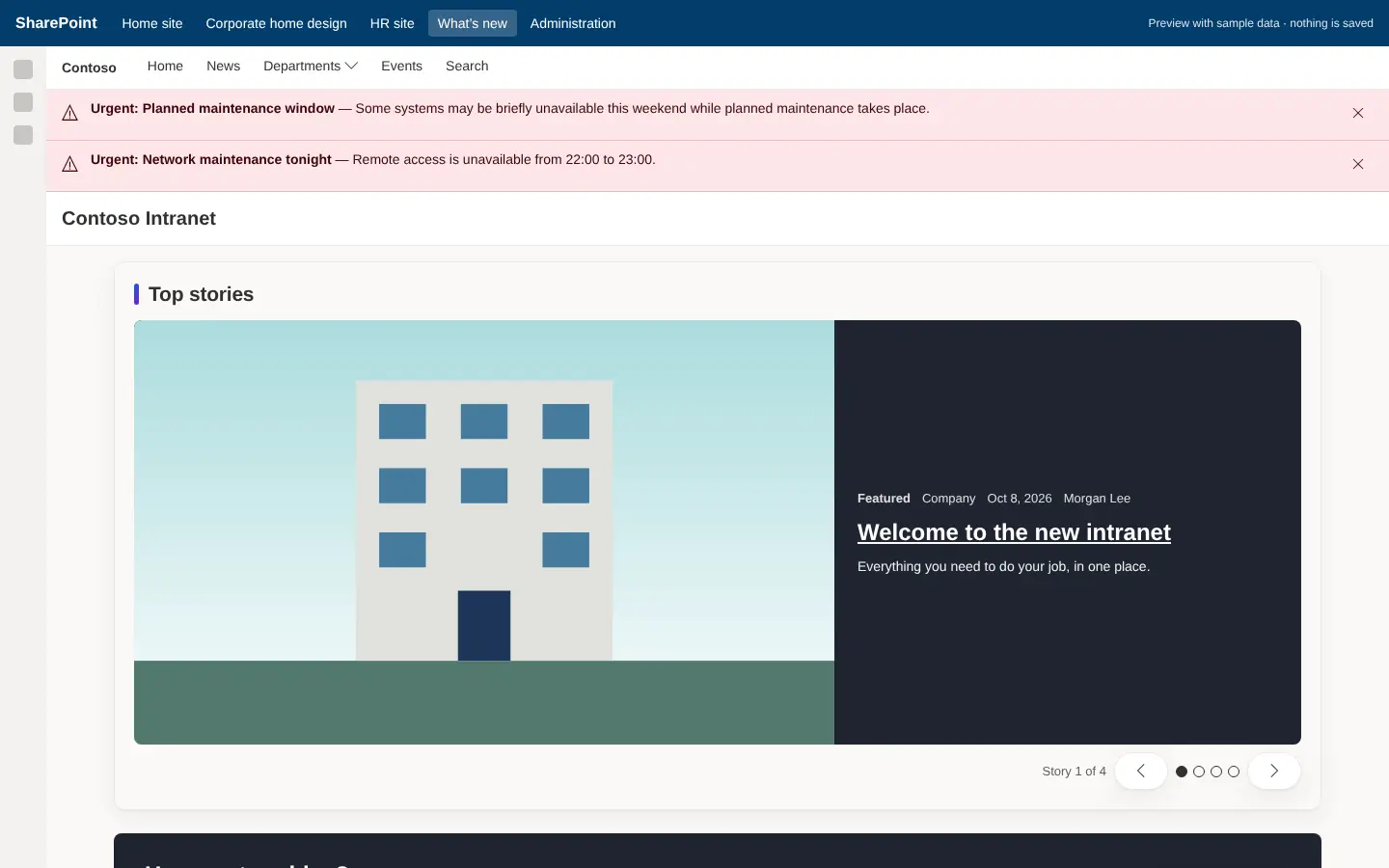
Search pages built on PnP Modern Search with SharePoint Search underneath, redesigned site templates, and new web parts for the reference designs — a news slideshow of top stories, call to action, quote and contact tables. Header and footer designs put the footer at the end of every page.

  • Security-trimmed results: people only see what they may open
  • Configuration Manager can use SharePoint’s own header, navigation and footer per site
  • Header and footer designs with a back-to-top link
  • Existing pages people edited are never overwritten
What’s new page with a top stories news slideshow
  • Administrators
  • New in 2.2

Set up without typing commands

A guided setup installs Intranet Builder in about 30 minutes: double-click Setup, answer a few questions, sign in once, then design and install each site in Setup Center from your browser. The PowerShell engine still does the work — idempotent, resumable and verified.

  • Setup installs PowerShell 7 and PnP.PowerShell if needed
  • Setup Center offers the installation file in its Provisioning stage
  • Plain steps to add a site, and changes that keep what people set up
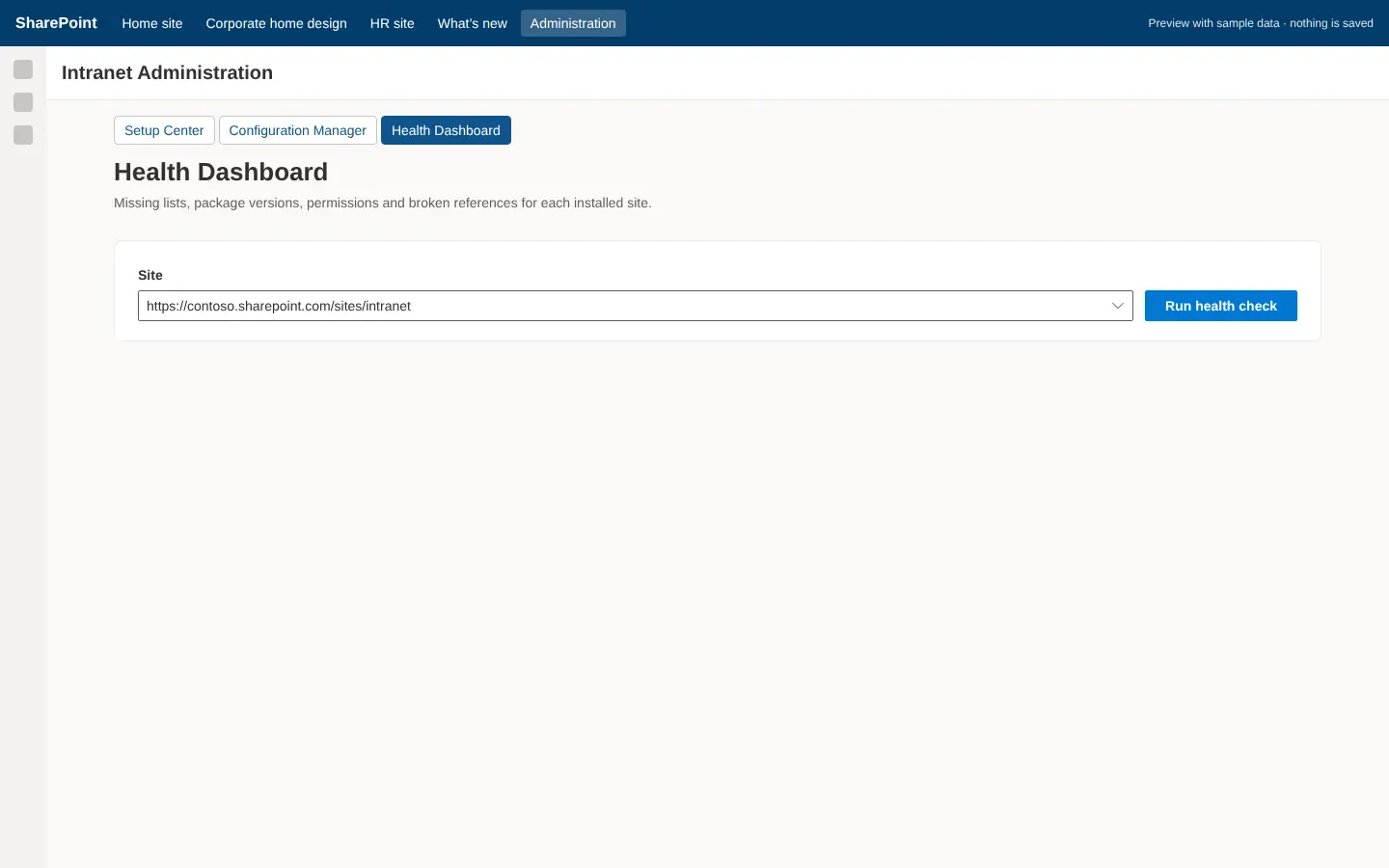
  • Health Dashboard checks every site and prints the repair
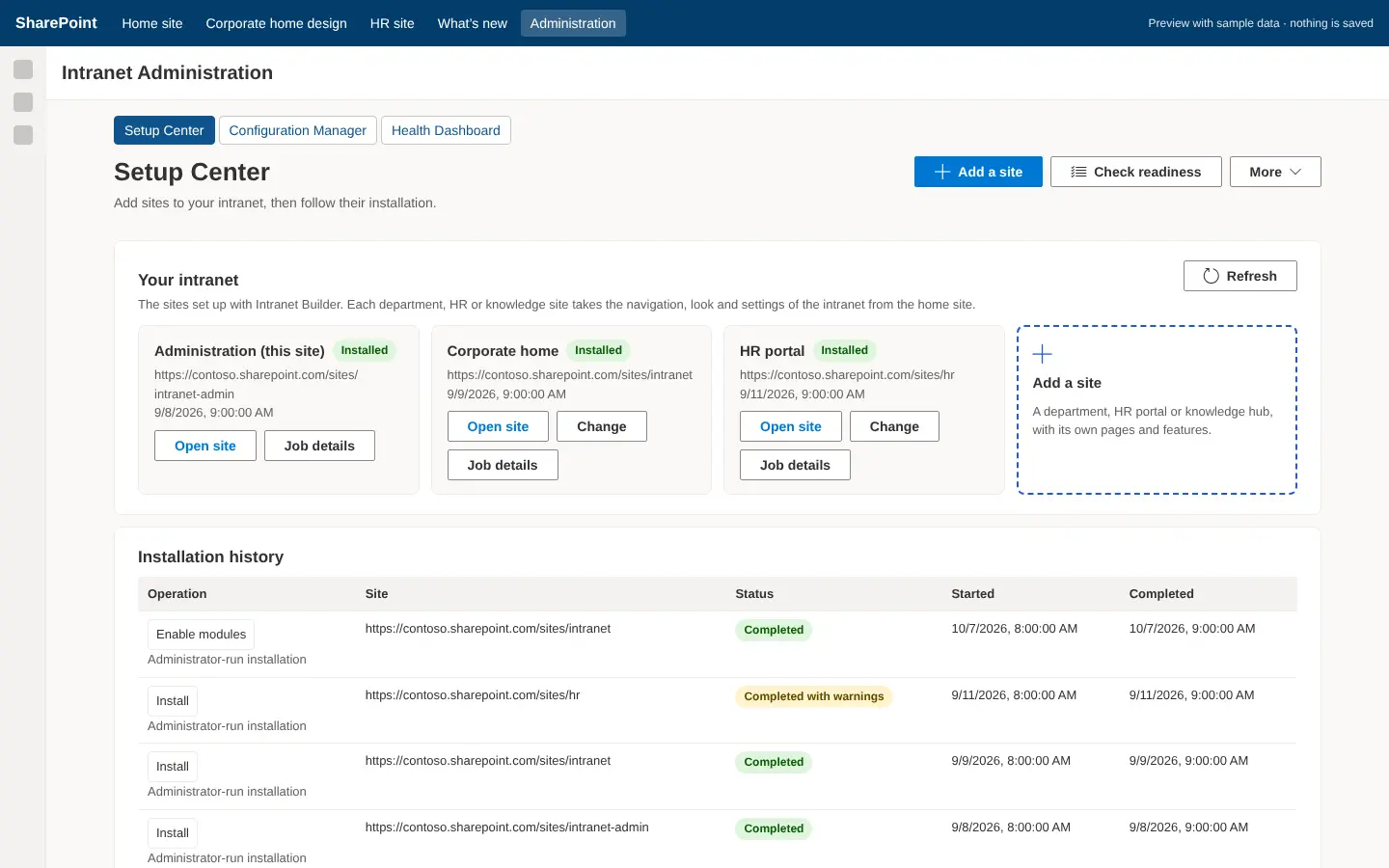
Setup Center with recent provisioning jobs

And for the intranet team

Setup Center
Setup CenterA ten-stage wizard that produces the configuration and the exact commands, then follows the job.
Configuration Manager
Configuration ManagerBranding, navigation, alerts, search and module settings, with version history.
Health Dashboard
Health DashboardDrift, broken references and access problems — with the repair command.

THE DISTINCTION THAT MATTERS

The web part manages
the experience.

The setup experience and privileged installation are deliberately separate concerns. PowerShell runs on an administrator's machine or an Azure worker — never inside the browser.

◫

Web part — Setup Center

Runs in the browser, under the signed-in administrator's own permissions. It collects configuration, validates prerequisites, shows a change preview and submits a request. It never holds an installation credential.

⚙

Provisioning engine

Executes privileged installation tasks through PnP PowerShell and SharePoint administrative commands, on an administrator's computer or a queued Azure worker, inside an explicitly granted scope.

Why this separation matters

An installation service must never become a broadly privileged proxy for ordinary content access. Employees generally reach SharePoint with their own permissions, and the provisioning identity is only used for installation operations within its granted scope.

This page describes the system design. A customer should be able to install the packages, open the Setup Center, choose a template, select modules, configure branding, departments and permissions, review the changes, provision, then follow guided content population and launch checks. Initial tenant setup still requires an appropriately privileged administrator.

PRODUCT STRUCTURE

Five parts,
one product.

Think of the product as an Intranet Builder with five parts, each solving a different part of the problem.

part 01

Intranet Setup Center

Guided installation, configuration, validation and upgrades. Where the administrator does the thinking.

part 02

Web Part Library

Reusable components for intranet pages — news, people, links, policies, events and more.

part 03

Extension Library

Navigation, footer, alerts, list actions and custom forms that shape the SharePoint surface.

part 04

Template Library

Complete sites, pages, lists, branding and module configurations, delivered as versioned packages.

part 05

Provisioning Engine

PowerShell automation for installation, repair and upgrades — the part that actually changes the tenant.

THE CUSTOMER JOURNEY

From package to live intranet.

Install packages

Upload the solution packages to your app catalog.

Open Setup Center

Confirm prerequisites and connect a deployment target.

Choose a template

Corporate, HR portal, department or knowledge hub.

Select modules

Pick components; the engine resolves dependencies.

Configure

Branding, departments and permissions.

Review changes

Proposed creations, updates and conflicts.

Provision

Submit the job; the engine executes the plan.

Populate content

Guided content population for news, links and people.

Launch checks

Verify content, links, permissions and publication.

Operate

Health dashboard, upgrades and module changes.

ARCHITECTURE

Installation separated
from daily use.

Pin and test the SPFx, Node.js, React and PnP versions together for every release — the framework stack is the product's real dependency surface.

UISPFx · React · TypeScript · Fluent UI
Setup CenterWeb partsApplication customizersList & form customizers
↓
SharePoint accessUser permissions, not installation rights
SPHttpClientPnPjsSite PagesDocument libraries
↓
Microsoft 365 accessApproved permissions only
MSGraphClientPeople & org dataApplications
↓
Provisioning APIEntra-protected · no arbitrary script execution
Azure FunctionsASP.NET Core APIToken & target-site validation
↓
Background executionQueued, long-running, outside the browser
Azure Automation runbooksQueued PowerShell worker
↓
AutomationPrivileged, scoped operations
PnP PowerShellSharePoint administrative commands
↓
TemplatesResolved per environment, never hard-coded
PnP templatesJSON manifestsPage definitions
ConcernRecommended implementation
Job storageAzure Table Storage or a relational database
Package storageVersioned Azure Blob Storage, or customer-controlled storage
MonitoringApplication Insights and structured job logs
CredentialsManaged identity where supported, otherwise certificate-based authentication

Pinning applies to the whole release train: SPFx, Node.js, React and PnP versions are tested together, not individually.

INSTALLATION MODES

Same engine,
two runtimes.

The same provisioning modules should power both modes. Start with administrator-run installation, then add the hosted worker when the customer is ready for it.

◧

Administrator-run installation

The Setup Center produces configuration; an administrator runs the PowerShell installer on their own machine. The first release, smaller customers, and restricted environments.

  • No hosted infrastructure to operate
  • Privileged actions stay on the administrator's device
  • Proves templates, dependencies, upgrades and repair first
◈

Automated installation

The Setup Center submits a job; a customer-hosted Azure worker executes provisioning. Enterprise deployments and repeated site creation.

  • Repeatable site creation across a portfolio
  • Queued execution with progress and resume
  • Worker and operational storage inside the customer's subscription

For customers who require data to stay within their environment, deploy the worker and its operational storage into the customer's own Azure subscription. Intranet content always stays in the customer's Microsoft 365 tenant.

PACKAGE DESIGN

Organised by
responsibility.

Keep common UI and service code in shared source packages, and bundle those dependencies into the solutions initially to reduce runtime deployment dependencies.

intranet-admin.sppkg

Administration

Setup Center, Configuration Manager and Health Dashboard.

intranet-core.sppkg

Core content

Hero, news, links, announcements, events and FAQs.

intranet-people.sppkg

People

Directory, organisation chart, recognition and celebrations.

intranet-workplace.sppkg

Workplace

Documents, policies, resources, service links and task summaries.

intranet-extensions.sppkg

Extensions

Navigation, footer, alerts, command sets and form customizers.

intranet-integrations.sppkg

Integrations

Optional connectors to HRMS, helpdesk, asset or task systems.

Deployment detail that is easy to miss

Making SPFx components available tenant-wide does not provision their supporting lists and pages on every site — Microsoft documents separate behaviour for tenant deployment and feature-based asset provisioning. Keep site provisioning in the dedicated engine. Likewise, tenant-wide availability should not automatically enable your navigation everywhere: register extensions explicitly for the intended sites, and deploy the administration package only where it is needed.

WEB PART LIBRARY

A focused core first.

Build a focused core first, with additional modules enabled as needed. Avoid reimplementing a component merely to duplicate a native SharePoint web part — use native components in templates when they already meet the requirement.

Web partFeaturesPrimary data source
Setup CenterGuided installation, prerequisites, template selection, progressConfiguration and provisioning API
Configuration ManagerBranding, module settings, navigation, data sourcesConfiguration lists
Health DashboardMissing lists, package versions, permissions, broken referencesValidation service
Hero / WelcomeCampaigns, personalized greeting, calls to actionConfiguration / campaign list
News CenterFeatured stories, departments, categories, layoutsSite Pages
AnnouncementsPriority, start and end dates, audience relevanceAnnouncements list
Quick LinksCategories, icons, pinned links, layoutsLinks list
Application LauncherMicrosoft 365 and internal application linksApplication catalog list
EventsCalendar, agenda, categories, registration linksEvents list
Employee DirectorySearch, filters, people cards, contact actionsGraph or approved employee source
Organization ChartManager hierarchy, expandable reporting linesGraph or HR source
New JoinersWelcome cards, department, joining dateApproved employee data
CelebrationsWork anniversaries and optional birthdaysConsented employee data
RecognitionKudos, badges, moderationRecognition list
Document CenterSearch, metadata filters, categories, recent documentsLibraries / SharePoint Search
Policy CenterPublished policies, owners, review datesPolicy library
Policy AcknowledgementsRead-and-confirm workflow, personal completionRestricted acknowledgement store
FAQ / Knowledge BaseCategories, search, useful / not useful feedbackFAQ list / pages
Department OverviewContacts, services, news, related resourcesDepartment configuration
Service CatalogHR, IT and facilities services with request linksService catalog list
My RequestsPersonal helpdesk or service request summaryExisting application APIs
My TasksAssigned work, deadlines, source linksSelected task provider
Feedback / IdeasSuggestions, moderation, statusFeedback list
Search CenterResults, filters, verticals, paginationSharePoint Search
Page FeedbackHelpful rating and improvement suggestionsRestricted feedback store

For Helpdesk, Asset Management and Task Management, package integration widgets separately from full business applications. An intranet summary should use the underlying application's authorisation and workflows rather than re-implementing them.

EXTENSION LIBRARY

Shape the surface
without fighting it.

Application Customizers should use supported placeholders. Do not build the product around replacing SharePoint's native header or manipulating its internal DOM.

ExtensionSPFx typePurpose
Global navigationApplication CustomizerConfigurable links and mega menu
FooterApplication CustomizerCorporate links, support, legal information
Urgent alert bannerApplication CustomizerTime-limited operational announcements
Help launcherApplication CustomizerContextual guidance and support links
Document actionsListView Command SetSubmit for review, acknowledge, request changes
Content management actionsListView Command SetValidate metadata or request publication
Rich status displayField CustomizerInteractive status or richer field rendering
Events formForm CustomizerConditional fields for event types
Content submission formForm CustomizerGuided announcement or resource submission
Use native column formatting first

Use native JSON column formatting for simple visual formatting, and reserve Field Customizers for behaviour that actually requires code. Microsoft explicitly identifies the native header and internal DOM structures as unsupported dependencies — building on them makes every upgrade your problem.

SITE & DATA ARCHITECTURE

Where things live.

Use a corporate communication site as the main intranet, with associated department sites where separate ownership is useful. Hub association provides organisation and navigation; configure permissions separately.

SiteResponsibility
Intranet HomeCorporate communications, entry points, search
HREmployee resources and published HR content
ITSupport information, services, knowledge
DepartmentsLocal news, resources, contacts
Intranet AdministrationRestricted setup, templates, deployment records

CONFIGURATION MODEL

List / libraryImportant fields
IntranetSettingsKey, Scope, ValueJson, SchemaVersion
ModuleInstancesInstanceId, ModuleKey, SiteId, ConfigJson, Version, Status
NavigationItemsParentId, Label, Url, Order, AudienceIds
AnnouncementsTitle, Body, Priority, StartDate, EndDate
EventsTitle, EventType, StartDate, EndDate, Location
ResourcesTitle, Category, Url, Owner, ReviewDate
DepartmentsDepartmentKey, Name, SiteUrl, Owner
ProvisioningHistoryJobId, RequestedBy, TemplateVersion, Status
MigrationHistoryMigrationId, SiteId, AppliedAt, ReleaseVersion
IntranetAssetsLogos, icons, approved images
TemplatesApproved template packages and manifests
Audience targeting is not authorisation

Keep sensitive acknowledgements, service requests and employee information separate from broadly readable intranet lists. Targeting changes presentation; it does not restrict who can read a record.

Use native Site Pages for news and standard document libraries for documents. For list-backed components, define indexed filtering fields, server-side paging, retention and archival behaviour from the start — retrofitting them is expensive.

SETUP CENTER EXPERIENCE

Ten stages, in order.

An installation is complete only when the pages and modules work — not merely when the package upload succeeds.

Prerequisites

Checks app catalog, packages, roles, API consent and target site.

Deployment target

Selects an existing site or requests a new one.

Template

Corporate, HR portal, department or knowledge hub.

Modules

Selects components and resolves dependencies.

Branding

Logo, theme and typography within supported boundaries.

Data sources

Creates new lists, or maps to existing sources.

Permissions

Selects owners, authors, readers and approvers.

Change preview

Lists proposed creations, updates and conflicts.

Provisioning

Progress, warnings, retry and resume.

Launch checklist

Verifies content, links, permissions and publication.

For existing lists, validate field types and internal names before accepting a mapping. Never assume a list named "Events" follows your schema — that assumption is the most common cause of a failed installation.

TEMPLATE & MODULE CONTRACTS

Versioned manifests,
not assumptions.

Every module has a versioned manifest describing its required packages and component IDs, supporting lists, permissions, dependencies, default web part properties, compatible configuration schema versions, and validation and migration steps.

modules/events/manifest.json
// Proposed manifest — resolved per environment at install time
{
  "id": "events",
  "version": "1.0.0",
  "package": "intranet-core",
  "dependencies": ["core-config"],
  "dataSources": [
    {
      "key": "events",
      "provisioningTemplate": "lists/events.xml",
      "allowExistingListMapping": true
    }
  ],
  "pages": [
    { "template": "pages/events.json", "target": "Events.aspx" }
  ],
  "configurationSchema": "schemas/events.schema.json",
  "validationProfile": "events-v1"
}
  • Resolve environment-specific URLs and list IDs during installation
  • Never ship development-tenant IDs in page properties
  • PnP provides the site and tenant templates, but it is community-supported tooling — the product needs its own compatibility testing and support process

PROVISIONING WORKFLOW

Dependency-aware,
checkpointed.

Each step has a checkpoint, correlation ID, duration and an actionable error — so an interrupted run can be understood, not guessed at.

01 ValidateConfiguration and installer identity.
02 LockAcquire a deployment lock for the target site.
03 InspectExamine what already exists.
04 PlanProduce a change plan.
05 Create siteIf authorised.
06 PackagesDeploy or validate required packages.
07 SchemaFields, content types, lists, libraries.
08 PermissionsOwners, groups, sharing.
09 AssetsUpload branding.
10 PagesCreate pages, bind data sources.
11 NavigationConfigure nav and extension registration.
12 Sample contentOptional demonstration content.
13 ValidateValidate the resulting installation.
14 RecordRecord versions, release the lock.
QueuedValidatingProvisioningVerifyingCompleted CompletedWithWarningsFailedCancelled

RELIABILITY BEHAVIOUR

  • Idempotency — rerunning setup must not duplicate lists, pages or navigation
  • Resumption — continue from verified checkpoints after interruption
  • Concurrency control — prevent simultaneous conflicting changes to a site
  • Throttling handling — honour retry guidance with bounded backoff
  • Ownership tracking — distinguish installer-managed resources from customer content
  • Conflict detection — avoid overwriting customer-edited pages
  • Safe recovery — retain previous configuration and page versions where possible
Provisioning is not one database transaction

A failed run may leave partially created resources. Design recovery explicitly rather than promising universal rollback — the honest promise is resumable, idempotent repair, not an atomic undo.

POWERSHELL DELIVERY

A versioned
installation bundle.

Orchestration scripts wrap actual PnP commands. The same modules power both installation modes.

ScriptResponsibility
Test-Prerequisites.ps1Environment, identity, permissions, connectivity
Get-DeploymentPlan.ps1Proposed changes and conflicts
Install-Intranet.ps1Orchestrates installation
Enable-IntranetModule.ps1Adds an optional module
Update-Intranet.ps1Applies compatible migrations
Test-Intranet.ps1Post-install health checks
Repair-Intranet.ps1Repairs explicitly selected managed resources
Export-IntranetConfiguration.ps1Exports settings without secrets
Disable-IntranetModule.ps1Disables components while retaining content
Install-Intranet.ps1 — minimal template application
param(
    [Parameter(Mandatory)]
    [string]$SiteUrl,

    [Parameter(Mandatory)]
    [string]$ClientId,

    [Parameter(Mandatory)]
    [string]$TemplatePath
)

$ErrorActionPreference = "Stop"

# Interactive authentication needs your own Entra application / client ID
Connect-PnPOnline `
    -Url $SiteUrl `
    -Interactive `
    -ClientId $ClientId

try {
    Invoke-PnPSiteTemplate -Path $TemplatePath
}
finally {
    Disconnect-PnPOnline
}

This is a minimal template application example, not the complete installer. Interactive PnP authentication requires your own Entra application and client ID; automated execution should use an appropriate supported workload identity.

SECURITY & AUTHORIZATION

Three identities,
three scopes.

Keeping these separate is what stops an installation feature from quietly becoming a privilege-escalation path.

Employee

Default

  • Read content
  • Perform authorised personal actions

Intranet administrator

Configuration

  • Configure modules
  • Request approved deployments
  • Review change previews

Provisioning identity

Execution

  • Execute installation operations within its granted scope
  • Never used for ordinary content access

FOR AUTOMATED PROVISIONING

  • Validate token issuer, audience, tenant and roles
  • Authorise every requested target site server-side
  • Derive tenant identity from the verified token
  • Use approved templates and packages — never execute arbitrary uploaded scripts
  • Keep certificates, secrets and elevated tokens out of SPFx bundles and lists
  • Audit configuration changes and provisioning operations
  • Restrict log content so employee data and credentials are not exposed
Sites.Selected is not a blanket permission

Sites.Selected requires both consent and explicit site access. It does not independently permit site creation, tenant administration, or every provisioning operation. Separate tenant bootstrap privileges from routine site updates.

SHARED WEB PART FRAMEWORK

One internal contract.

All components follow the same internal contract, so behaviour and failure handling are consistent across every module.

Configuration service

Loads defaults and site or module overrides.

Data source adapters

SharePoint, Graph and business APIs behind one interface.

Permission service

Determines which actions are available.

Theme service

Consistent branding with accessible contrast.

Cache service

Reduces repeated requests, with explicit expiry.

Telemetry service

Sanitised errors and performance measurements.

Error boundary

Stops one component breaking its own page region.

Localisation

Shared labels, date handling, language support.

EVERY WEB PART PROVIDES

  • Loading, empty, error and missing-configuration states
  • Keyboard access and responsive layouts
  • Configurable data source and display options
  • A useful editor experience
  • "Configure this module" links for authorised users

No component should require a provisioning backend during ordinary content rendering. Prefer shared initialisation promises and a documented initialisation lifecycle, so web parts do not intermittently load before their configuration is ready.

GUIDANCE

Make guidance
part of the product.

Each module ships with its own documentation, and errors link directly to the relevant page.

GuidanceContent
PrerequisitesPackages, permissions, required sources
Setup guideSteps to configure the module
Author guideHow to add and maintain content
Administrator guidePermissions, ownership, settings
TroubleshootingError codes, causes, repair actions
Upgrade notesChanges and migration requirements
Error surfaced in the Events module
Events cannot load because the mapped list does not contain the
required StartDate field.

→ Open Data Source Mapping to select a compatible list.

UPGRADES, TESTING & ROLLOUT

What we verify
before release.

Package, template, configuration schema and migration versions are tracked separately, so an upgrade can be reasoned about precisely.

Check compatibilityPackage, template, schema and migration versions.
Generate a planWhat will change, and what will conflict.
Capture versionsConfiguration and page versions preserved.
Additive firstAdditive migrations before destructive ones.
Pilot siteValidate in a pilot before wider rollout.
Expand scopeRoll out to the agreed deployment scope.
Preserve contentCustomer content kept; conflicts reported.
RecordMigration history updated.
ScenarioRequired outcome
New tenant / siteComplete working installation
Existing customised siteConflicts reported; content preserved
Repeat installationNo duplicates
Interrupted jobSafe resume
Missing permissionClear failure without bypass
SharePoint throttlingControlled retries
Package upgradeExisting instances remain functional
Restricted employeeNo unauthorised data exposure
Module disablementContent retained
Keyboard / mobile useCore journeys remain usable

PRICING

Packages for every
size of intranet.

A flat monthly price per tenant, by number of sites. Every package includes upgrades and the full setup tools.

Essentials

A modern intranet for a smaller organisation

$149/ month

billed yearly · $1,788 / year

Up to 3 sites
  • Corporate home site plus up to 2 department or HR sites
  • News, events, people, documents, policies and FAQ web parts
  • Global navigation, alert banner, footer and help launcher
  • Setup Center, Configuration Manager and Health Dashboard
  • Administrator-run PowerShell installation
  • Additive, verified upgrades
Start with Essentials

Professional

Most popular

Every template and module for a growing intranet

$349/ month

billed yearly · $4,188 / year

Up to 15 sites

Everything in Essentials, plus:

  • All 5 site templates: home, department, HR portal, knowledge hub, administration
  • All 47 modules, 39 web parts and 9 extensions
  • Release 2.1 web parts: rollup, countdown, world clock, status, gallery and more
  • Read-and-confirm policy acknowledgements
  • Ideas, recognition and page feedback with moderation
  • Priority email support
Start with Professional

Enterprise

Intranets at scale, provisioned automatically

Custom

tailored to your sites and rollout

Unlimited sites

Everything in Professional, plus:

  • Unlimited sites and hubs
  • Automated mode: Entra ID-protected API with a queued Azure worker
  • Managed identities and Sites.Selected access
  • Rollout planning and launch checklist with our team
  • Custom modules and branding on request
  • Named contact and onboarding
Talk to sales

Prices in USD per tenant, excluding taxes. Site counts include the restricted administration site. A one-off design and rollout service is available with any package.

RESOURCES

Read everything
before you decide.

The complete documentation, our security model and practical articles for Intranet Builder.

INTRANET BUILDER QUESTIONS

Before you
commission it.

These are the questions that decide whether this is the right shape of product for you.

Discuss your tenant ↗
Does the Setup Center run the installation itself?

No. The web part manages the setup experience — collecting configuration, validating prerequisites and showing a change preview. A provisioning engine performs the privileged installation, running PowerShell on an administrator's computer or an Azure worker, never inside the browser.

Which mode should we start with?

Administrator-run installation. It lets you prove templates, component dependencies, upgrades and repair behaviour before building a hosted provisioning platform. The same provisioning modules power both modes, so nothing is thrown away when you move to automation.

Can the worker live in our own Azure subscription?

Yes. For customers who require data to stay within their environment, deploy the worker and its operational storage into their subscription. Intranet content always stays in the customer's Microsoft 365 tenant.

What happens to our existing site content?

The change preview lists proposed creations, updates and conflicts before anything runs. The engine tracks which resources it manages, detects conflicts, and avoids overwriting customer-edited pages. Your content is preserved and reported.

Run setup twice safely?

Yes. Idempotency is a required behaviour: rerunning setup must not duplicate lists, pages or navigation. Interrupted runs resume from verified checkpoints.

Can we run setup twice safely?

Yes. Idempotency is a required behaviour: rerunning setup must not duplicate lists, pages or navigation. Interrupted runs resume from verified checkpoints.

Does it support an existing list as a data source?

Yes, with validation. Field types and internal names are checked before a mapping is accepted — a list named "Events" is not assumed to follow our schema. Existing list mapping is declared per module in its manifest.

Why not replace SharePoint's native header?

Because Microsoft explicitly identifies the native header and internal DOM structures as unsupported dependencies. Application Customizers use supported placeholders so your product keeps working after platform upgrades.

What permissions does the provisioning identity need?

Only what installation requires, and only for approved templates and packages. Certificates, secrets and elevated tokens never appear in SPFx bundles or lists, arbitrary uploaded scripts are never executed, and every requested target site is authorised server-side.

Which SPFx and PnP versions are supported?

Versions are pinned and tested together as a release train — SPFx, Node.js, React and PnP. PnP is community-supported tooling, so the product carries its own compatibility testing and support process rather than inheriting one implicitly.

✳

INSTALL ONCE. UPGRADE SAFELY.

Your intranet,
provisioned properly.

Book an Intranet Builder demo ↗