Power Automate
Approvals, notifications and integrations that run around the clock.
- Approval and escalation flows
- Email from shared mailboxes
- Scheduled and event-driven flows
 brillienta
Book a demo ↗
brillienta
Book a demo ↗
HOME / SERVICES / POWER PLATFORM DEVELOPMENT
✳ POWER PLATFORM DEVELOPMENT
We build Power Automate flows, Power Apps and Power BI reports that business teams can run after we hand over — packaged properly, connected with the right accounts and monitored, so they keep working when the person who built them moves on.
A consulting and development service — scoped and quoted per project. Looking for a ready-made app? See our products.
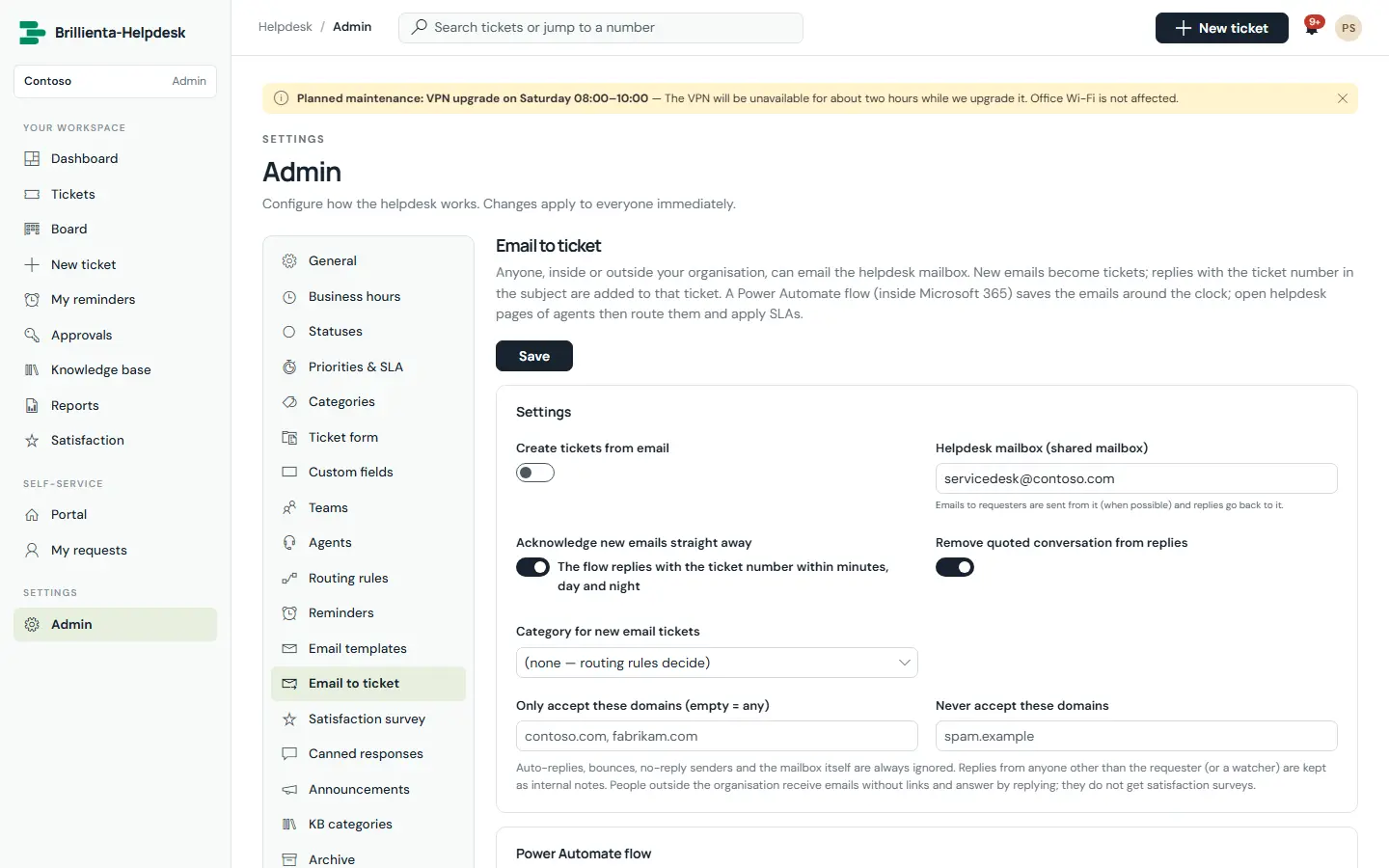
Built by us: email to ticket in Brillienta Helpdesk, powered by a Power Automate flow.
01 / PROBLEMS WE SOLVE
The situations that usually lead teams to us.
Requests get lost, nobody knows who is waiting, and there is no audit trail.
Flows built under a personal account stop when that person leaves or their password changes.
Canvas apps on SharePoint lists slow down or miss rows once data grows past delegation limits.
Numbers are copied between spreadsheets by hand every month.
02 / CAPABILITIES
Pick one or combine them. Every engagement starts from the business problem, not the technology.
Approvals, notifications and integrations that run around the clock.
Canvas and model-driven apps for data entry and processes.
Reports that read the data where it already lives.
Solutions you can move between environments and support.
03 / ARCHITECTURE & SECURITY
The same rules we follow in our own products — documented in our security overview and trust center.
04 / TYPICAL SOLUTIONS
Representative solution types — every project is scoped to your process.
Forms, multi-stage approvals, reminders and audit history.
Shared-mailbox emails turned into list items or tickets automatically.
Business spreadsheets replaced by apps with validation, with data cleansing.
Power BI reports over SharePoint and Dataverse data.
05 / HOW A PROJECT RUNS
Fixed scope where it can be, flexible where it must be. See ways to engage: assessment, project build, dedicated team or support.
Workshops with the people who do the work. Output: requirements, constraints and an estimate.
Architecture, permissions and screens. Output: a prototype and a fixed plan.
Short iterations with demos on your tenant. Output: tested, packaged releases.
Rollout, training and admin guides. Output: a solution your team can run.
06 / RELATED PRODUCTS
Ready-made Brillienta products, licensed per tenant with a 14-day trial. We can tailor them, or build from scratch when that fits better.
Power Apps suits forms and processes that business teams should be able to change. Custom SPFx suits rich experiences inside SharePoint and Teams. We often combine them.
Not always. Many flows and apps use standard connectors included with Microsoft 365. Premium connectors and Dataverse need Power Apps or Power Automate licences; we check this during discovery.
Yes. We review them, move them to proper accounts and solutions, and add monitoring.
Yes, on SharePoint and Dataverse data, as part of a solution or on their own.
POWER PLATFORM DEVELOPMENT