No new system to adopt
A SharePoint page people already visit, same sign-in and permissions. Guests take part without accounts or training.
 brillienta
Book a demo ↗
brillienta
Book a demo ↗
WORK · VERSION 1.0
A complete task and project manager on a SharePoint page. Emails, reminders when nobody is online, the daily directory sync and optional generative AI run as Power Automate flows the app generates for you — with no server, database or Azure function.
From $29 / month · 14-day free trial of every feature
WHY TASKMANAGER
A SharePoint page people already visit, same sign-in and permissions. Guests take part without accounts or training.
Due-soon, repeating overdue with escalation, and a morning digest — even when nobody is online.
The built-in assistant never sends data anywhere; generative features use your own Azure OpenAI.
Indexed columns and threshold-safe queries keep it fast far past 5,000 items.
FEATURES
The tags show who uses each feature and the lowest plan that includes it. Every screen is the real product with fictional demo data.
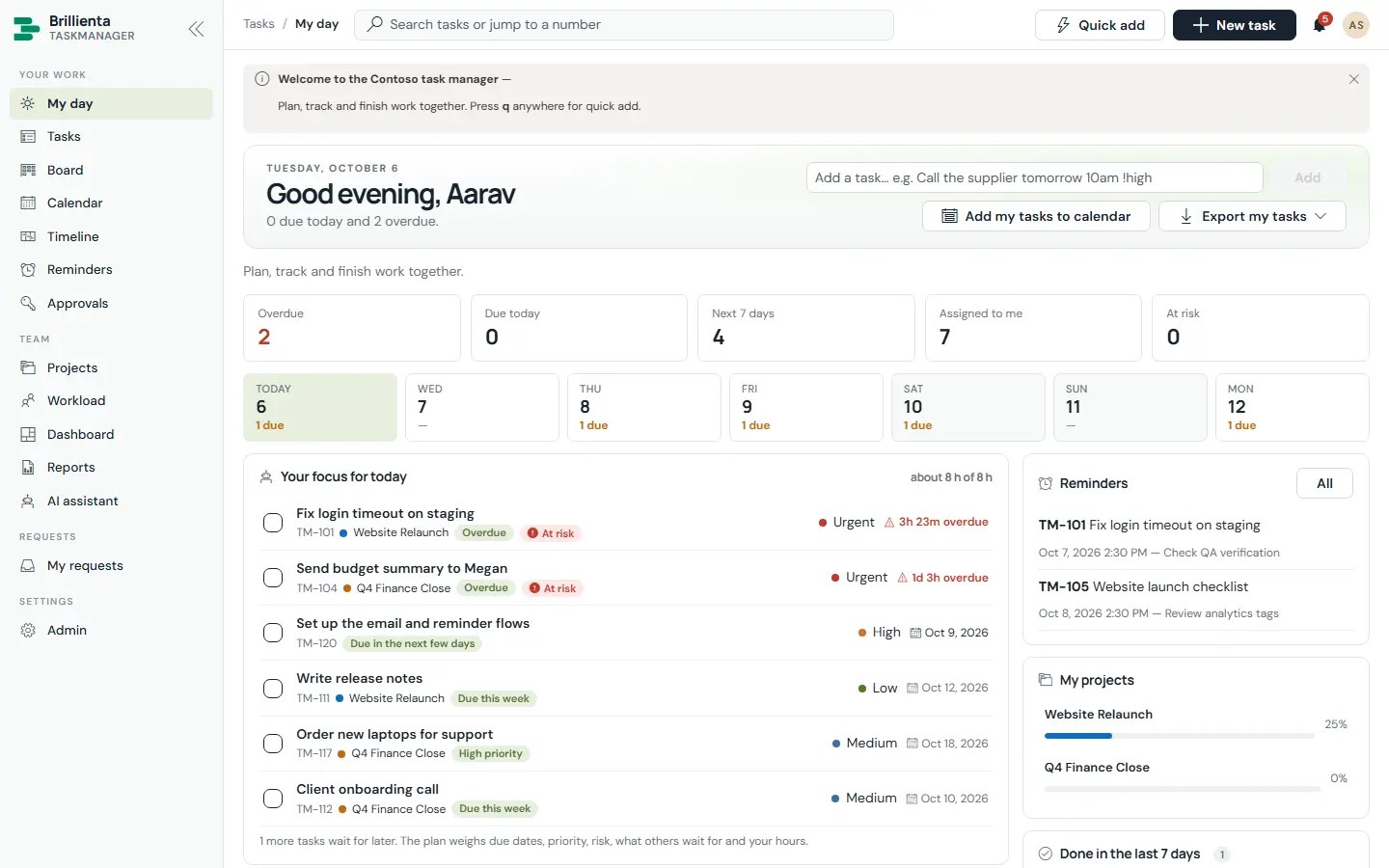
A member’s home: today’s numbers, KPI cards (Overdue, Due today, Next 7 days, Assigned to me, At risk), a 7-day strip and a focus plan ordered by due date, priority, risk, what others wait for and available hours — each line saying why it is next.
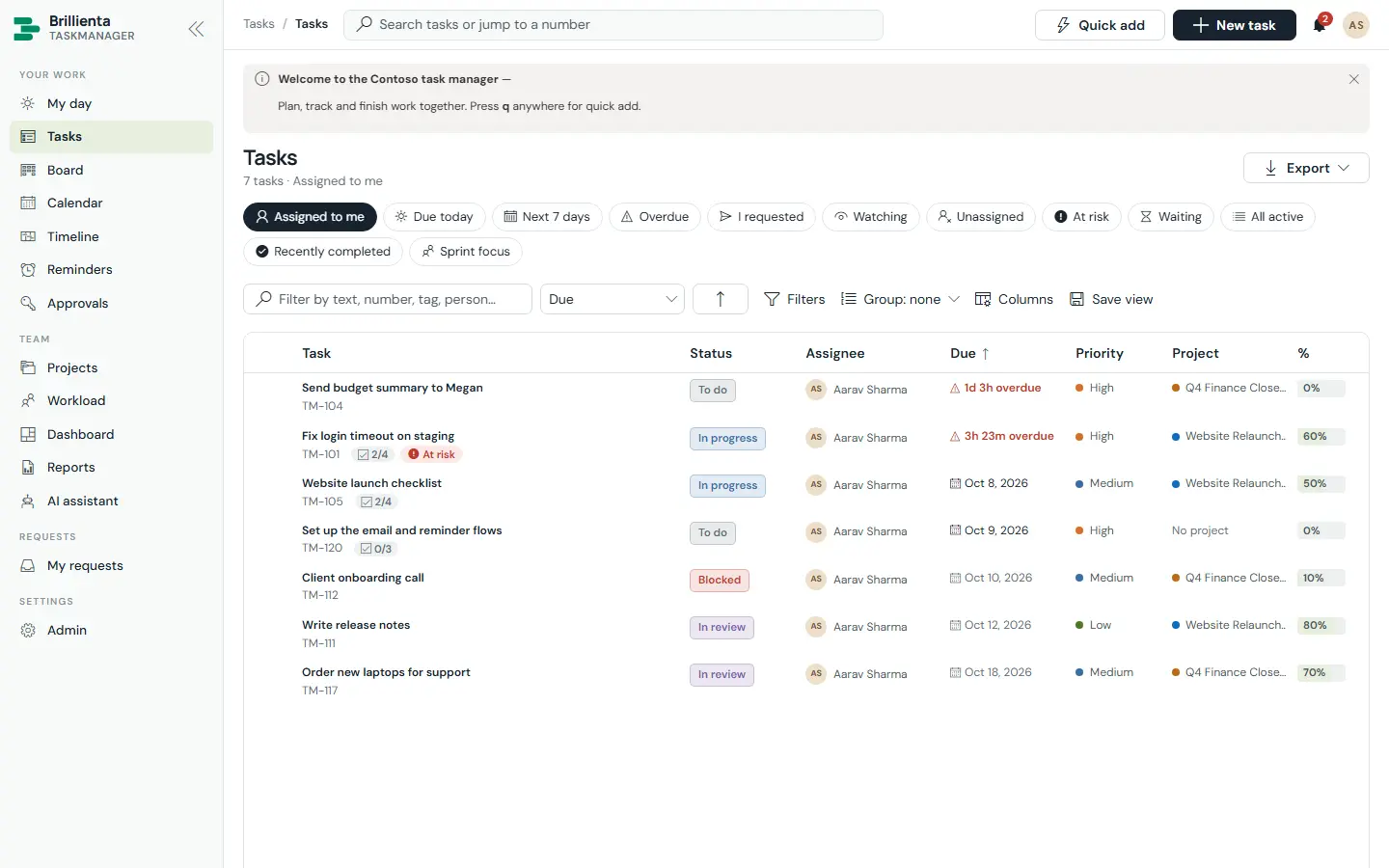
Eleven built-in views — Assigned to me, Due today, Next 7 days, Overdue, I requested, Watching, Unassigned, At risk, Waiting, All active, Recently completed — plus saved personal and shared views, filters, sorting, grouping and bulk change.
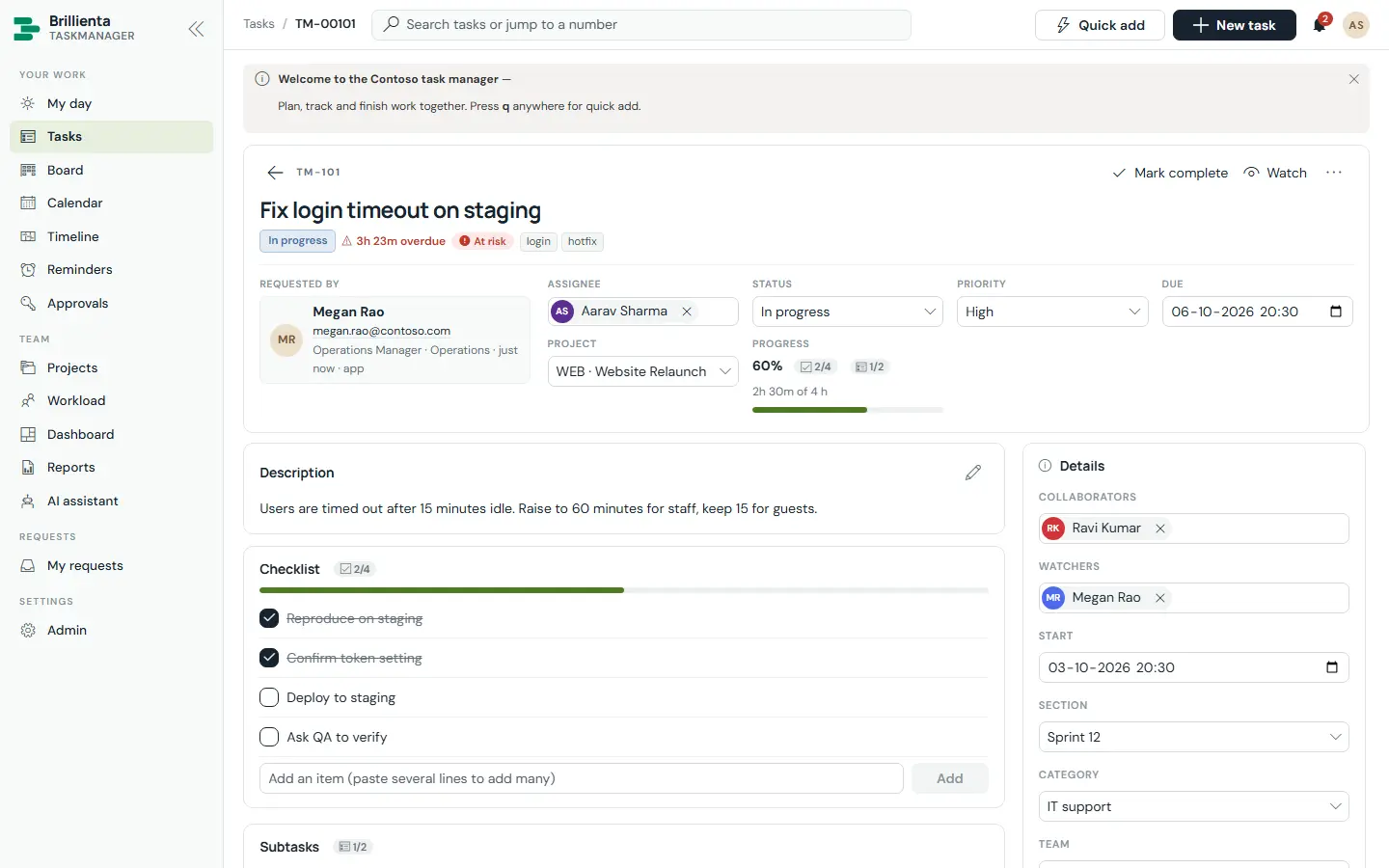
Everything about one piece of work: inline-edited description with @mentions, checklist, subtasks, dependencies with loop detection, comments with internal notes, time logging, history and an AI panel. Quick add understands plain words.
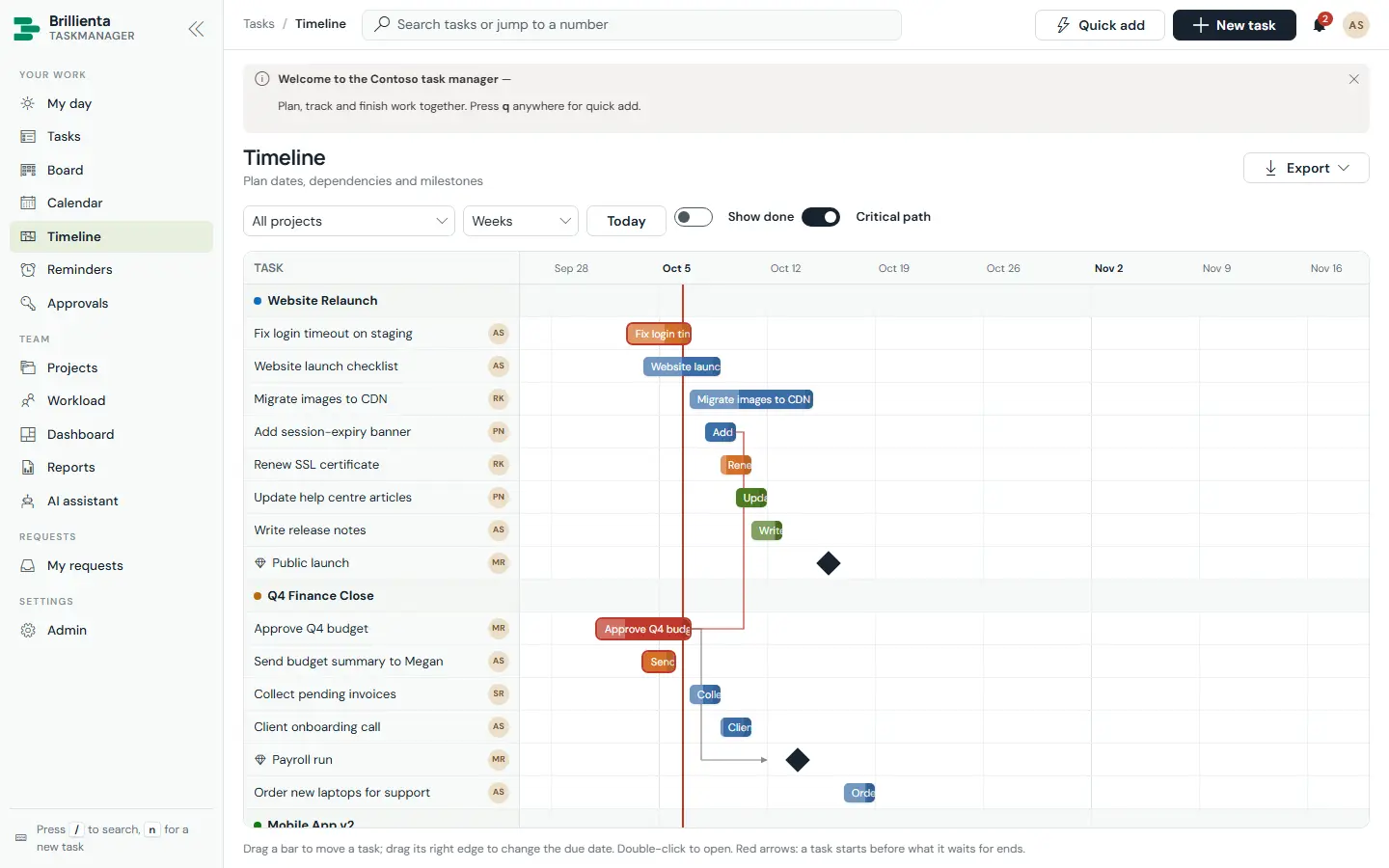
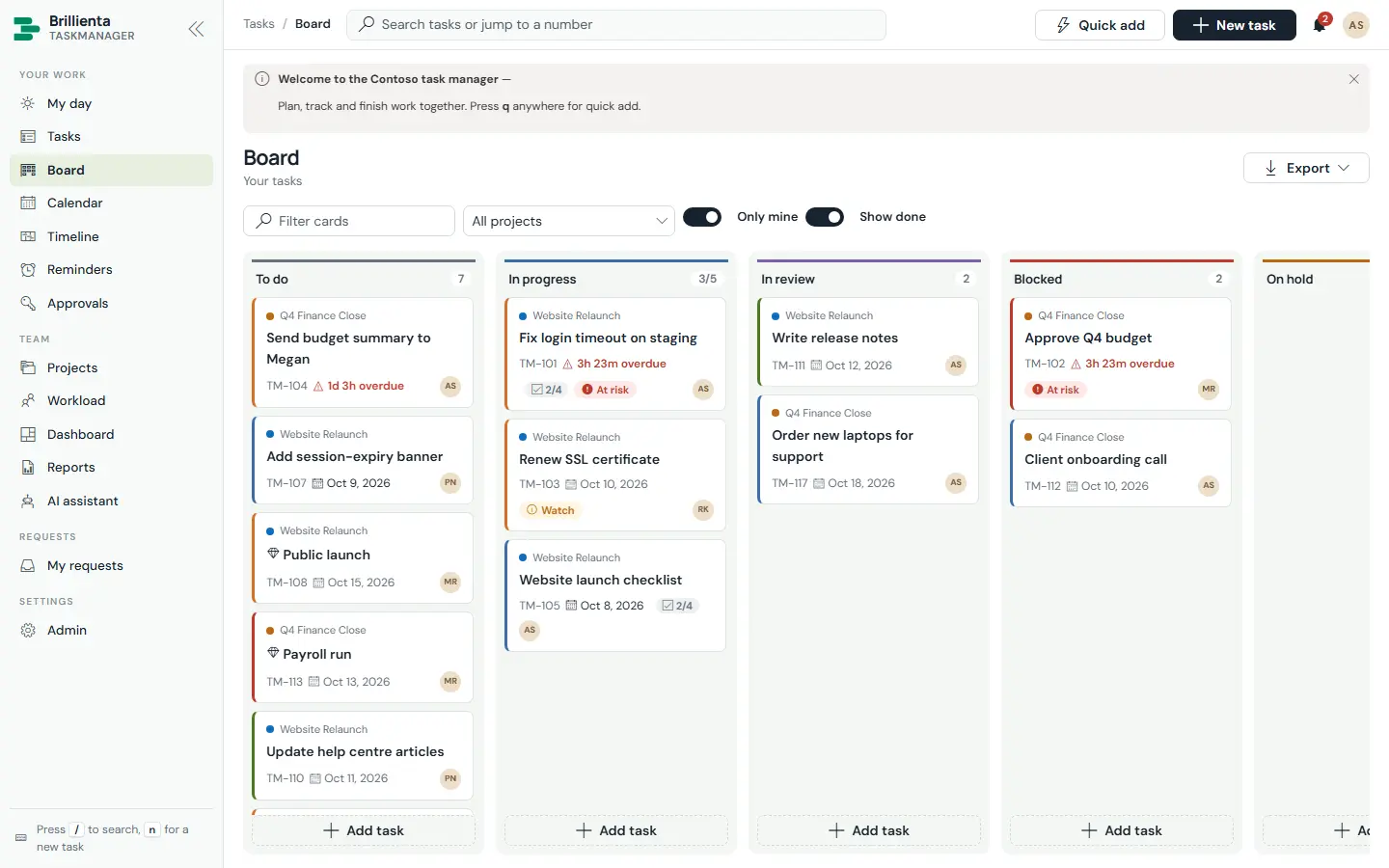
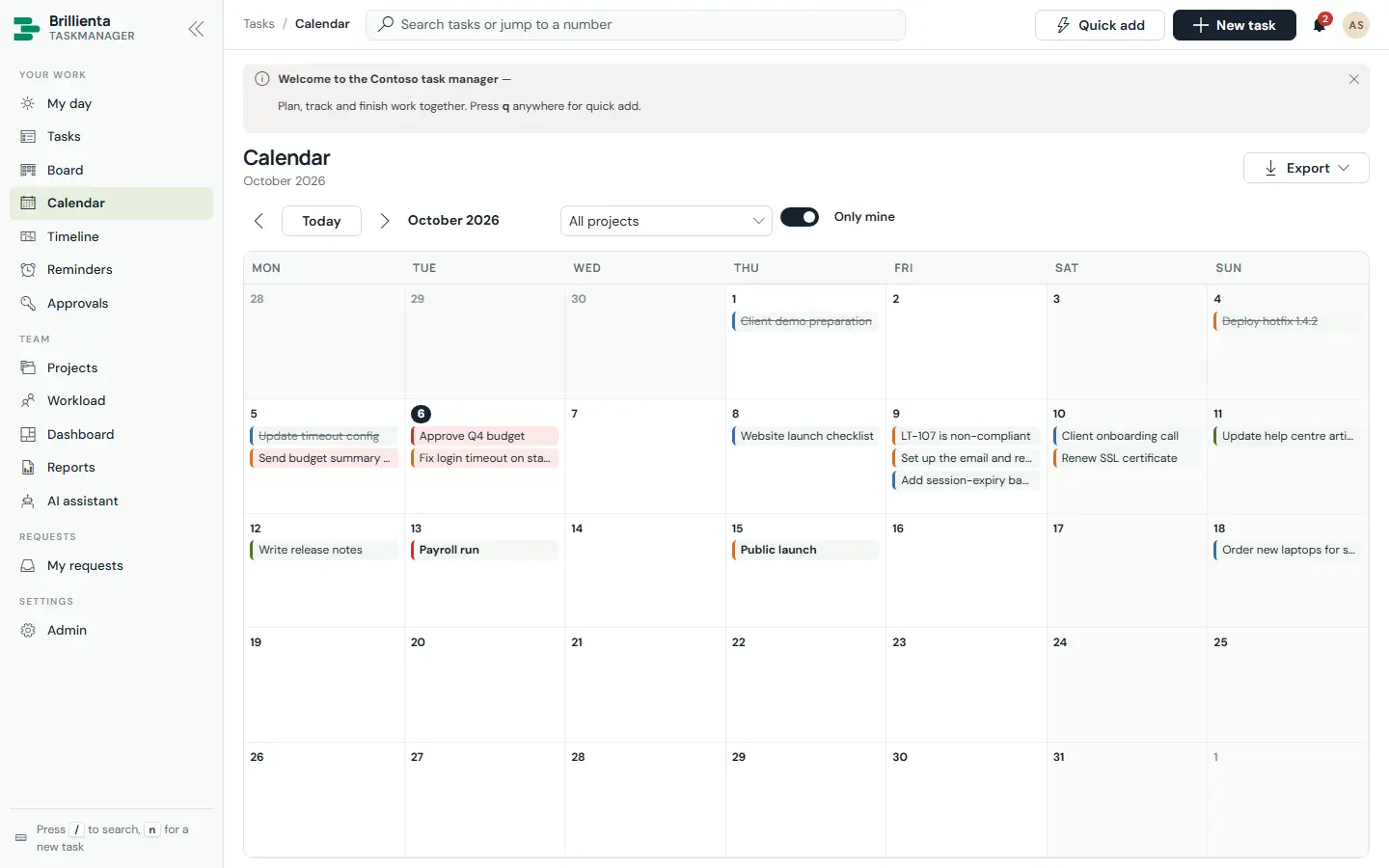
Kanban by status or by project section with WIP limits; a month calendar you drag tasks across; and a Gantt timeline with milestones, dependency arrows and the critical path — tasks waiting on a bar move along when you drag it.
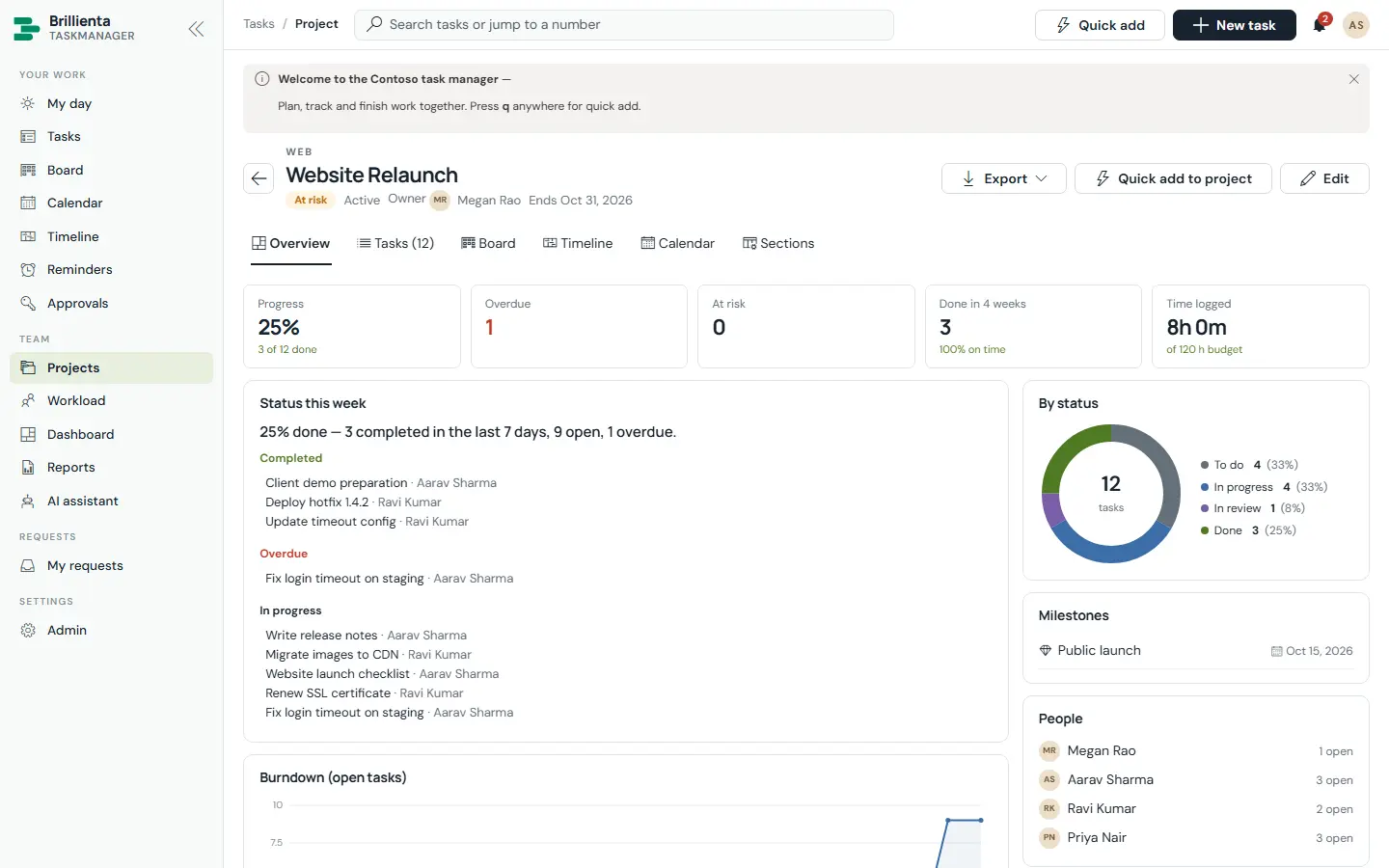
Project cards with health (On track / At risk / Off track), progress, overdue and at-risk counts. Each project has an overview with KPIs, status this week, burndown, milestones and time against budget, plus tasks by section, board, timeline and calendar.
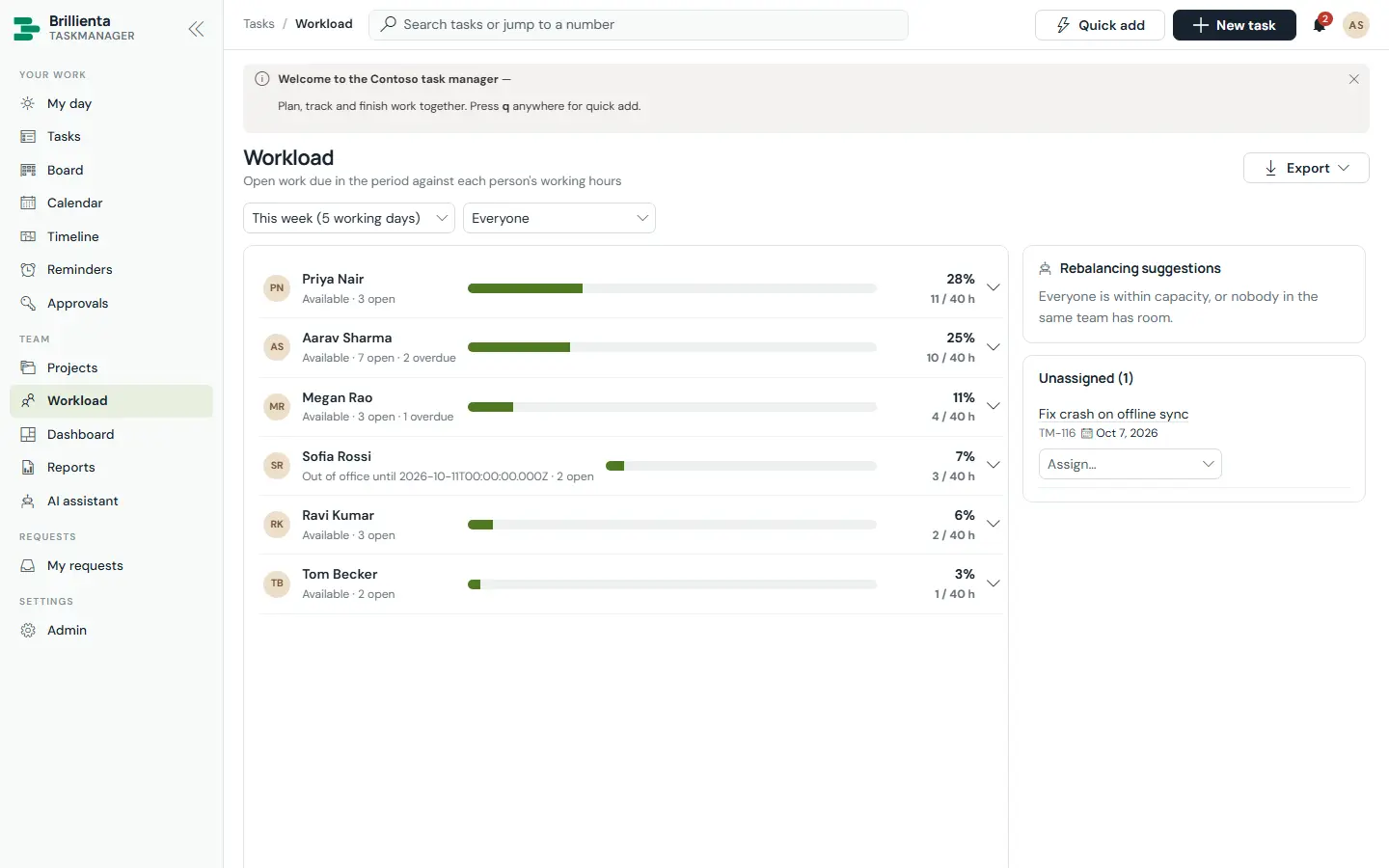
Hours of work left per person against capacity for 1–4 weeks, with out-of-office, overdue counts and drill-down. Rebalancing suggestions move work to teammates with room and matching skills in one click.
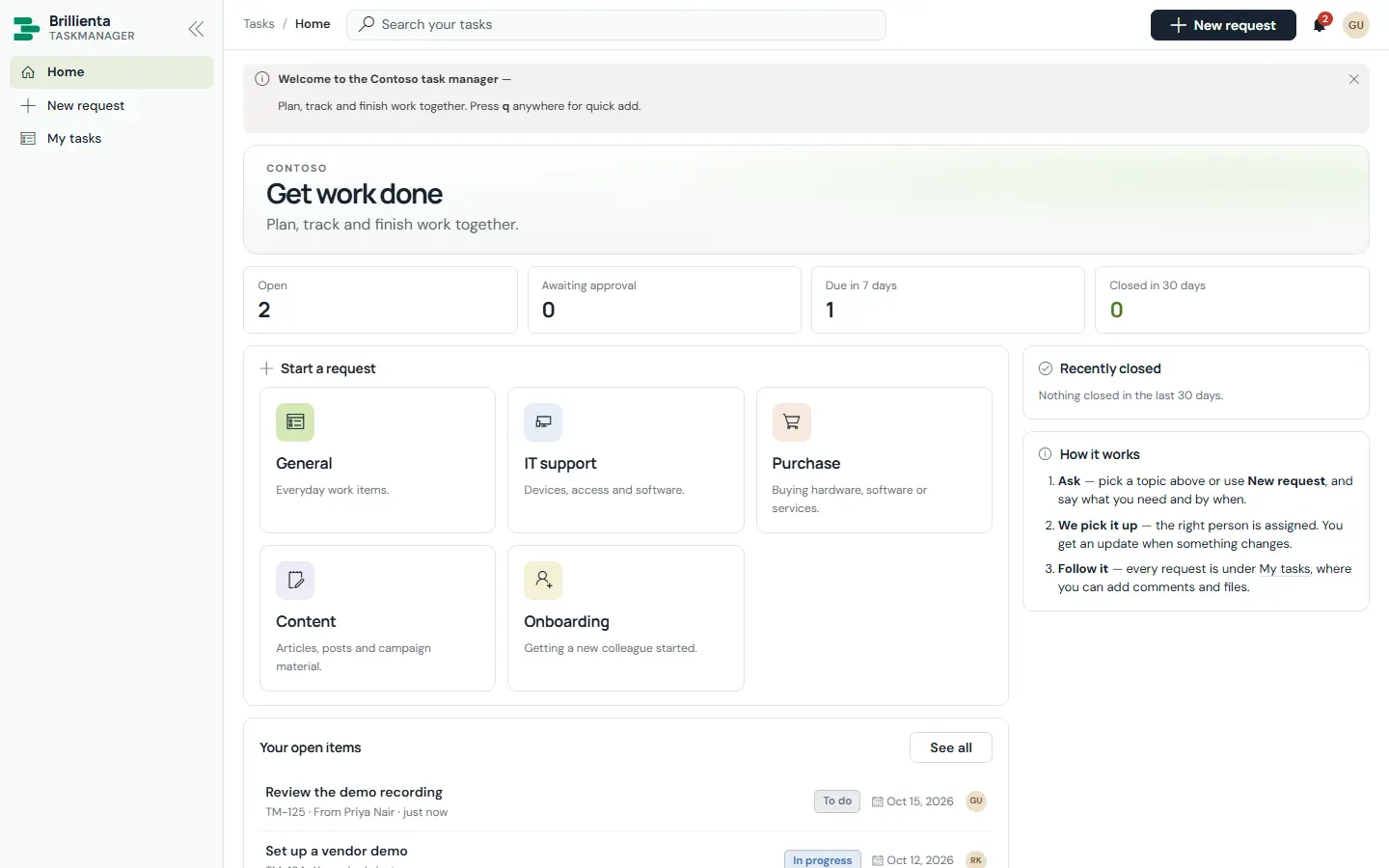
People who are not members get request tiles per category, a request form, “My tasks” and the approvals waiting for them — without being members and without extra licences. Categories can require approval by a named person, the requester’s manager or the project owner.
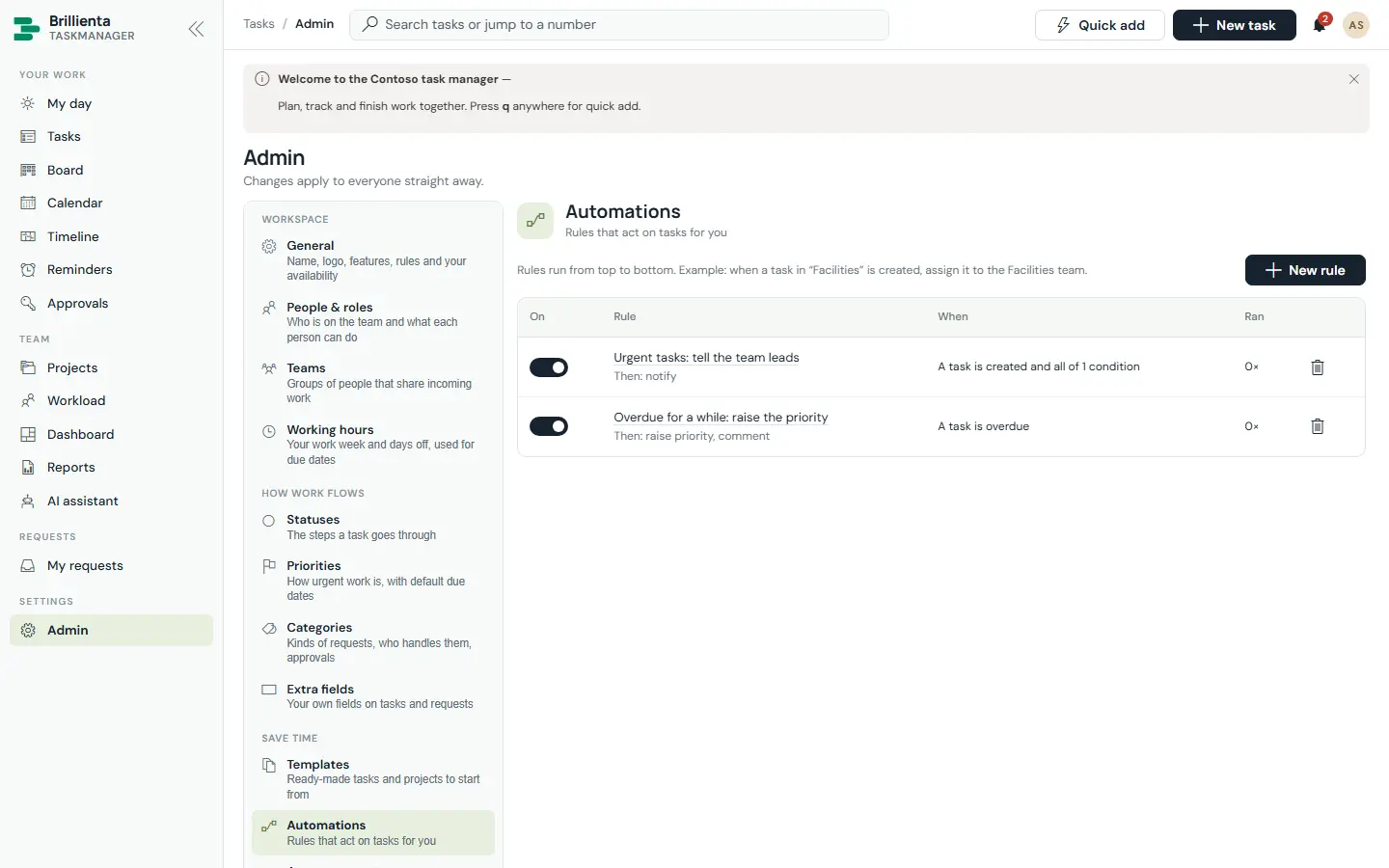
Rules on created, status changed, assigned, completed, commented, due soon and overdue — setting teams, assignees, fields, dates, tags, checklist items, subtasks, comments and notifications. Reminders escalate to team leads and project owners, and a daily digest summarises the day.
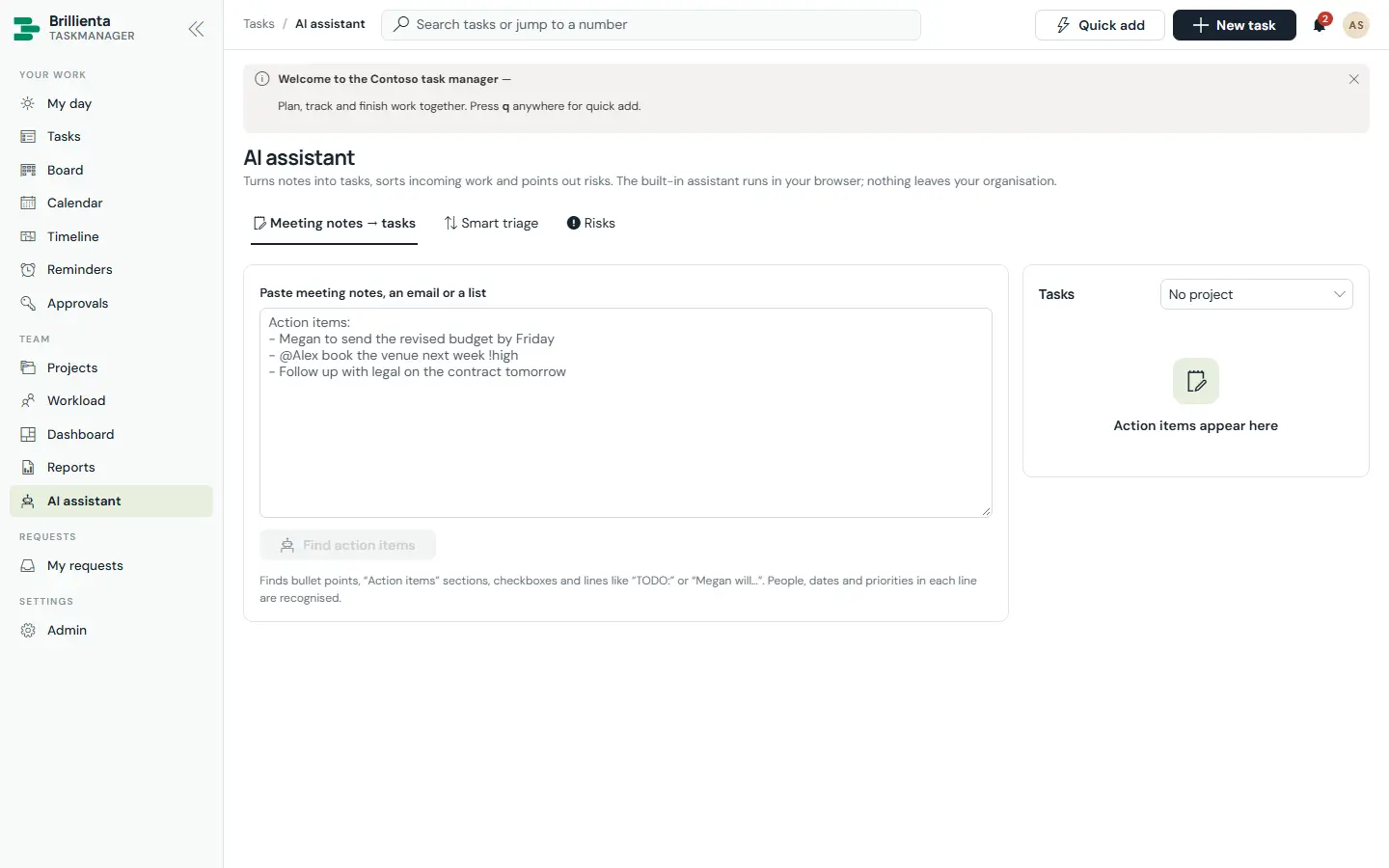
Built in, in the browser — nothing leaves SharePoint: quick add, suggestions, duplicate warnings, per-task risk scores, the focus plan, rebalancing, meeting notes → tasks and smart triage. With your own Azure OpenAI deployment: summaries, subtasks, descriptions, status updates and Ask AI.
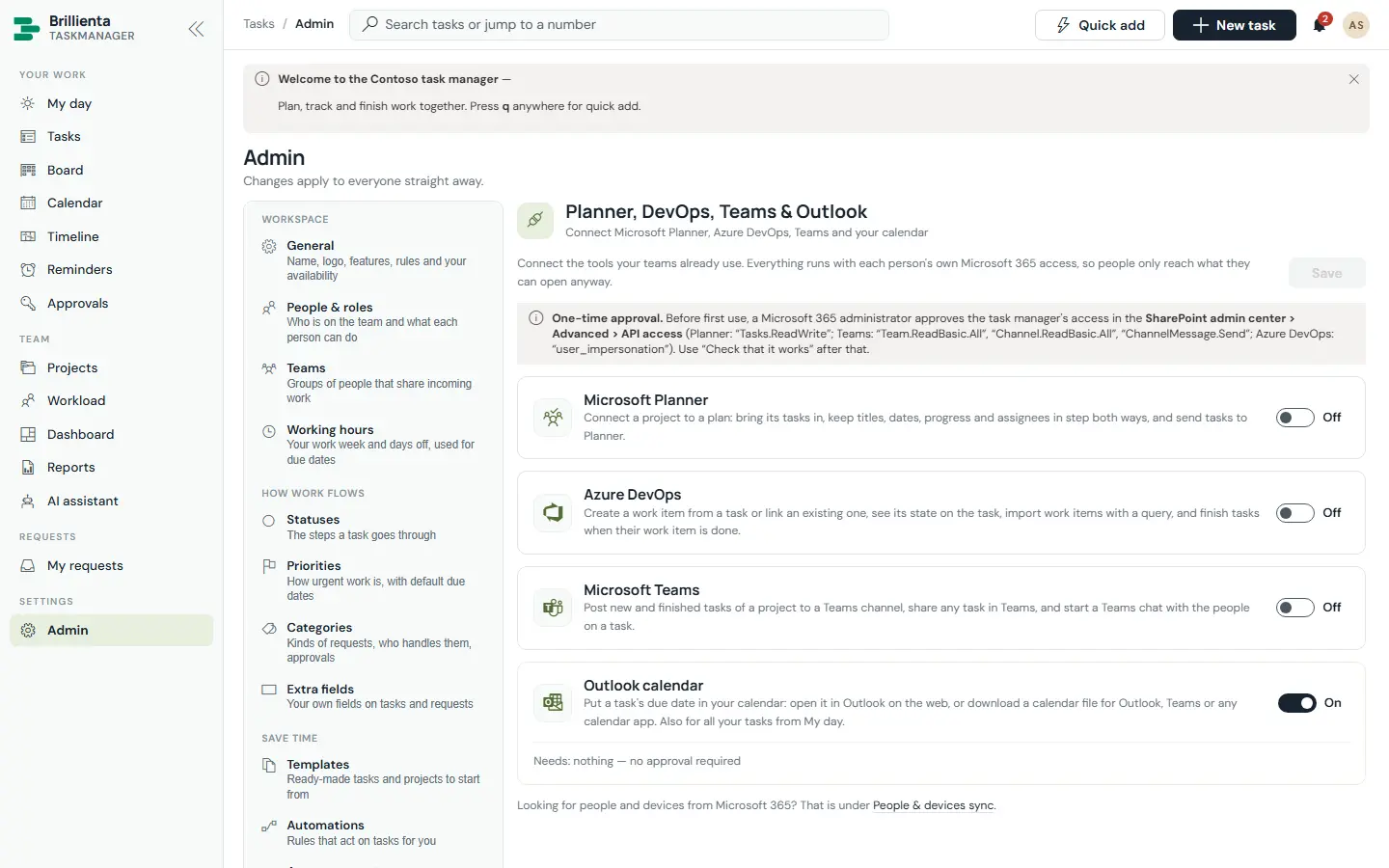
Planner two-way sync, Azure DevOps work items, Teams channel posts and Outlook calendar files — plus people from Entra ID and devices from Intune, with a task raised for each non-compliant or stale device.
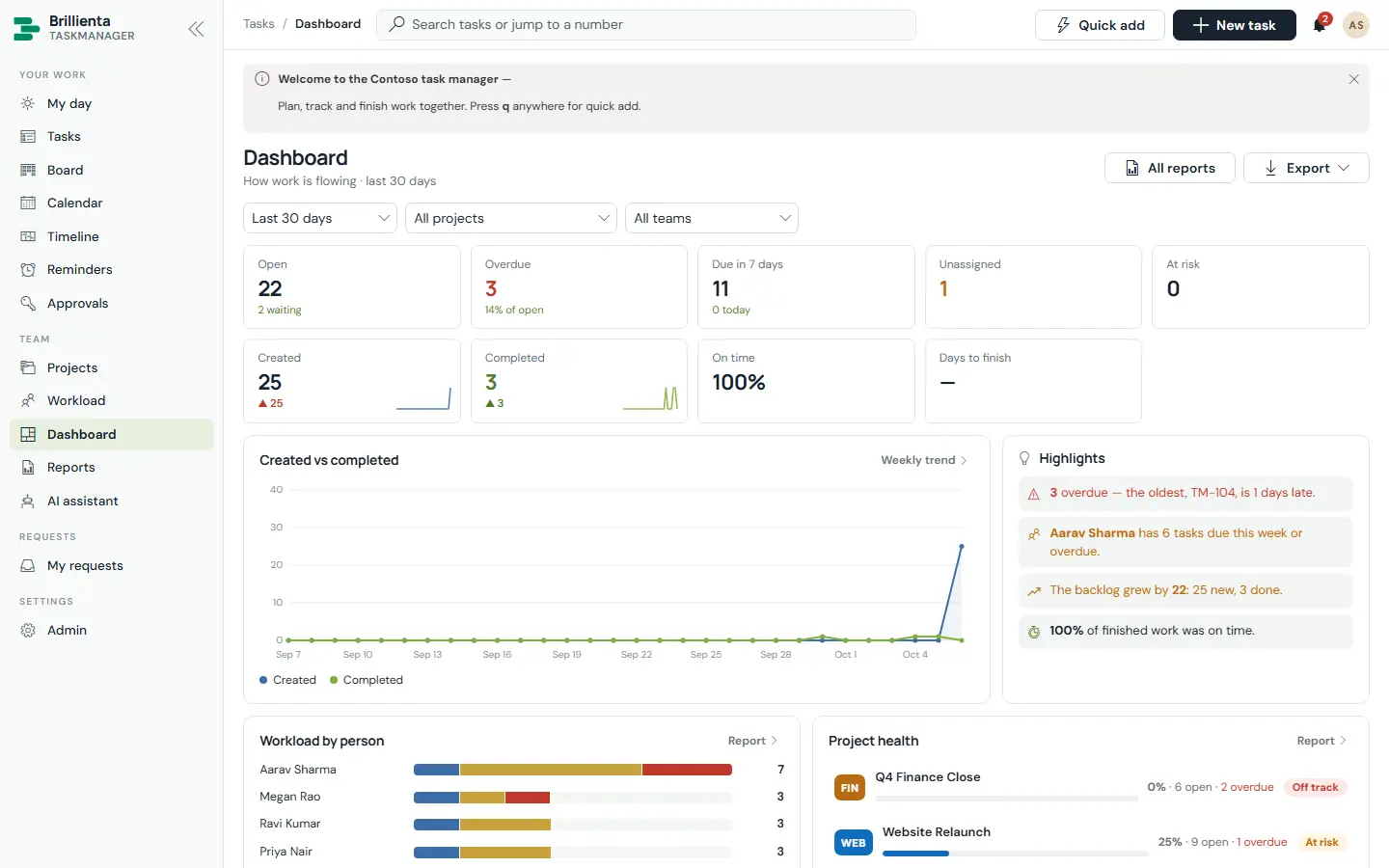
KPIs against the previous period, highlights and charts — every row links to the tasks.
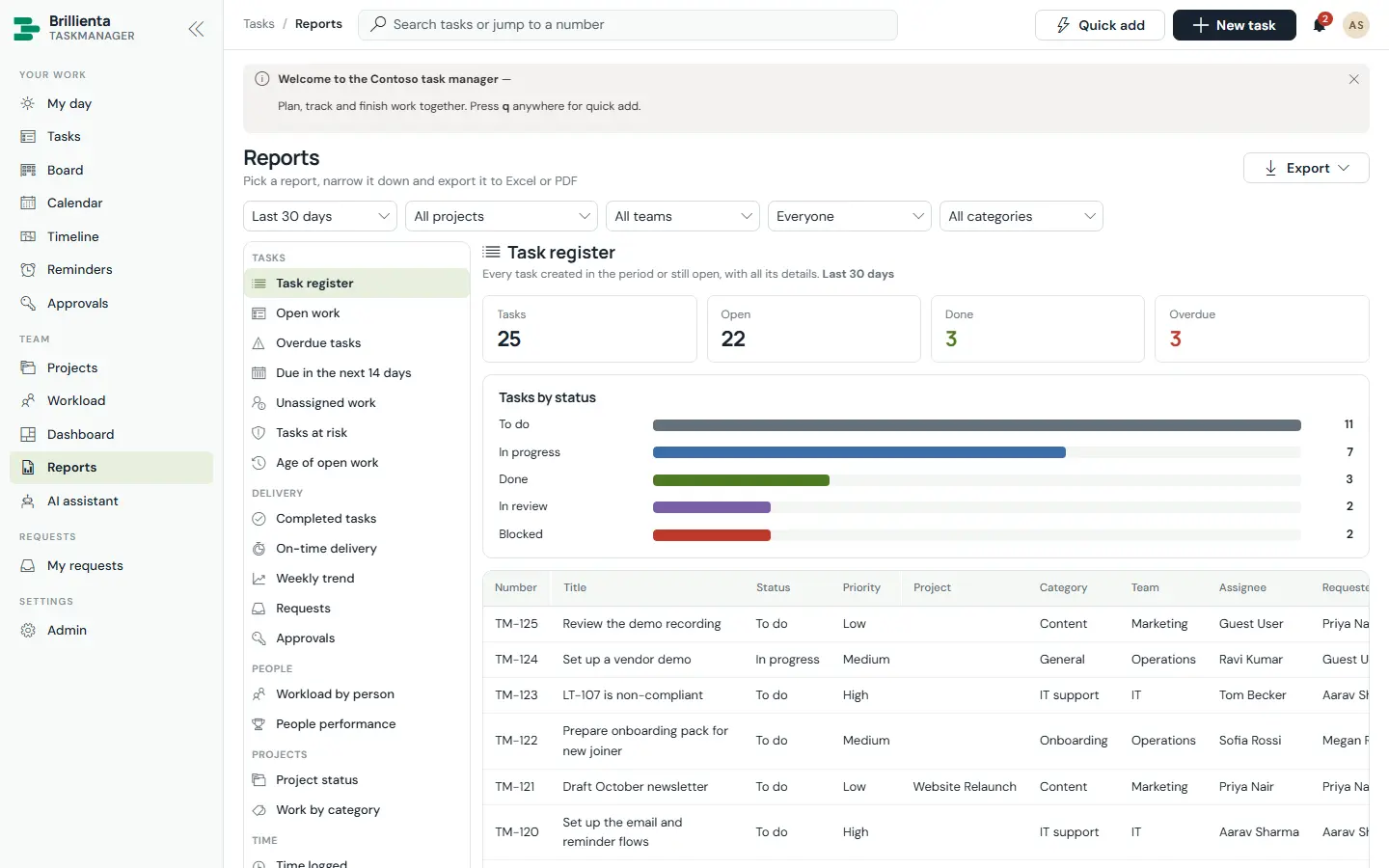
Register, overdue, on-time, weekly trend, workload, time logged and more.
Log time (billable optional) on tasks; time vs budget on projects (Pro).
A real-time bell for assignments, mentions, status changes and approvals.
Task and project templates and custom fields (Pro).
Pinned banners for everyone or members inside a time window.
The same tasks, board, calendar and approvals, one-handed.
g then a letter jumps to My day, Tasks, Board, Calendar, Timeline and more.
HOW IT WORKS
No server, database or Azure function. The app runs as the signed-in person and reads and writes only your site.
Runs in the browser as the signed-in user; every option lives in Admin, no web-part properties.
Hidden lists with the prefix TM_: tasks, projects, comments, history, members, teams, reminders, outbox, directory, devices and logs.
Email, reminders & digest, daily Graph sync and the AI assistant — imported from packages the app builds for you.
| Microsoft Graph permission | Used for |
|---|---|
User.Read.All | Syncing people from Entra ID |
Device.Read.All, DeviceManagementManagedDevices.Read.All | Devices from Intune / Entra ID and device tasks |
Tasks.ReadWrite | Microsoft Planner two-way sync |
Team.ReadBasic.All, Channel.ReadBasic.All, ChannelMessage.Send | Posting project updates to Teams channels |
Delegated permissions, approved once by an administrator in the SharePoint admin center. If one isn’t approved, only that feature is unavailable.
ADMINISTRATION
Admins change everything in the app’s own Admin pages, with validation before anything saves.
Five steps: lists, organisation, prefix, time zone, colour, working hours, people, starter content and features.
Organisation & look, features, workflow rules, email sender, maintenance and availability.
Members, roles, availability and seats — saving puts people in the matching SharePoint group.
Load-balanced, round-robin, smart or manual sharing of incoming work, with delegates and caps.
Task and project templates, and rules with all/any conditions.
An editable template per event, header, footer, logo, preview and “Send a test to me”.
Planner, Azure DevOps, Teams posts, Outlook files, Graph sync and AI — each verified in place.
Guest privacy, system health & access, and licence with trial countdown and seats.
ROLES & PERMISSIONS
The role decides what the screens offer; SharePoint permissions, set up by the app, decide what can actually be read and changed. Features also depend on the plan.
| Capability | Guest | Member | Manager | Admin |
|---|---|---|---|---|
| Raise requests, follow and comment on own requests | ✓ | ✓ | ✓ | ✓ |
| Create and work on tasks, comment, log time, boards, calendar | Own | ✓ | ✓ | ✓ |
| Timeline, dashboard, AI assistant | — | ✓ | ✓ | ✓ |
| Projects, sections, templates, announcements | — | — | ✓ | ✓ |
| Everyone’s tasks, all approvals, workload, logged time | — | — | ✓ | ✓ |
| Configuration, members, security, flows, licence | — | — | — | ✓ |
SECURITY
All data lives in your SharePoint site and moves only through SharePoint and your own flows. There is no analytics, tracking or vendor cloud.
Security & your data ↗PRICING
One flat price per tenant — not per user. Start with a 14-day trial of every feature, then pick the plan that fits.
Tasks, projects, board, calendar and reminders for a small team
billed yearly · $348 / year
≈ $2.90 per member per month at full seats
Timeline, workload, approvals, recurring work, automations, digests and the AI assistant
billed yearly · $1,188 / year
≈ $1.98 per member per month at full seats
Everything in Plus, plus:
Microsoft Graph user and device sync, generative AI, guest privacy and unlimited members
billed yearly · $2,988 / year
Flat price — no per-member charges
Everything in Pro, plus:
Prices in USD per Microsoft 365 tenant, excluding taxes. Seats count members. Guests raise requests without a seat. Every installation starts with a 14-day trial of all Enterprise features — no card needed. Larger seat counts and multi-year terms: talk to us.
| Feature | Plus | Pro | Enterprise |
|---|---|---|---|
| Tasks, subtasks, checklists, comments, attachments, My day | ✓ | ✓ | ✓ |
| Projects with sections and members | ✓ | ✓ | ✓ |
| Kanban board | ✓ | ✓ | ✓ |
| Calendar | ✓ | ✓ | ✓ |
| Task and project templates | ✓ | ✓ | ✓ |
| Announcements | ✓ | ✓ | ✓ |
| Email notifications (standard templates) | ✓ | ✓ | ✓ |
| Personal reminders | ✓ | ✓ | ✓ |
| Due-soon and overdue reminders | ✓ | ✓ | ✓ |
| Dashboard and reports | ✓ | ✓ | ✓ |
| Timeline (Gantt) with dependencies and milestones | — | ✓ | ✓ |
| Workload and capacity planning | — | ✓ | ✓ |
| Time tracking and time reports | — | ✓ | ✓ |
| Approvals | — | ✓ | ✓ |
| Recurring tasks | — | ✓ | ✓ |
| Task dependencies | — | ✓ | ✓ |
| Custom fields | — | ✓ | ✓ |
| Automation rules | — | ✓ | ✓ |
| Business hours and holidays | — | ✓ | ✓ |
| Custom email templates | — | ✓ | ✓ |
| Approval, unassigned, no-progress, waiting and start reminders; overdue escalation | — | ✓ | ✓ |
| Daily digest | — | ✓ | ✓ |
| AI assistant: suggestions, duplicates, risk, daily plan, meeting notes | — | ✓ | ✓ |
| Requests from everyone in the organisation (guests) | — | ✓ | ✓ |
| Microsoft Graph sync of people and devices, device tasks, offboarding | — | — | ✓ |
| Generative AI (Azure OpenAI through Power Automate) | — | — | ✓ |
| Guest privacy (guests see only their own items) | — | — | ✓ |
SUITE BUNDLE
HRMS, Helpdesk, Asset Management, Employee Directory and TaskManager — each on its Pro plan.
DEPLOYMENT
Most of the time goes on choosing the site and the people for each role.
Add brillienta-taskmanager.sppkg to the tenant or site app catalog and deploy it.
Only for the integrations you use: user and device sync, Planner, Teams posts.
Place Brillienta TaskManager on a page; a site owner opens it once to run setup.
Email and reminders & digest — plus Graph sync and AI if you use them.
Paste your TM1 key under Admin › Licence — or keep the 14-day trial running.
No. Anyone who can open the page can raise and follow requests; seats count members only.
The built-in assistant runs in the browser. Generative features (Enterprise) use your own Azure OpenAI deployment through your flow.
It can sit beside Planner with two-way sync, or replace it with timeline, workload, approvals and reports Planner lacks.
Indexed columns, threshold-safe queries and an incremental cache keep it fast far past 5,000 items.
It stays in your SharePoint lists, exportable to Excel at any time.
RESOURCES
The complete documentation, our security model and practical articles for Brillienta TaskManager.
TRY IT ON YOUR TENANT