Custom web parts
Interactive pages and dashboards built with the SharePoint Framework, configured from the property pane.
- Data views, forms and dashboards
- Property-pane configuration
- Responsive layouts for Teams and phones
 brillienta
Book a demo ↗
brillienta
Book a demo ↗
HOME / SERVICES / SHAREPOINT DEVELOPMENT
✳ SHAREPOINT DEVELOPMENT SERVICES
We build business applications, portals and integrations on modern SharePoint Online — and we ship six SharePoint products of our own. You get solutions that look native, respect SharePoint permissions, install repeatably and come with documentation your team can run.
A consulting and development service — scoped and quoted per project. Looking for a ready-made app? See our products.
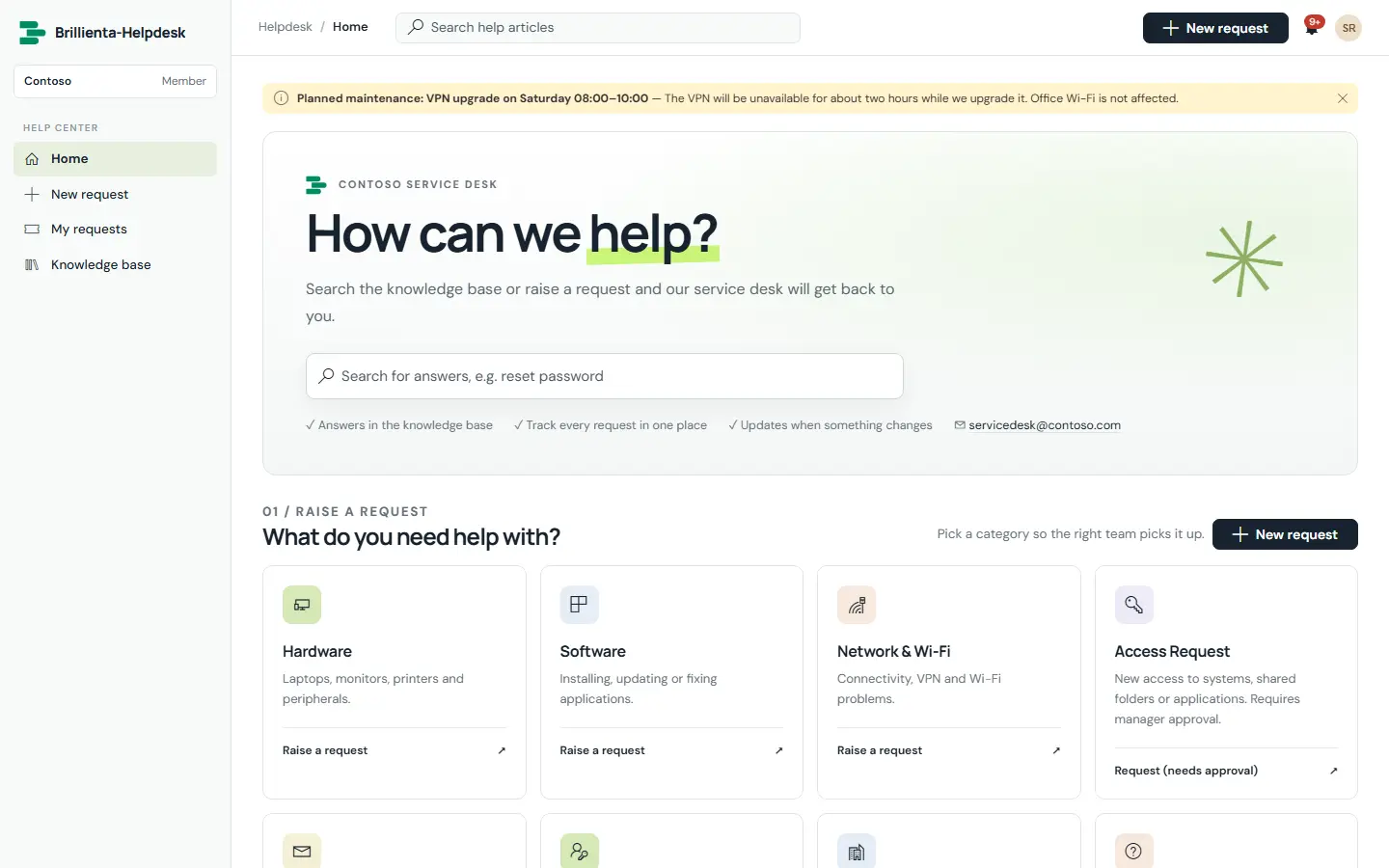
Built by us: a complete service-desk portal running on a SharePoint site.
01 / PROBLEMS WE SOLVE
The situations that usually lead teams to us.
Requests, registers and approvals live in shared files and mailboxes, so nobody can see status, history or ownership.
A list and a few views get you started, but validation, role-based screens, reporting and notifications need more.
InfoPath forms, SharePoint Designer workflows and classic pages need replacing before they block a move to modern SharePoint.
Scripts pasted into pages, undocumented lists and manual deployments make every change risky.
02 / CAPABILITIES
Pick one or combine them. Every engagement starts from the business problem, not the technology.
Interactive pages and dashboards built with the SharePoint Framework, configured from the property pane.
Additions to every page or list without editing pages one by one.
SharePoint lists designed as a real data model, not an afterthought.
Approvals, reminders and emails that keep running when nobody has the page open.
SharePoint connected to the rest of Microsoft 365 and your business systems.
Sites, lists and pages created by script, so test and production match.
03 / ARCHITECTURE & SECURITY
The same rules we follow in our own products — documented in our security overview and trust center.
04 / TYPICAL SOLUTIONS
Representative solution types — every project is scoped to your process.
Purchase requests, access requests, leave or travel approvals with status tracking and audit history.
Contracts, assets, risks, policies or suppliers — with reminders, reports and owners.
HR, IT, finance or facilities sites with targeted news, documents and self-service.
Live views over SharePoint list data for managers, embedded in pages or Teams tabs.
Modern replacements for InfoPath forms, SharePoint Designer workflows and classic pages.
05 / HOW A PROJECT RUNS
Fixed scope where it can be, flexible where it must be. See ways to engage: assessment, project build, dedicated team or support.
Workshops with the people who do the work. Output: requirements, constraints and an estimate.
Architecture, permissions and screens. Output: a prototype and a fixed plan.
Short iterations with demos on your tenant. Output: tested, packaged releases.
Rollout, training and admin guides. Output: a solution your team can run.
06 / RELATED PRODUCTS
Ready-made Brillienta products, licensed per tenant with a 14-day trial. We can tailor them, or build from scratch when that fits better.
Our focus is SharePoint Online in Microsoft 365. We also help move content and solutions from older SharePoint versions to SharePoint Online.
It depends on who will maintain it, how complex the interface is and your licensing. We recommend the lightest option during discovery — often a combination.
You do. Source code, deployment scripts and admin guides for bespoke work are handed over as part of the engagement.
Usually. We start with a short review of the existing solution, then recommend whether to extend, refactor or replace it.
After discovery we give a fixed price per phase where the scope is clear, or a capacity-based estimate where it is still evolving.
SHAREPOINT DEVELOPMENT