 brillienta
Book a demo
brillienta
Book a demo HOME / PRODUCTS / WORKPLACE APPS
✳ STANDALONE MICROSOFT 365 APPS
Four apps. Each one complete.
A service desk, an asset register, a people directory and a task manager. Each is a single SharePoint Framework web part that runs inside SharePoint and Teams, sets up its own lists and security, and keeps every record in your tenant.
Helpdesk
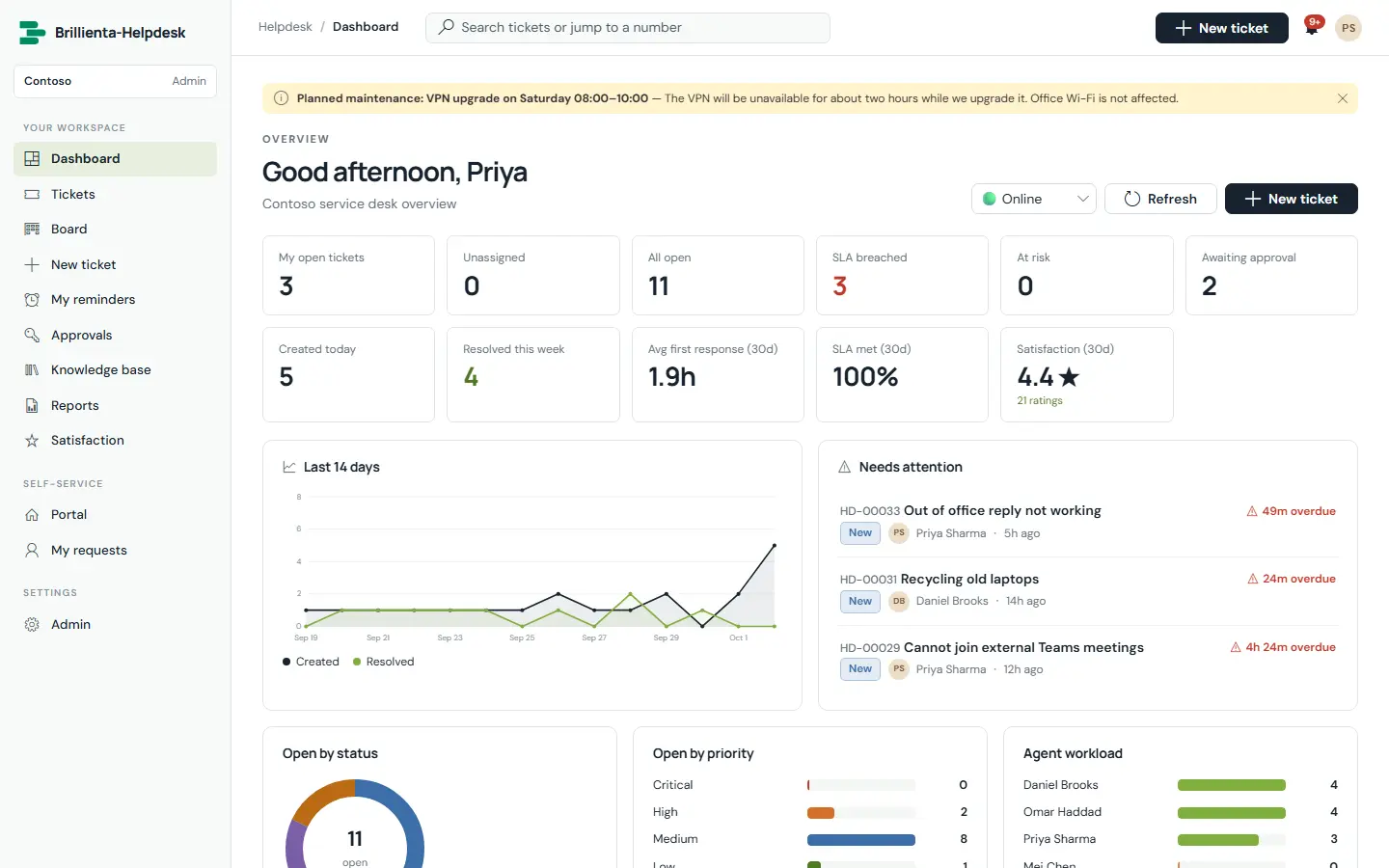
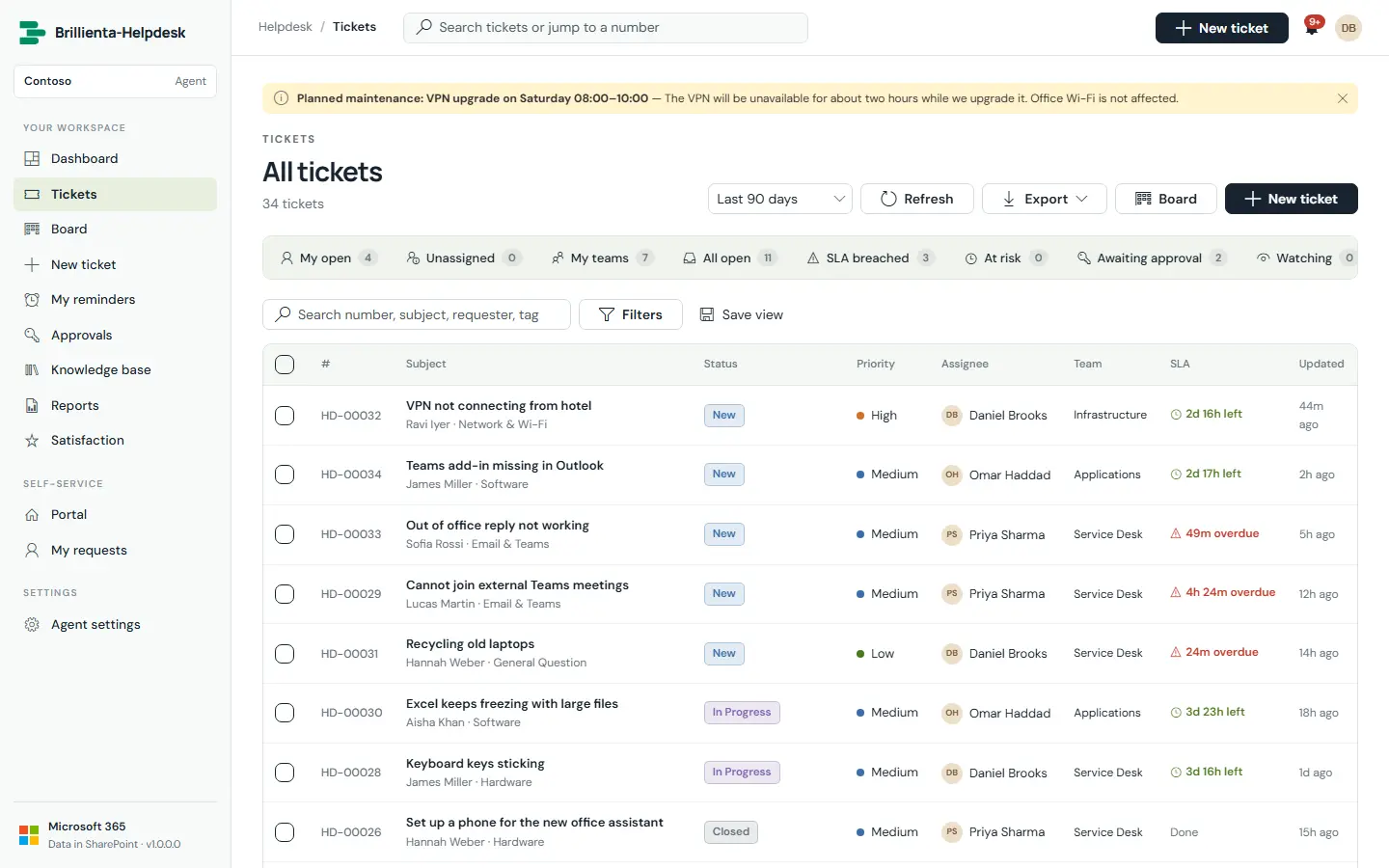
The service desk that lives in your Microsoft 365. Employees raise and follow requests in a branded portal; agents work tickets with SLAs, routing, approvals and a knowledge base; managers follow performance in dashboards and reports.
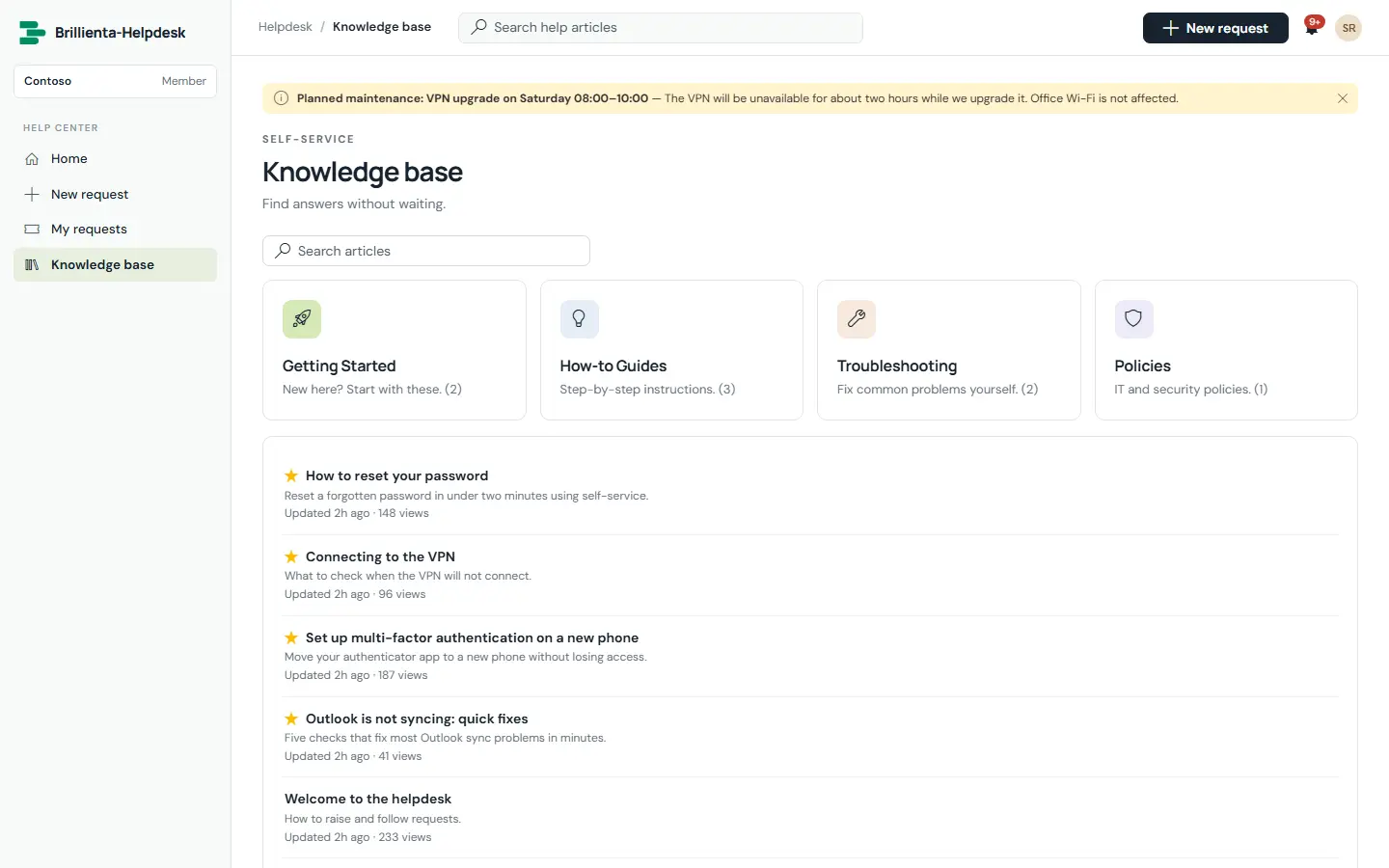
A help centre people actually use
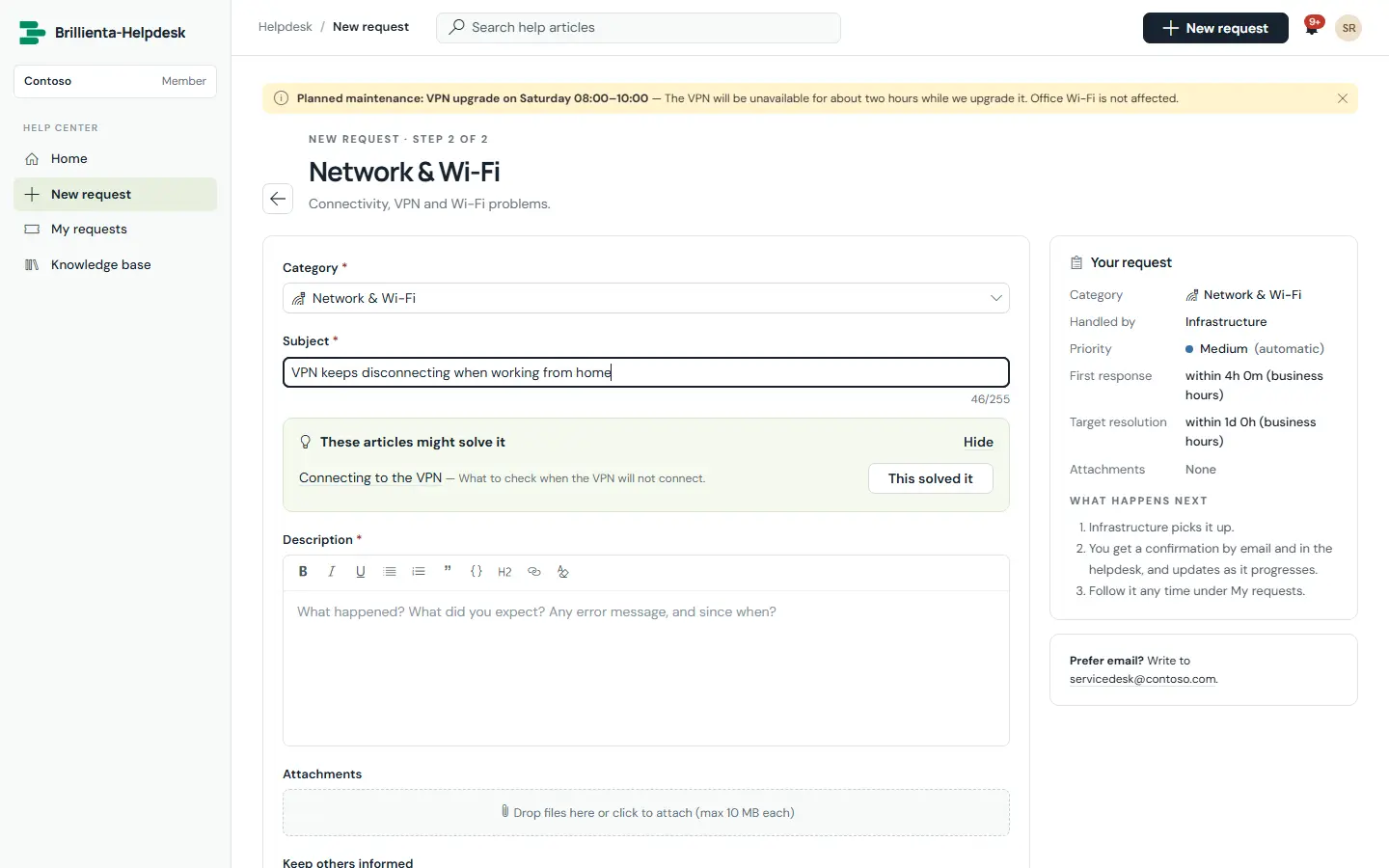
Announcements, knowledge-base search and one catalogue tile per category. One form for everything — services, sub-services, custom fields, watchers and drag-and-drop files — with matching articles suggested as people type, and a “This solved it” deflection.
- My requests: open, resolved, closed and shared with me
- Reopen within the window (14 days by default)
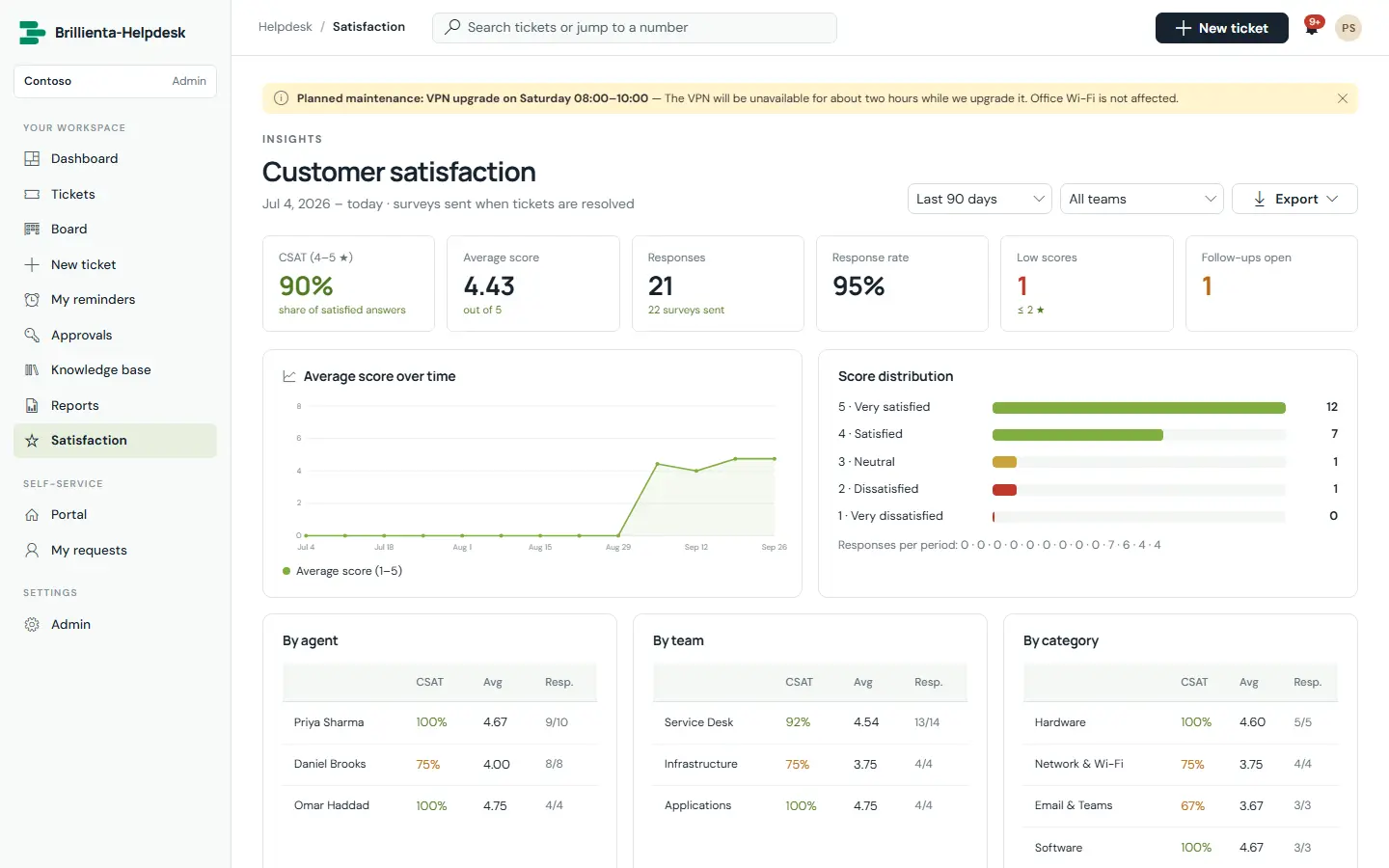
- Satisfaction surveys with adaptive follow-ups (Pro)
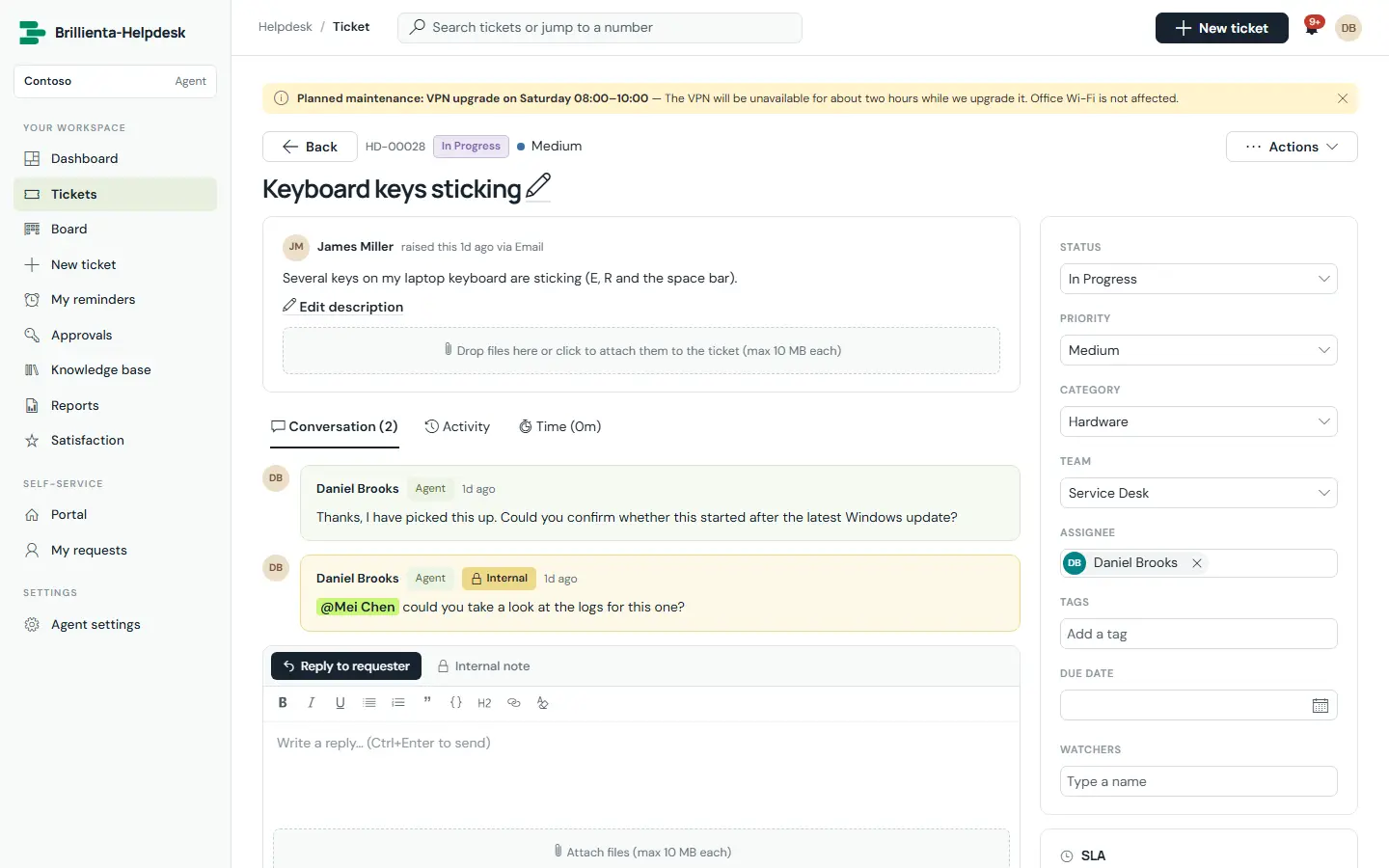
Everything about a ticket on one screen
Public replies and internal notes with @mentions, canned responses, macros, signatures, activity log, attachments, SLA countdown bars and requester history. Merge duplicates, link tickets, log billable time and turn a resolution into a knowledge article.
- Queue views with live counts, saved views and bulk actions
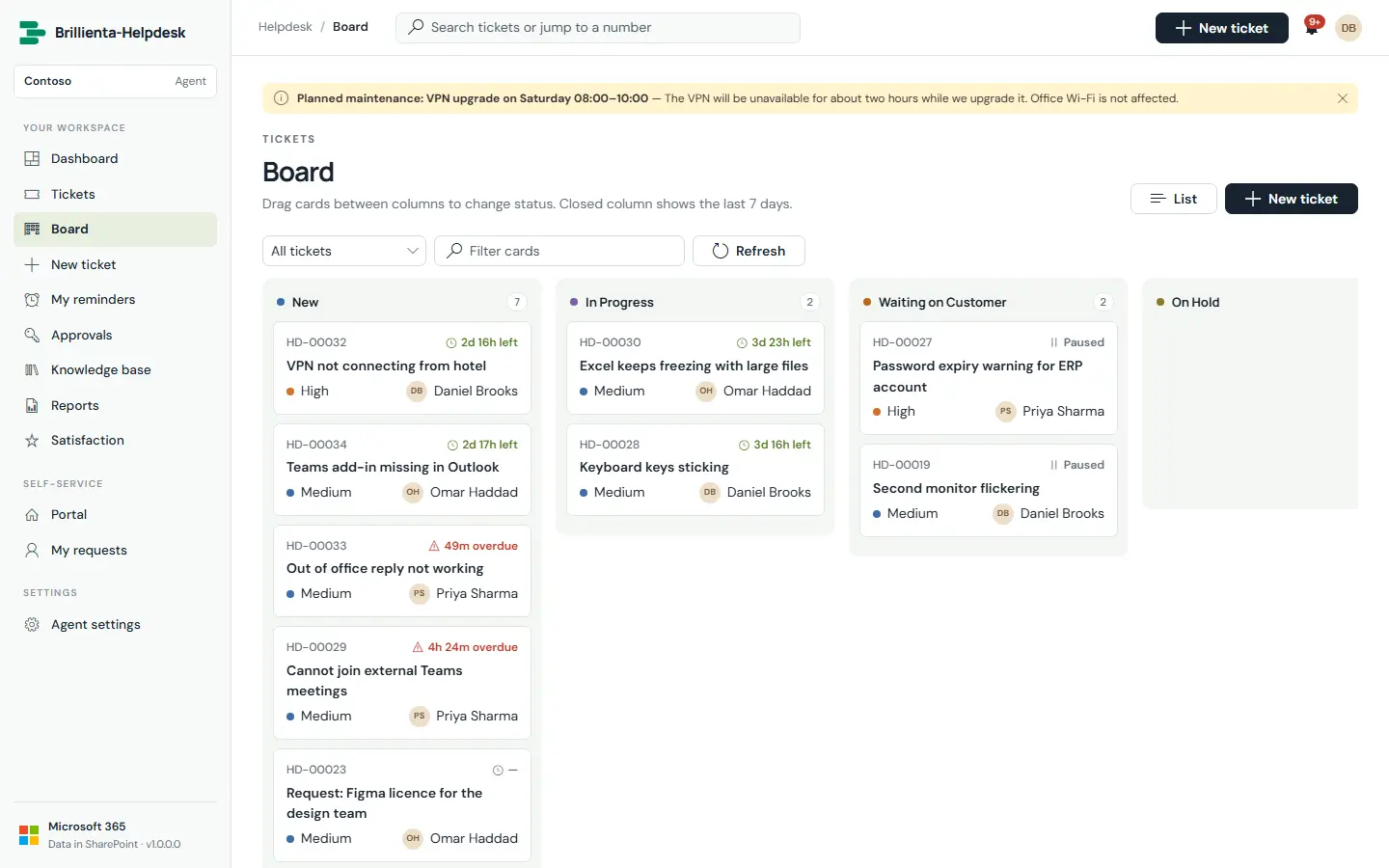
- Kanban board for stand-ups (Pro)
- Keyboard shortcuts throughout
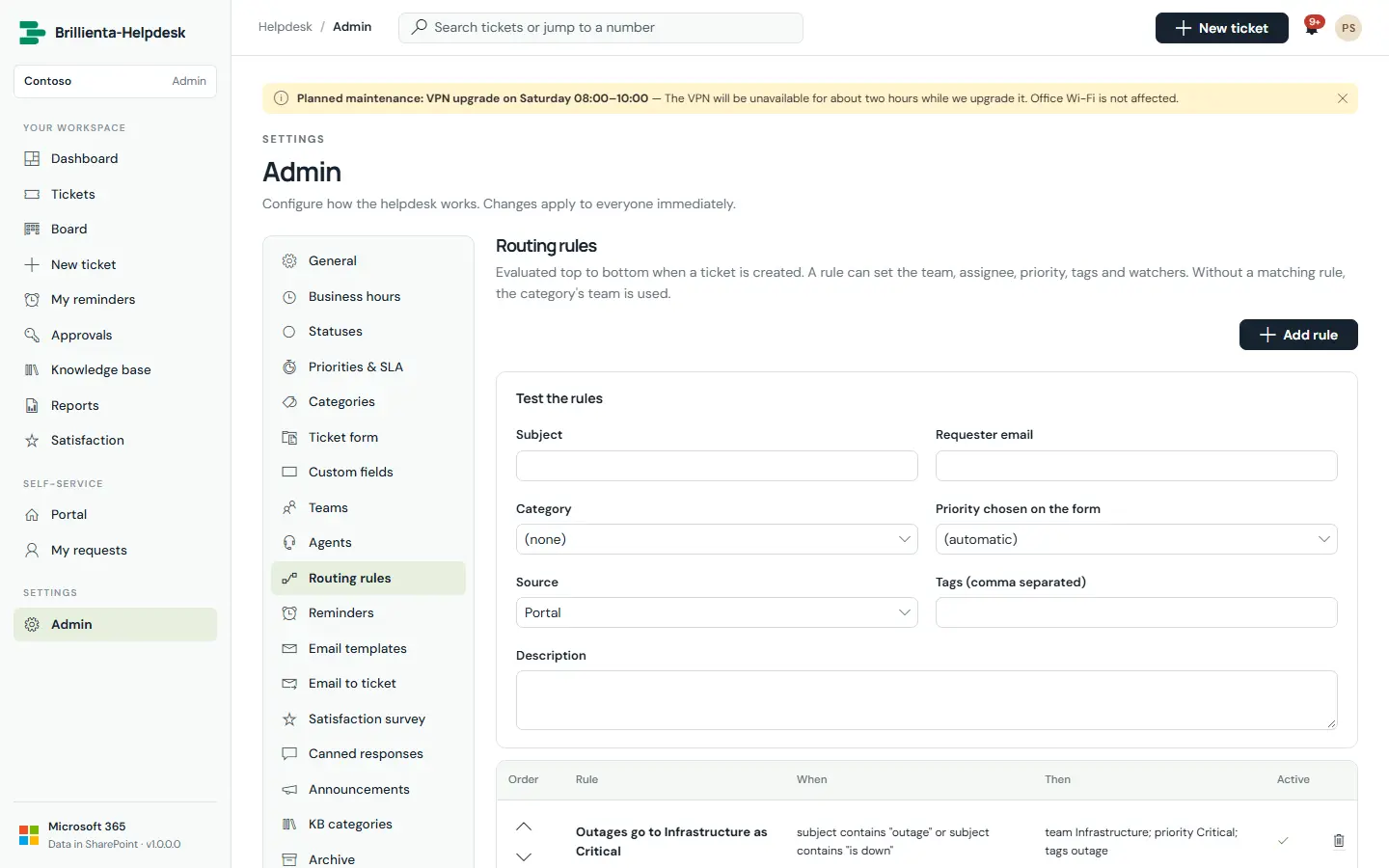
SLAs, routing and approvals without code
First-response and resolution targets in business minutes, DST-safe, skipping evenings, weekends and holidays — paused while waiting for the customer. Warnings at 75%, escalation at 90%, breach at 100%. Routing rules with a built-in tester; approvals by a named person or the requester’s manager.
- Load-balanced, round-robin, smart or manual assignment
- Email to ticket from a shared mailbox (Enterprise)
- Microsoft 365 Copilot agent package (Enterprise)
Plans: Plus (up to 5 agents) · Pro (up to 25) · Enterprise (unlimited). Requesters are never counted.
Full Helpdesk page ↗ Book a walkthroughAsset Management
The asset register that lives in your Microsoft 365. Every asset from purchase to disposal — assignments, loans, receipt confirmations, requests and approvals, maintenance, audits, contracts, depreciation and Intune device sync.
One register, cradle to grave
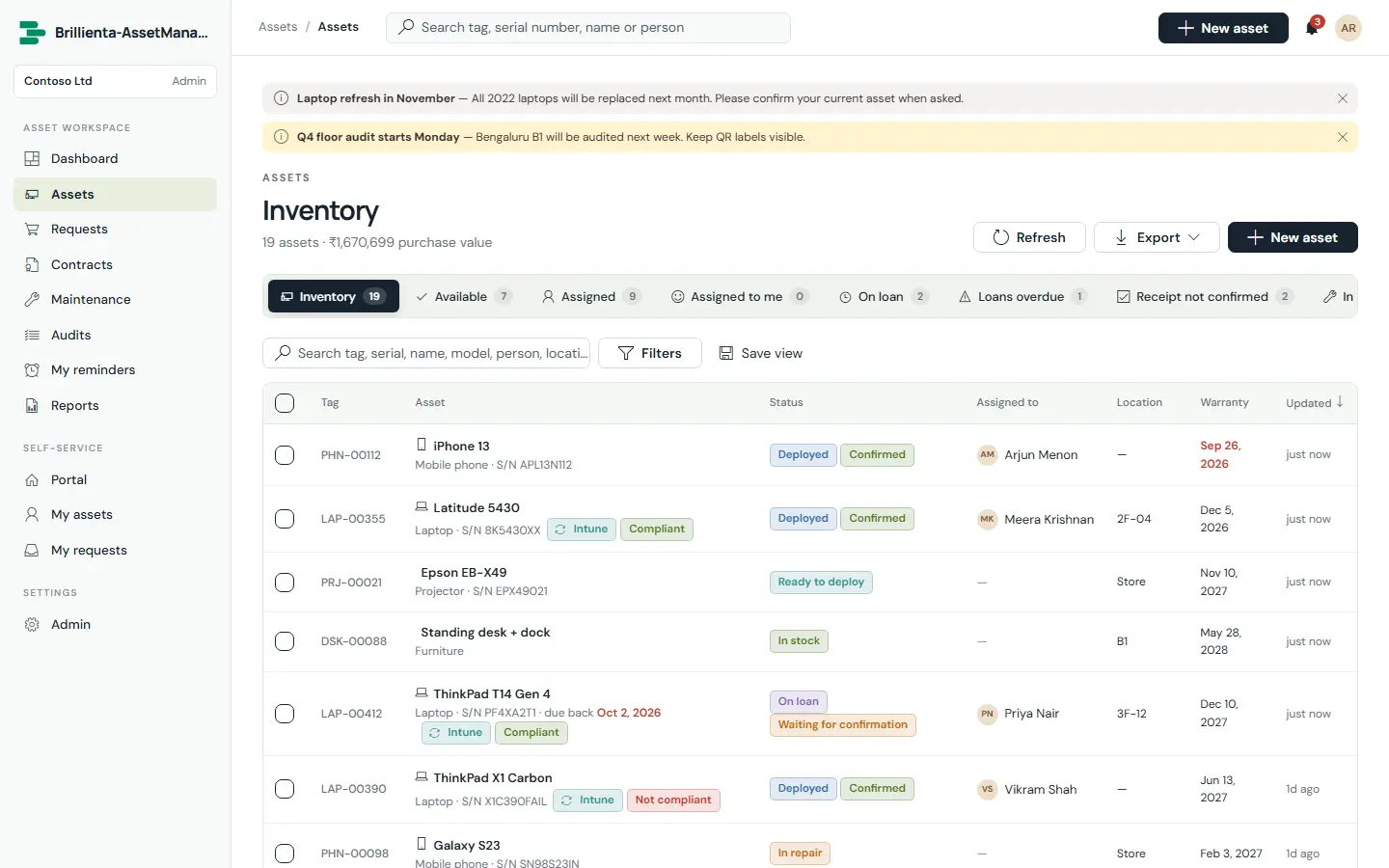
Asset types with tag prefixes, depreciation, audit and maintenance intervals; nested locations, vendors and custom fields. Built-in views — available, assigned, on loan, loans overdue, receipt not confirmed, warranty ending, audit due — with bulk actions and Excel/PDF export.
- Full custody and change history on every asset page
- Book value from straight-line or declining-balance rules (Pro)
- Validate-first CSV import from your old spreadsheet
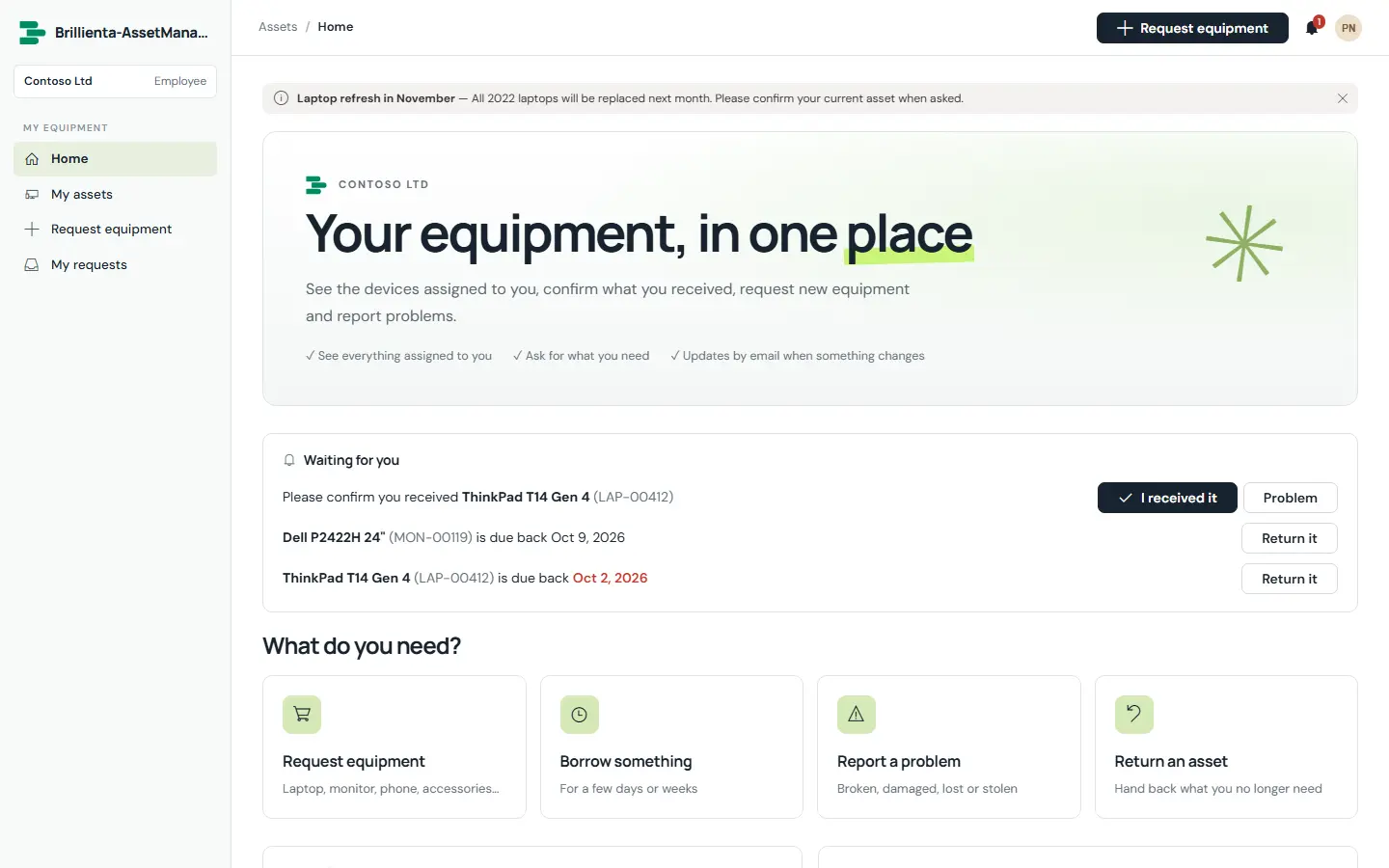
Employees help instead of hinder
A branded portal shows everyone their own equipment and takes new, loan, replacement, return and issue requests. Assignees confirm receipt in one click — or report a problem — and approvals are verified against SharePoint version history before anything is handed out.
- Nobody approves their own request
- Reminders chase unconfirmed receipts and overdue loans
- Phone-first layout; works as a Teams tab
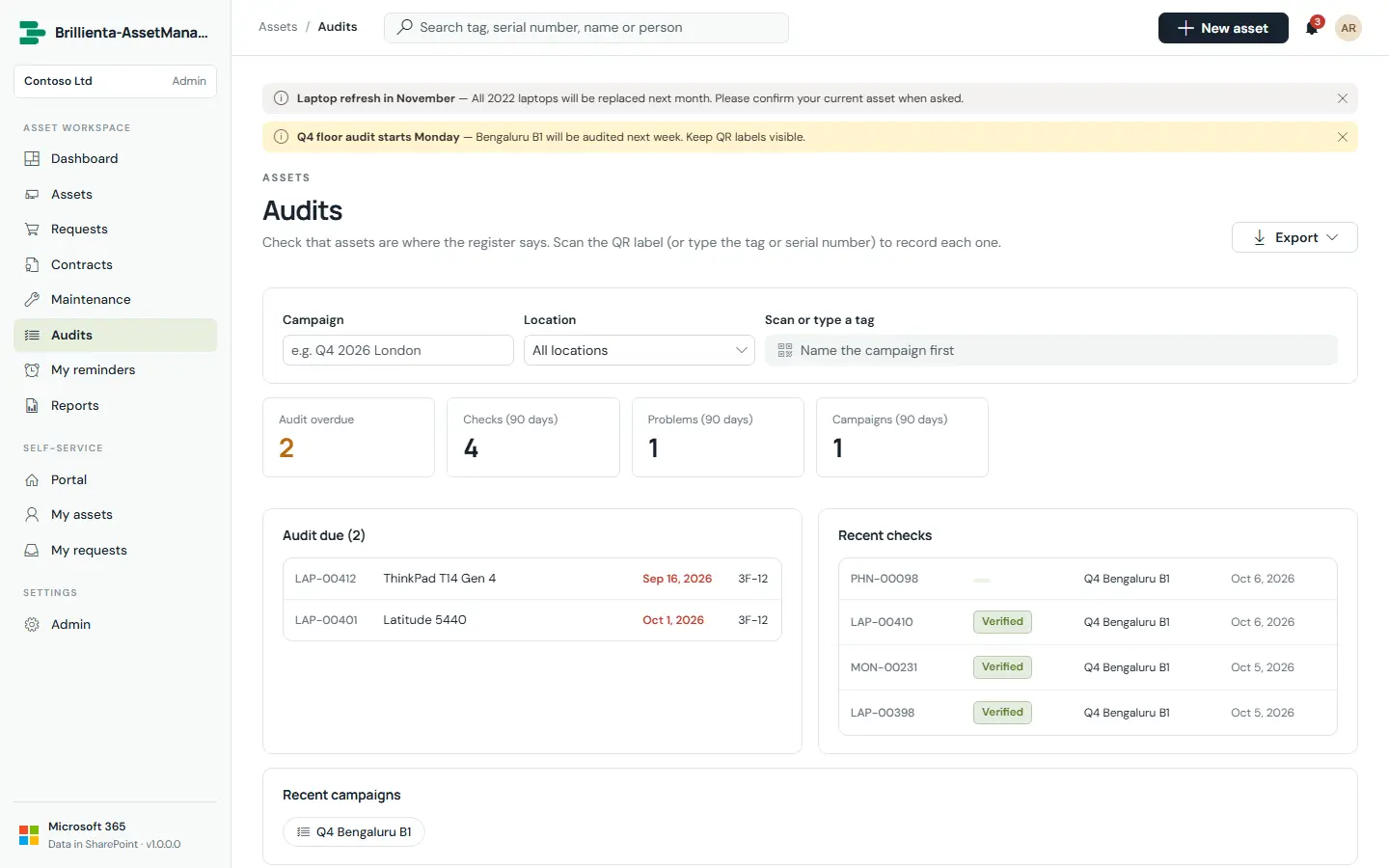
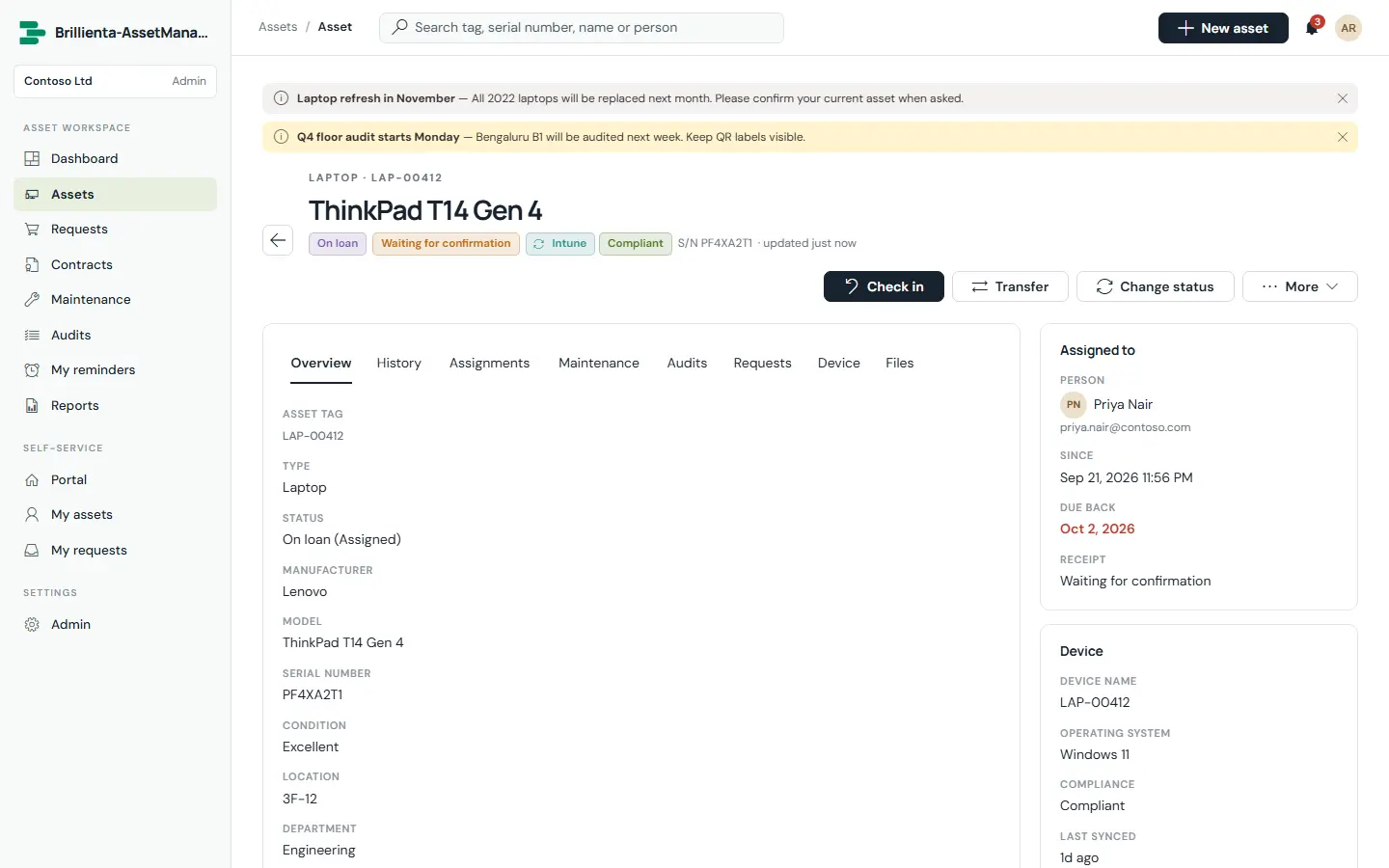
Nothing slips through
Maintenance jobs that roll the next-due date forward; floor audits where scanning a QR label opens the asset; contracts that renew or expire with reminders at 60, 30 and 7 days; and Intune and Entra ID devices that reconcile into the register daily — matched, typed and assigned to their primary user.
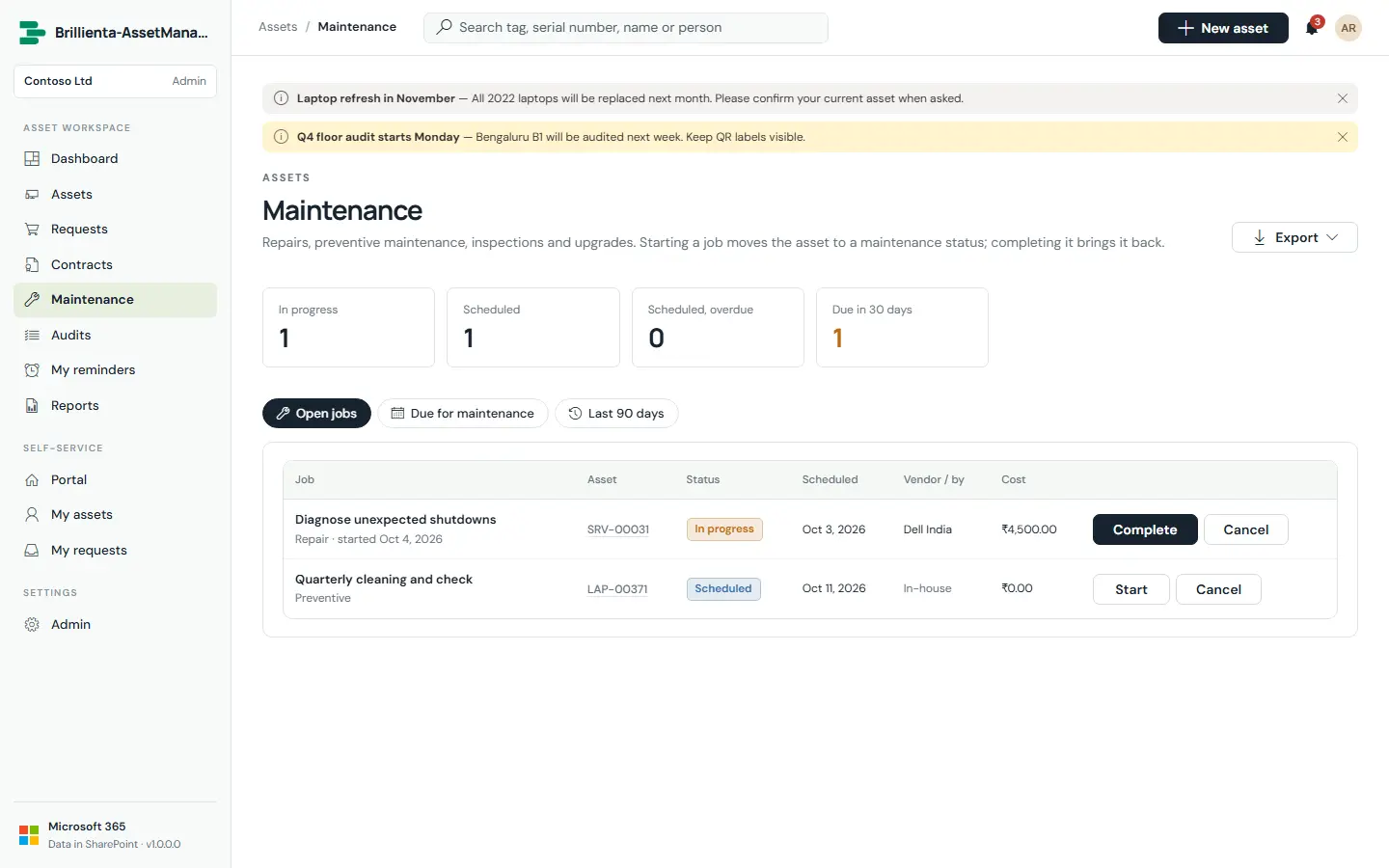
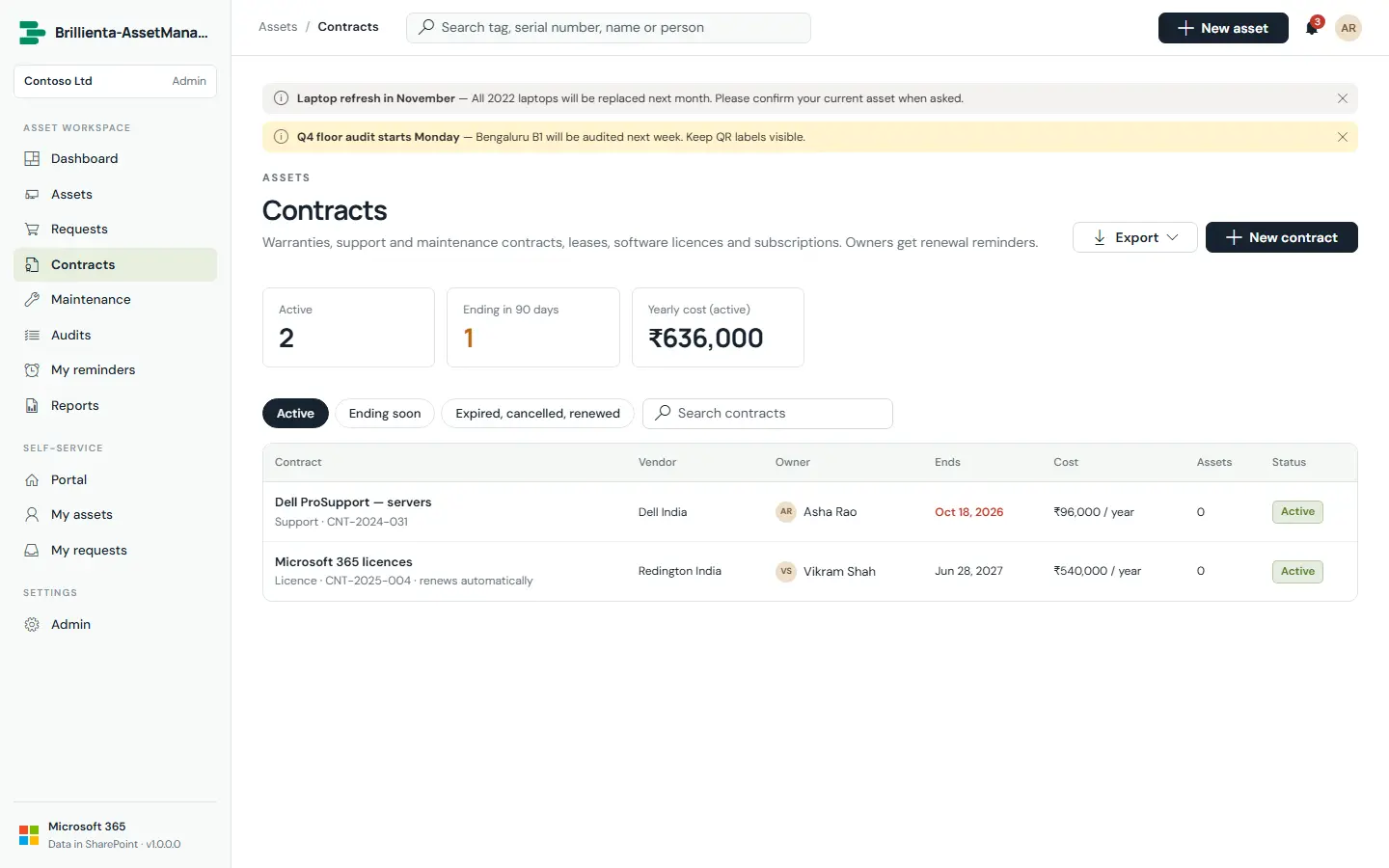
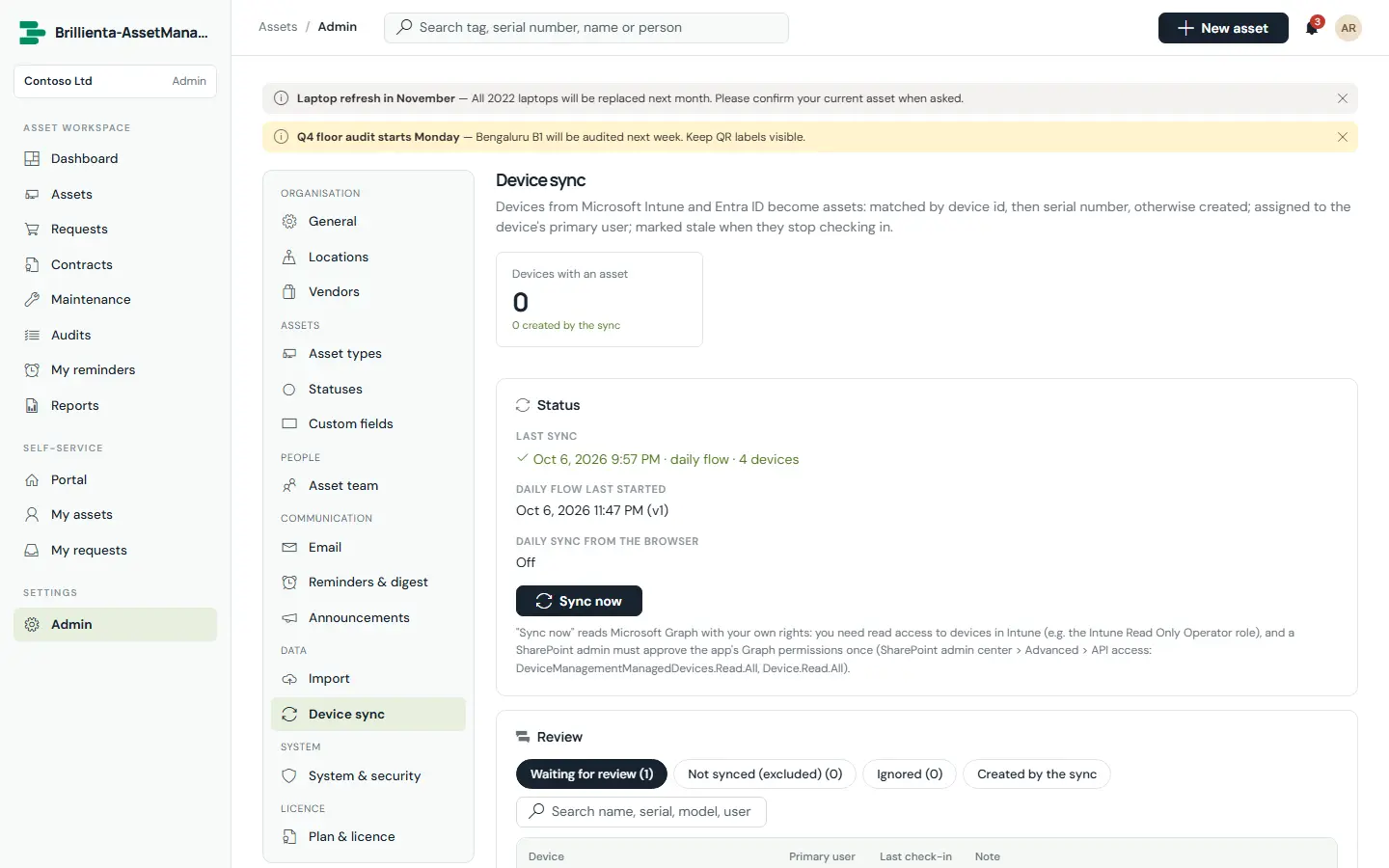
Plans: Plus (5 admins + managers) · Pro (25) · Enterprise (unlimited). Auditors never take a seat.
Full Asset Management page ↗ Book a walkthroughEmployee Directory
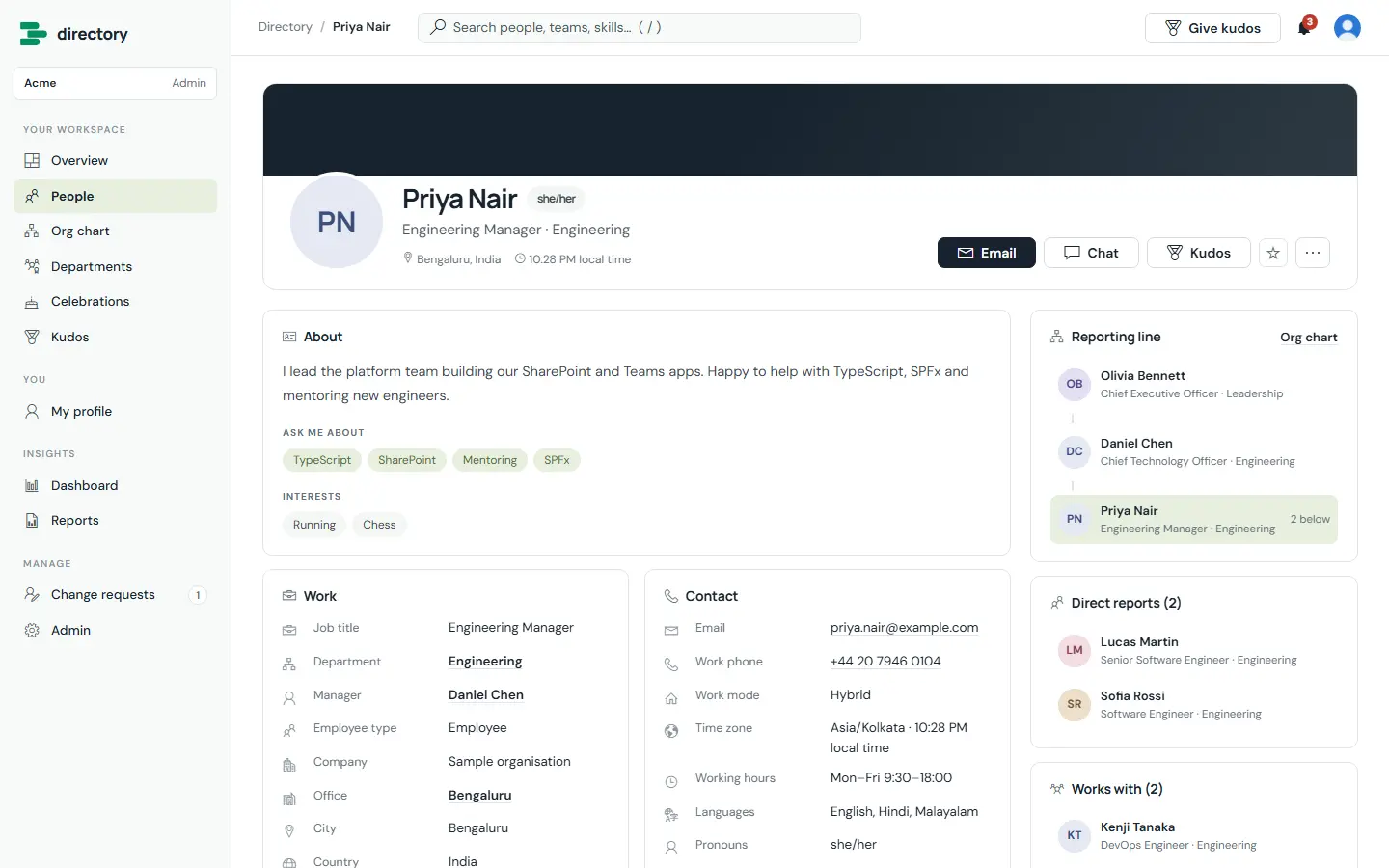
The people directory that lives in your Microsoft 365. It keeps itself up to date from Microsoft Entra ID and adds what daily use needs: rich profiles, an org chart, departments, celebrations, kudos, HR governance, dashboards and reports.
Find the right person, faster
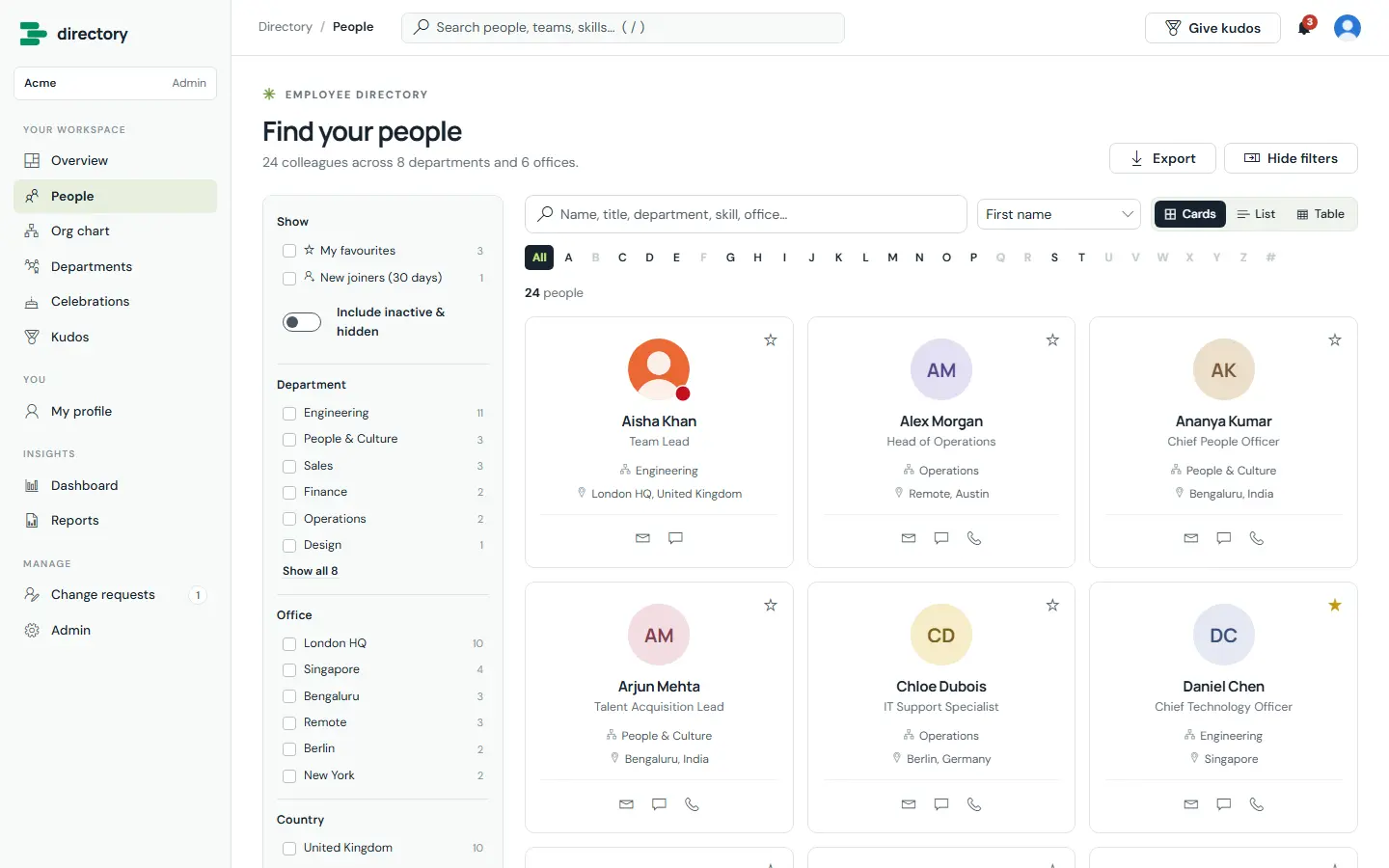
Search by name, title, department, office or skill — every word must match, accents ignored. Filters with live counts, an A–Z bar, and cards, list or table views that admins design. One-click email, Teams chat, call and QR contact cards.
- Photos and Teams presence from Microsoft 365
- Bookmarkable, shareable filtered views
- CSV export with only the fields the viewer may see
The organisation, made visible
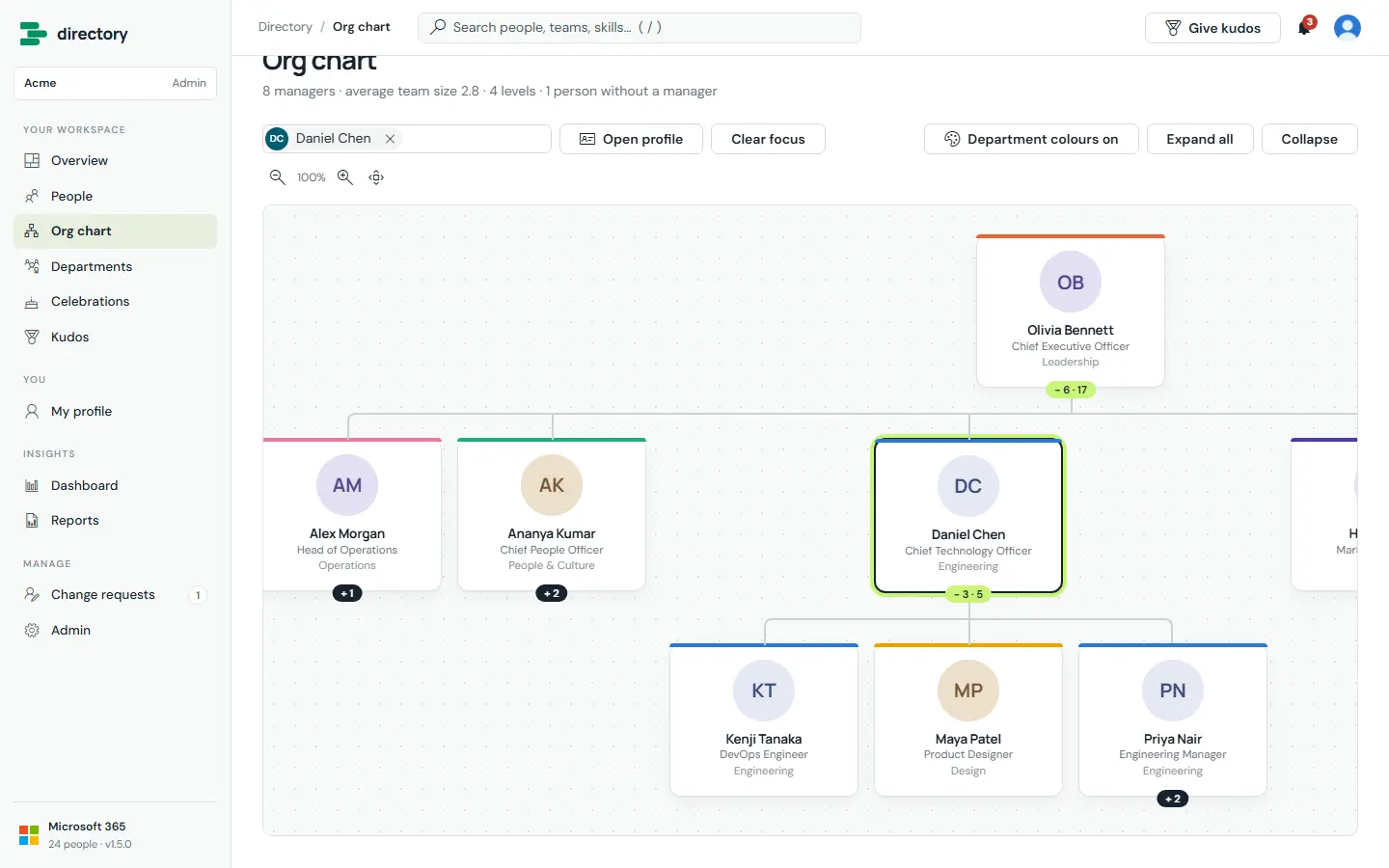
An interactive org chart from the managers in Entra ID — search anyone to open their reporting line, expand branches, zoom and pan. Department pages with heads, locations and roles. Reporting loops in the source data are detected so everyone stays reachable.
Culture and governance built in
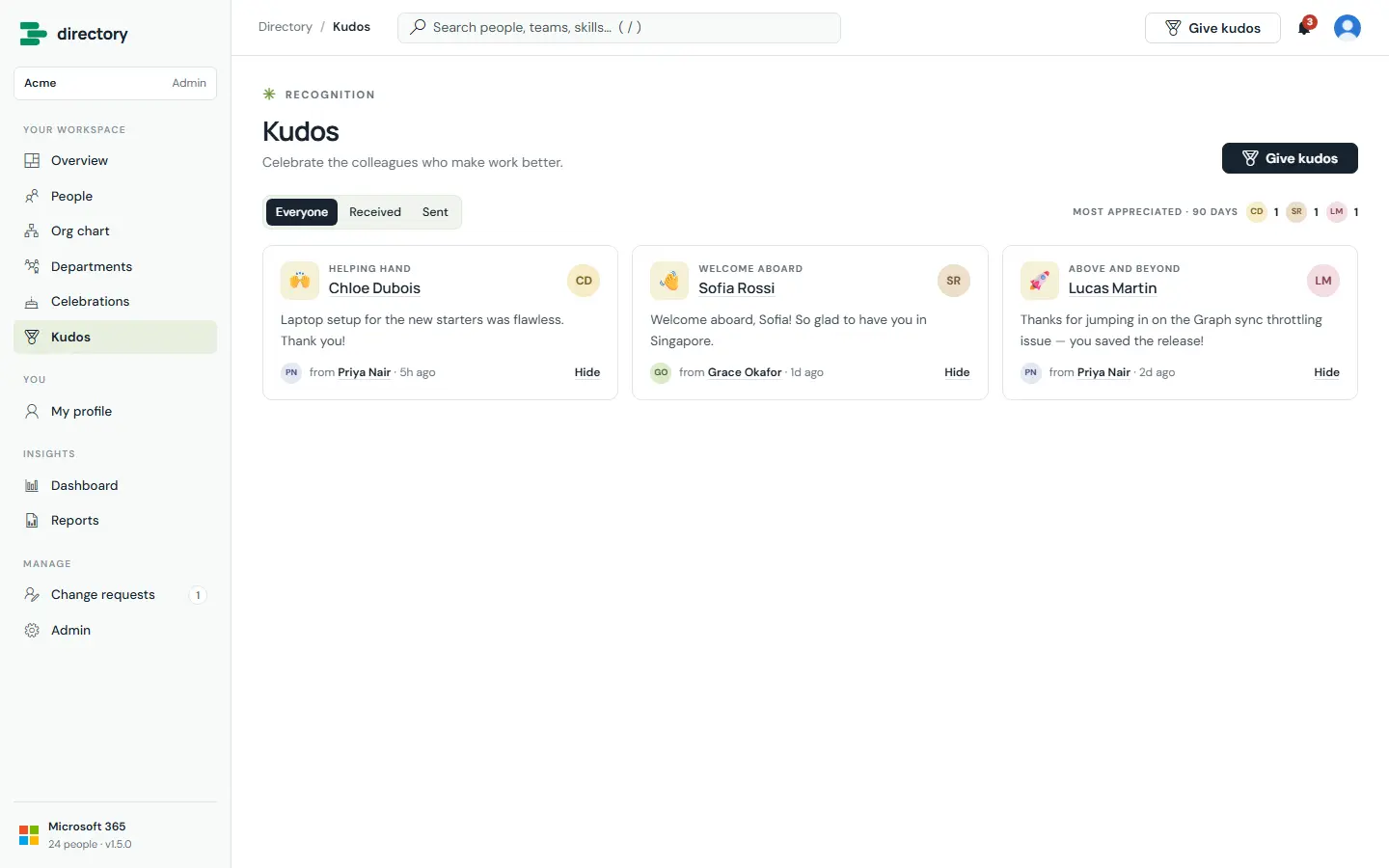
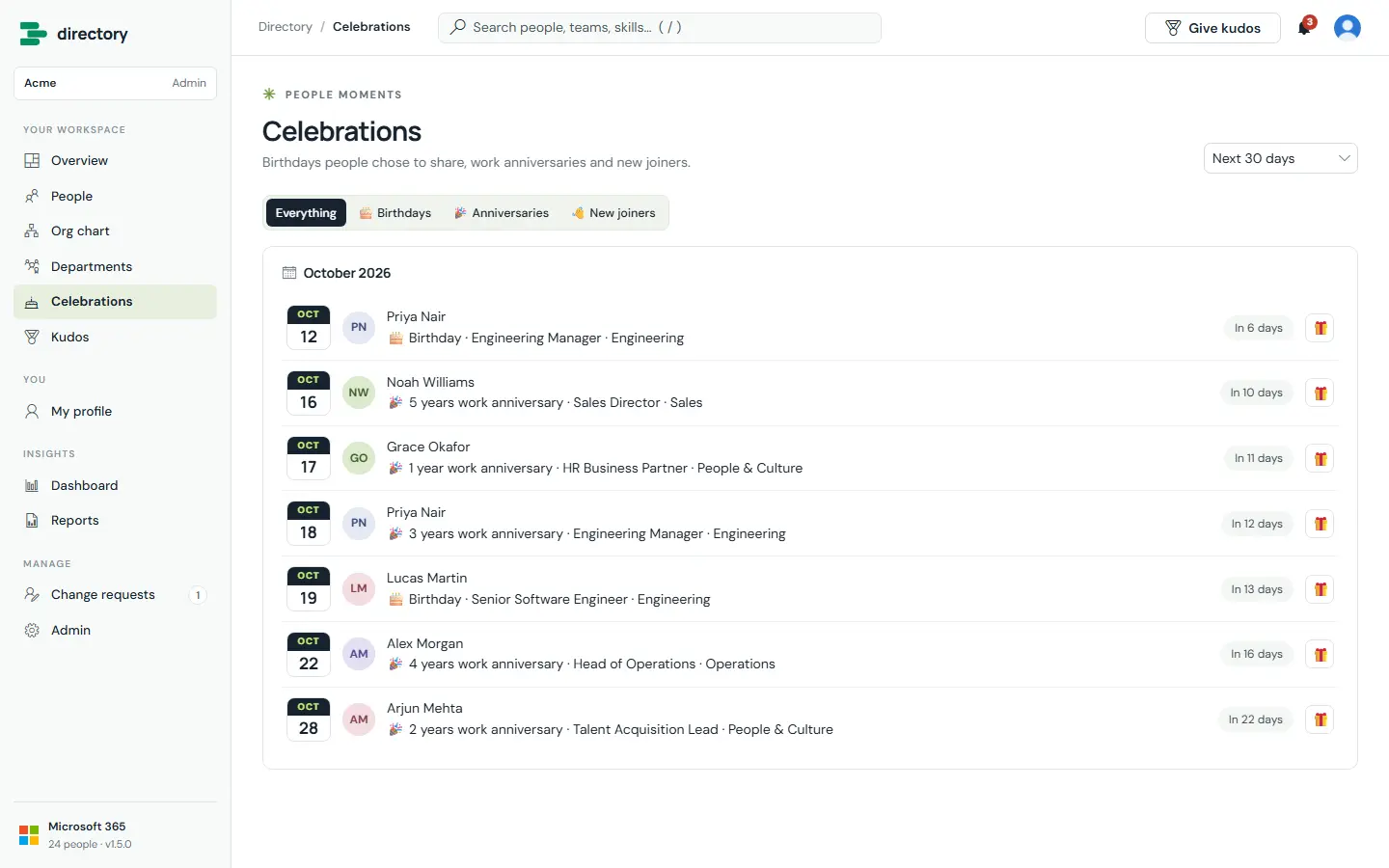
Birthdays (only for people who choose to share), work anniversaries and new joiners. A kudos wall with eight badges — posted under the real author, so nobody can send kudos in someone else’s name. Employees ask HR to correct Microsoft 365 details; HR approves or declines, and every decision is logged.
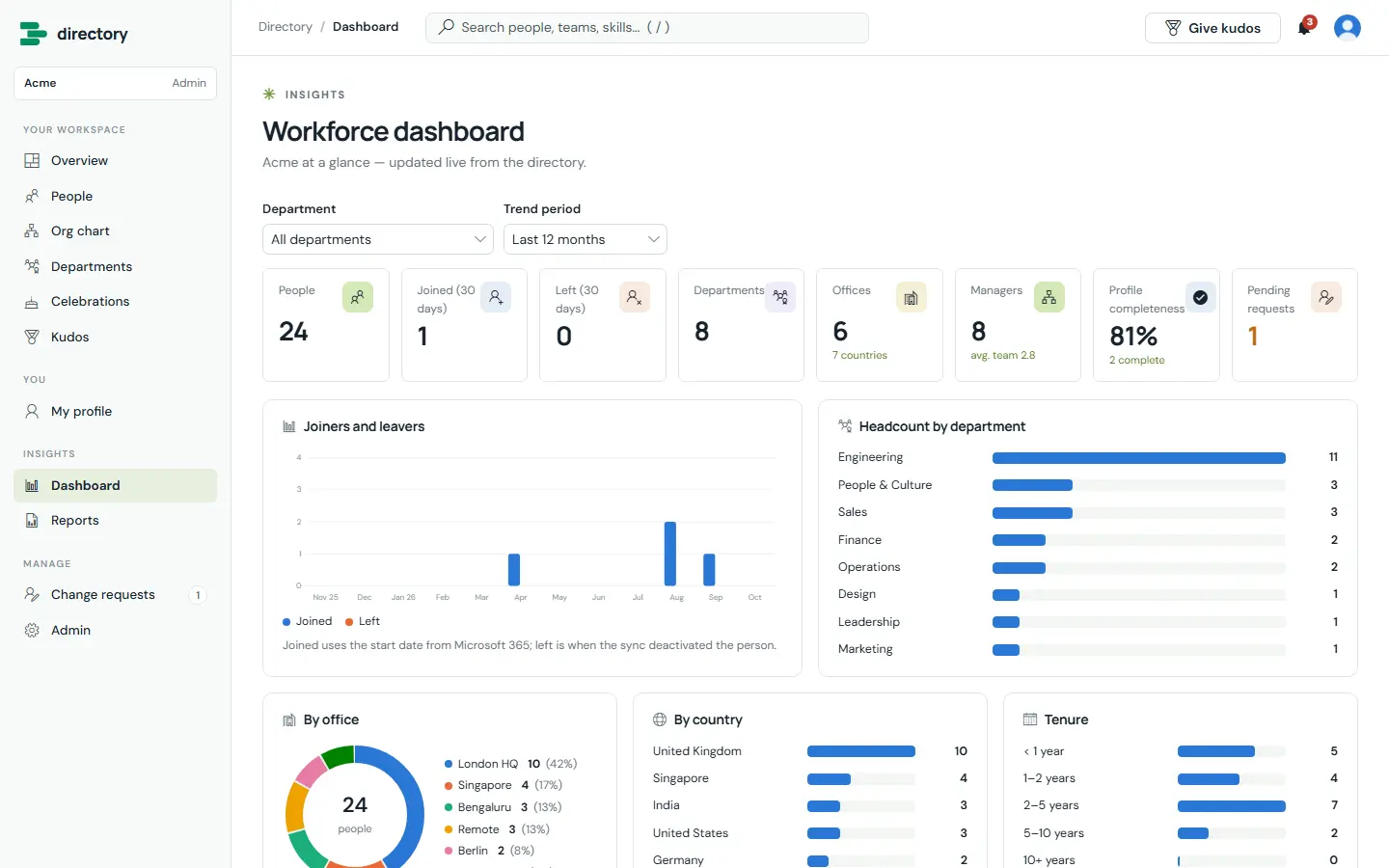
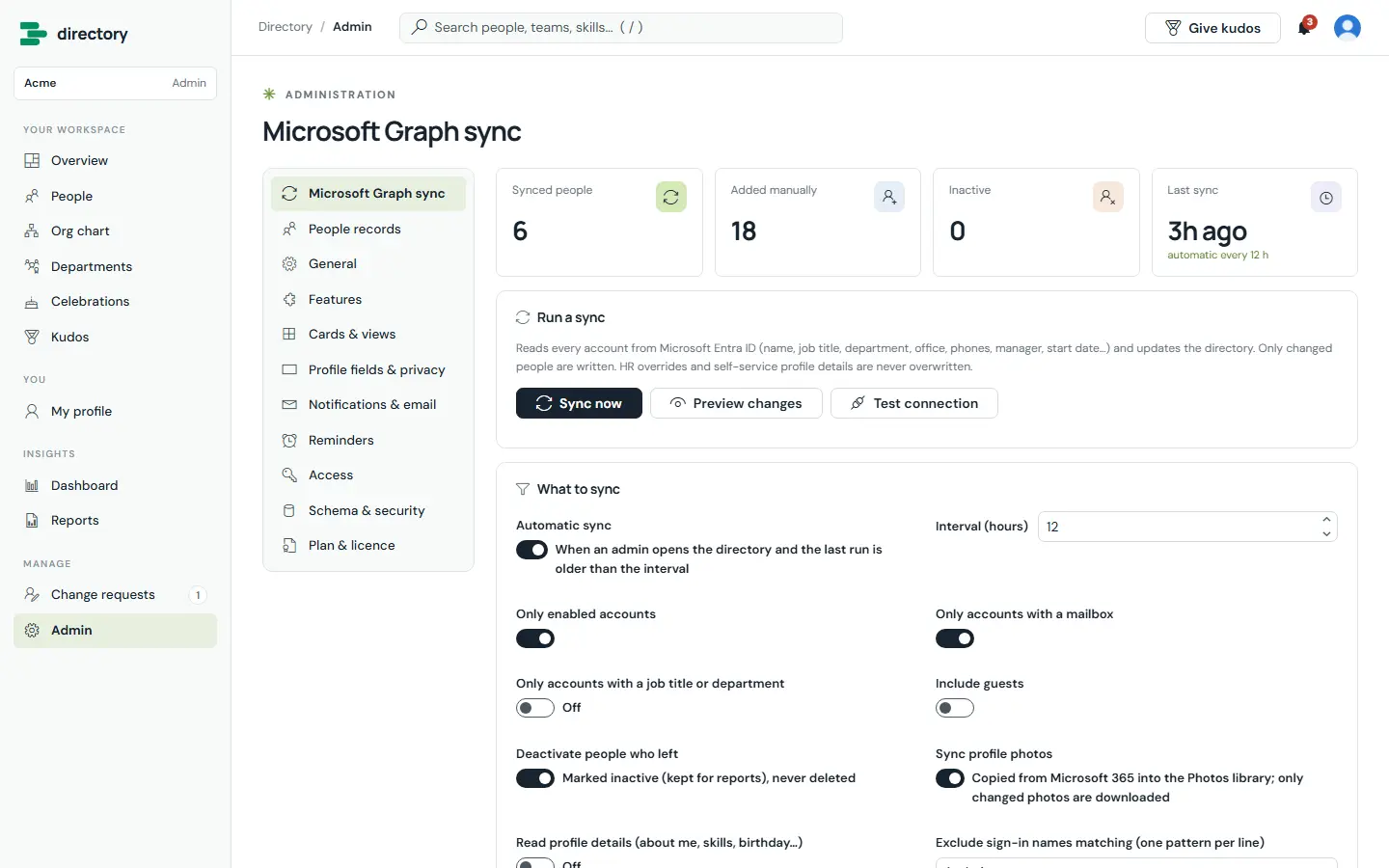
Plans: Plus (up to 300 people) · Pro (up to 1,500) · Enterprise (unlimited).
Full Directory page ↗ Book a walkthroughTaskManager
The task manager that lives in your SharePoint. A complete task and project manager, with emails, reminders, directory sync and optional generative AI running as Power Automate flows the app generates for you.
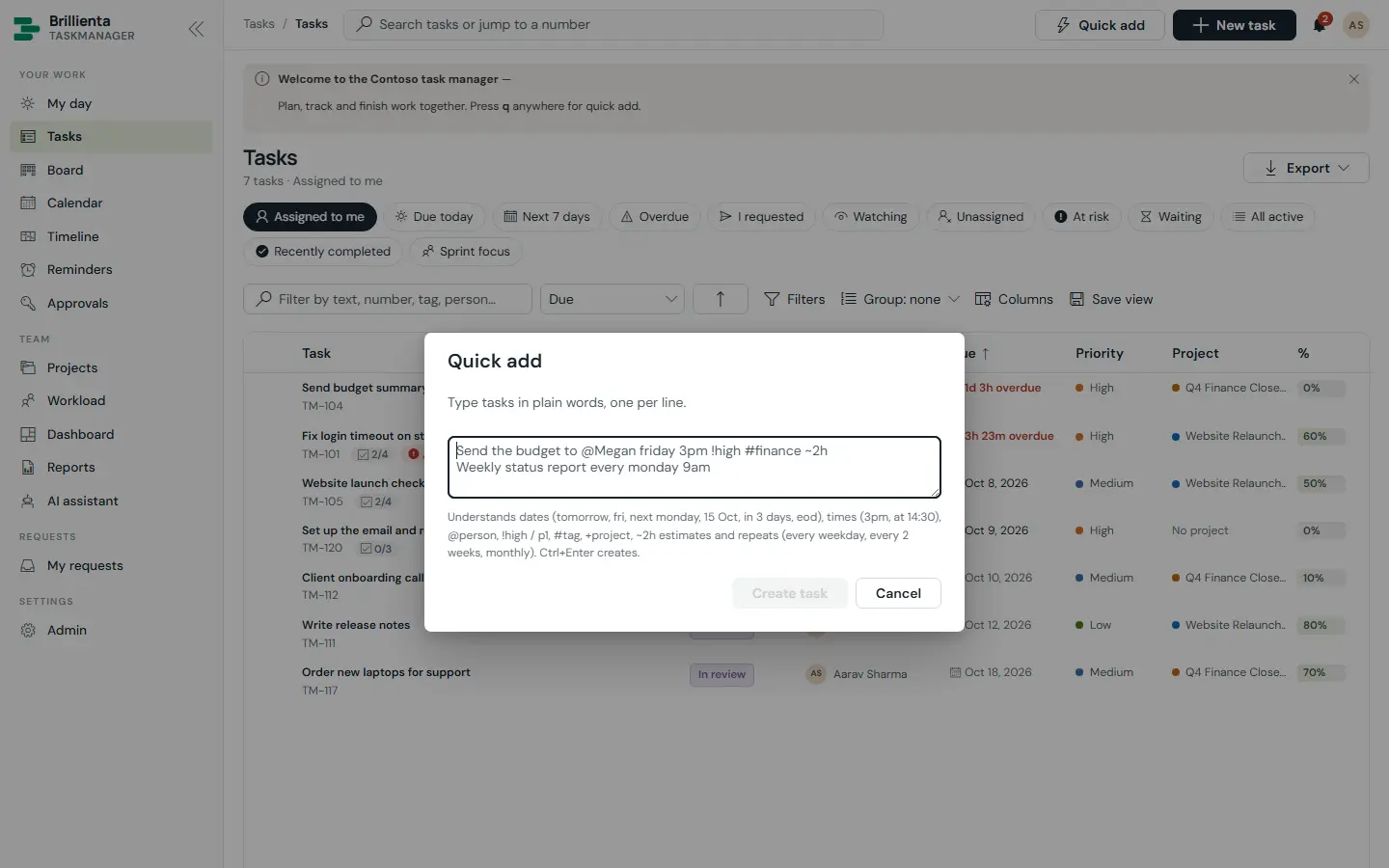
Your day, planned for you
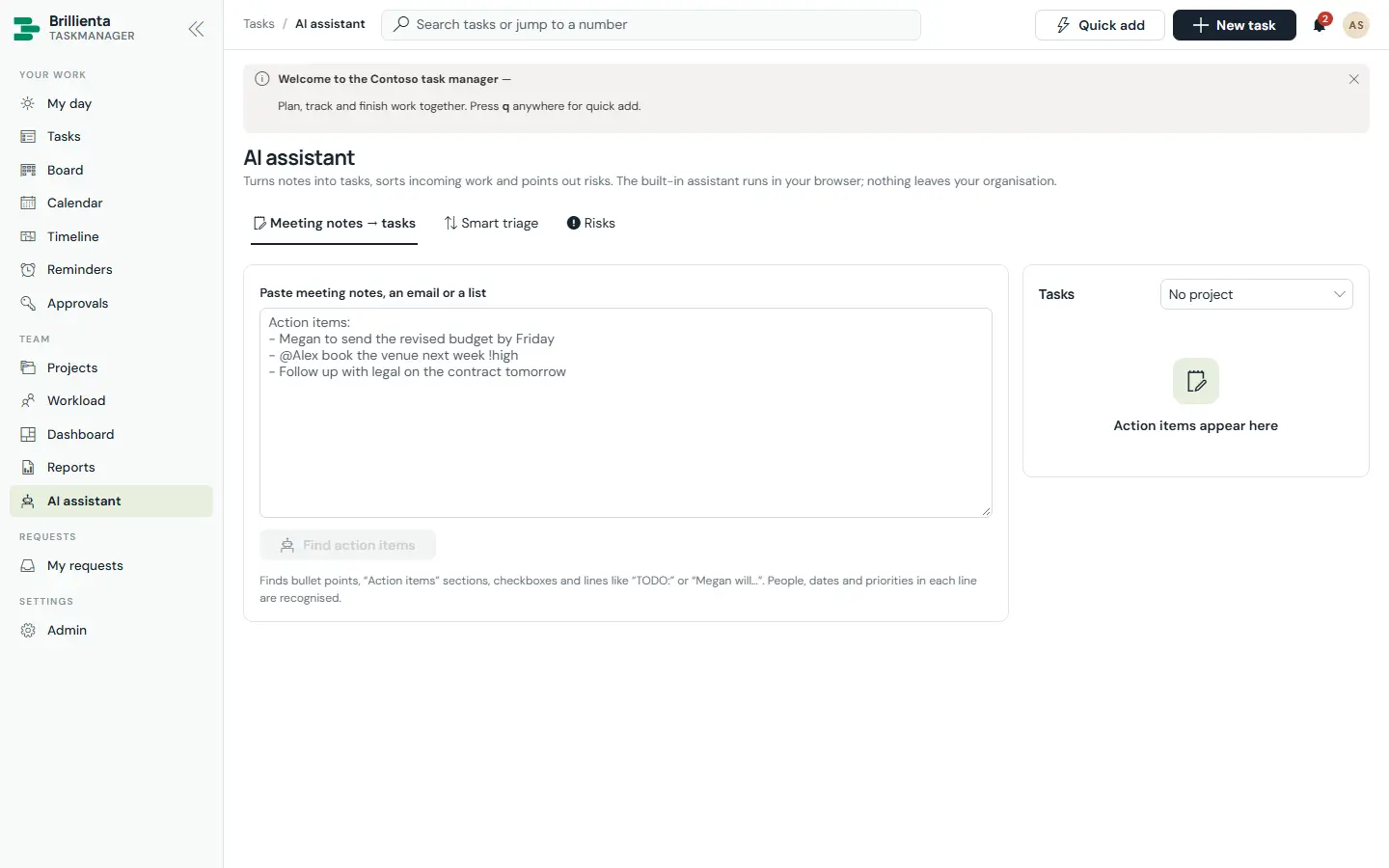
My day greets each member with today’s numbers, a seven-day strip and a focus plan weighing due dates, priority, risk, what others wait for and available hours. Quick add understands plain words: “Send the budget to @Megan friday 3pm !high #finance ~2h every week”.
- Duplicate warnings and learned suggestions on new tasks
- Add my tasks to Outlook calendar (.ics)
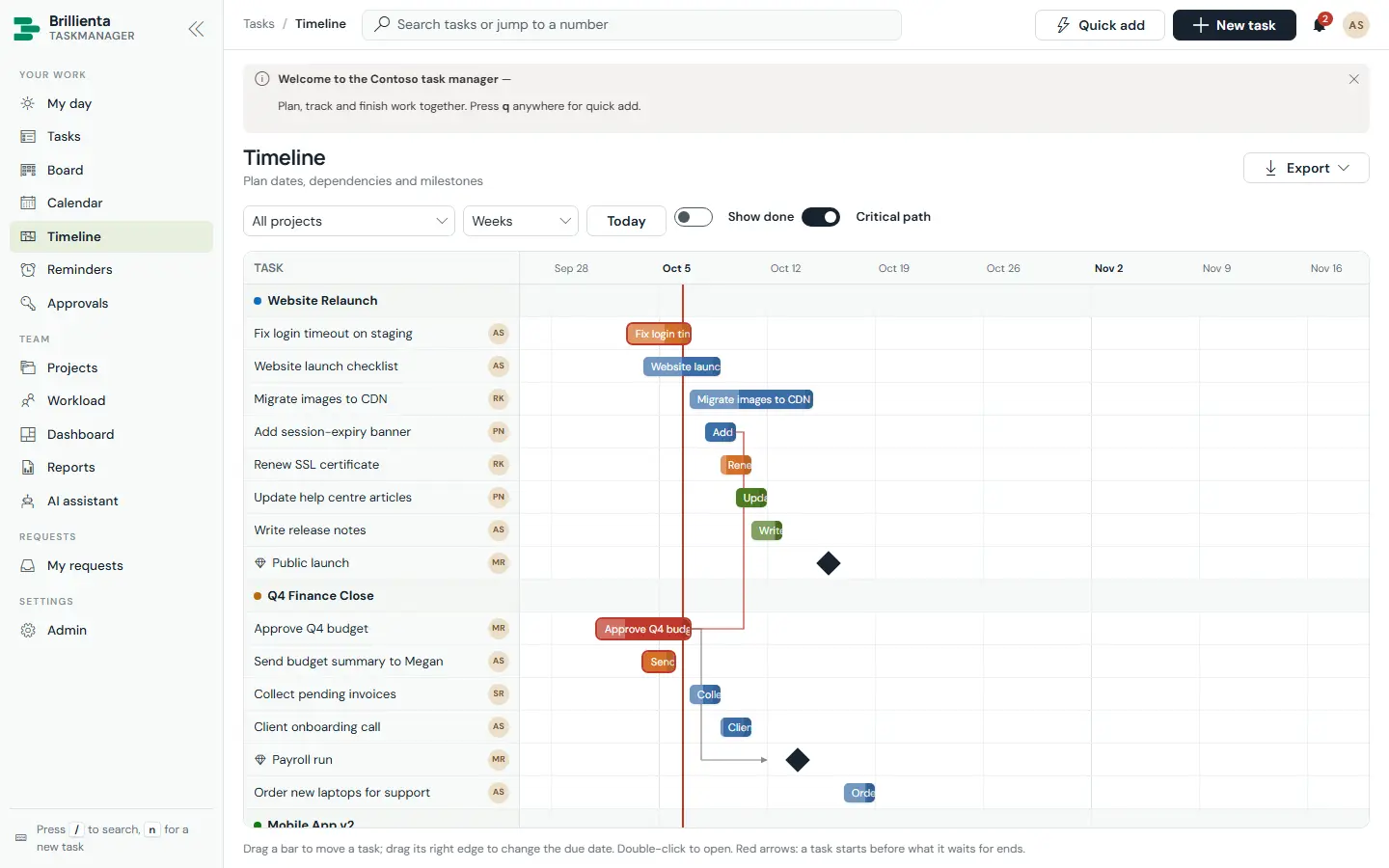
Every way to see the work
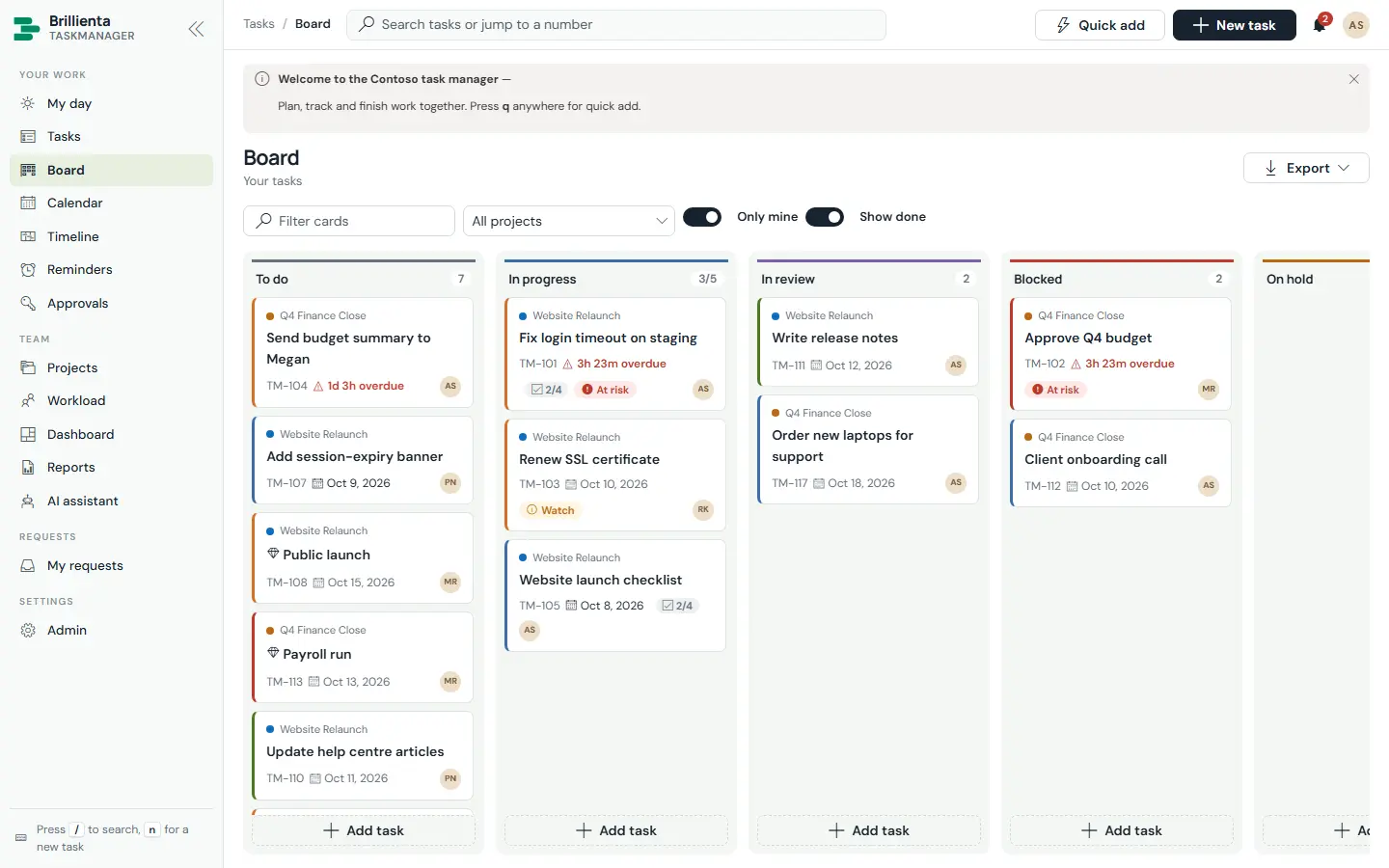
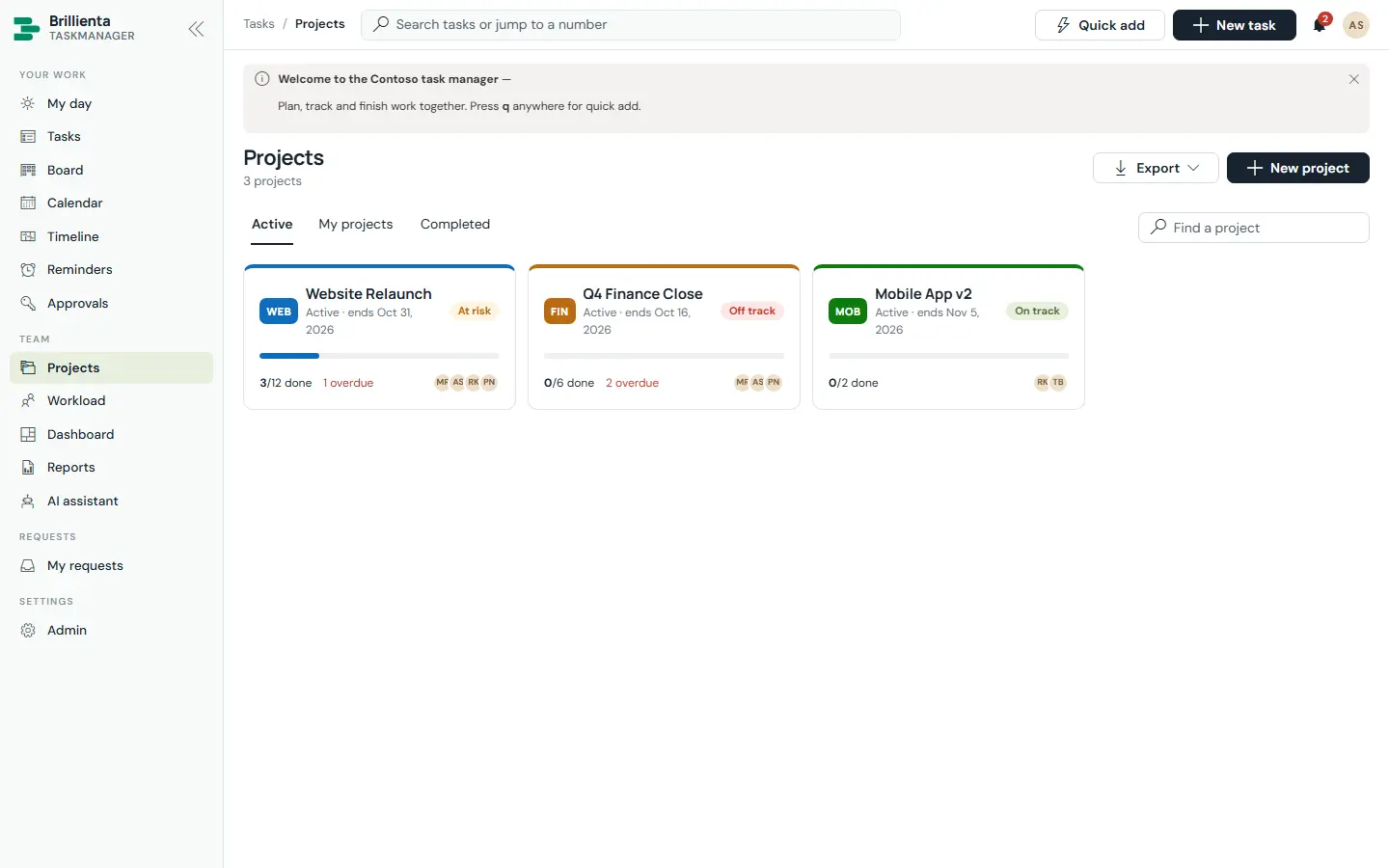
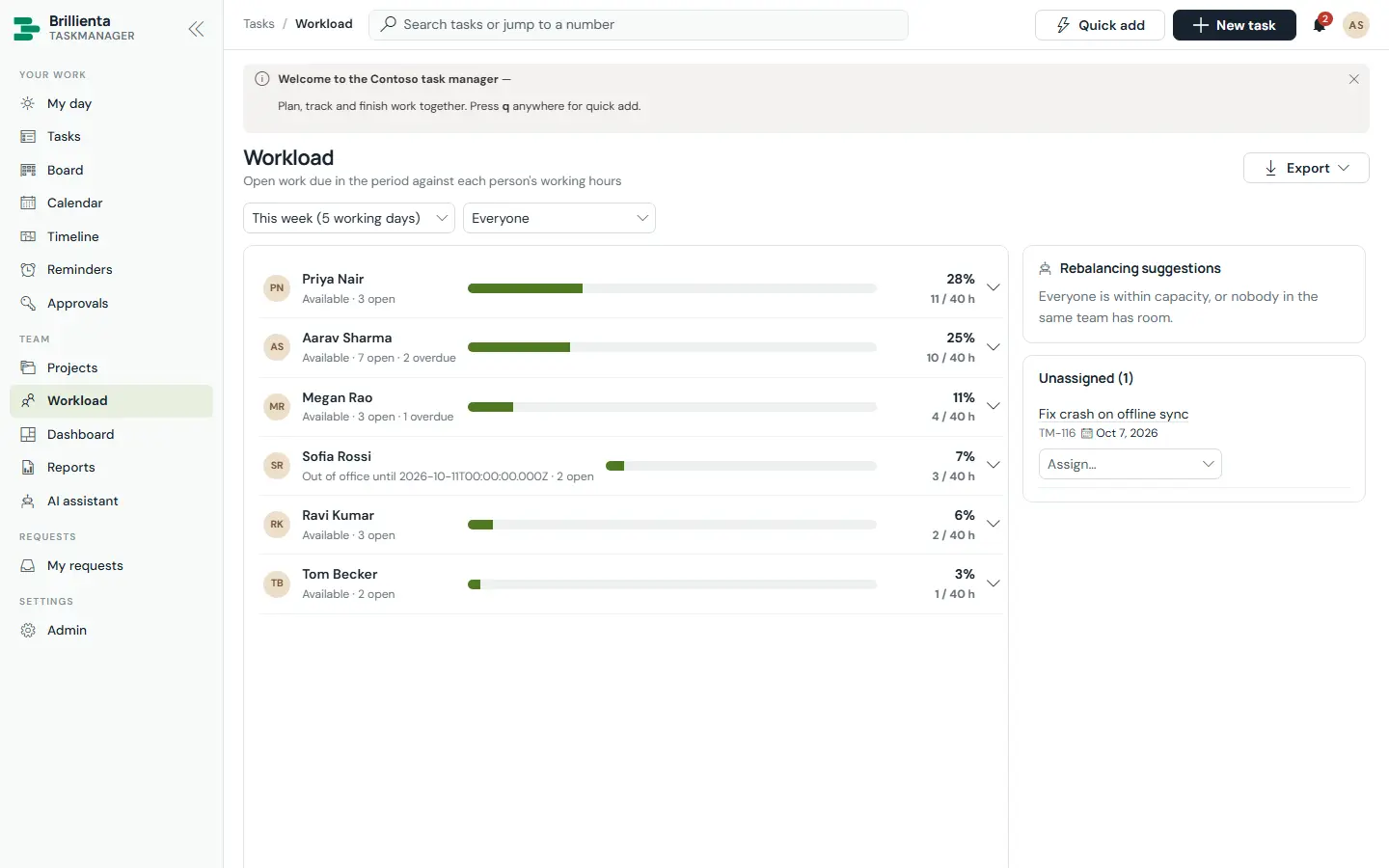
Lists, Kanban board with WIP limits, month calendar, Gantt timeline with dependency arrows and the critical path, project pages with burndown and health, workload against capacity, a dashboard and 18 reports — all reading the same tasks, live.
Requests, automation and Microsoft 365
Guests raise requests from tiles, track them, comment and approve — without being members and without extra licences. Automations fire on created, assigned, completed and overdue. Planner two-way sync, Azure DevOps work items, Teams channel posts, and people and devices from Entra ID and Intune.
- Built-in AI: triage, summaries, meeting notes → tasks
- Your own Azure OpenAI deployment for generative features
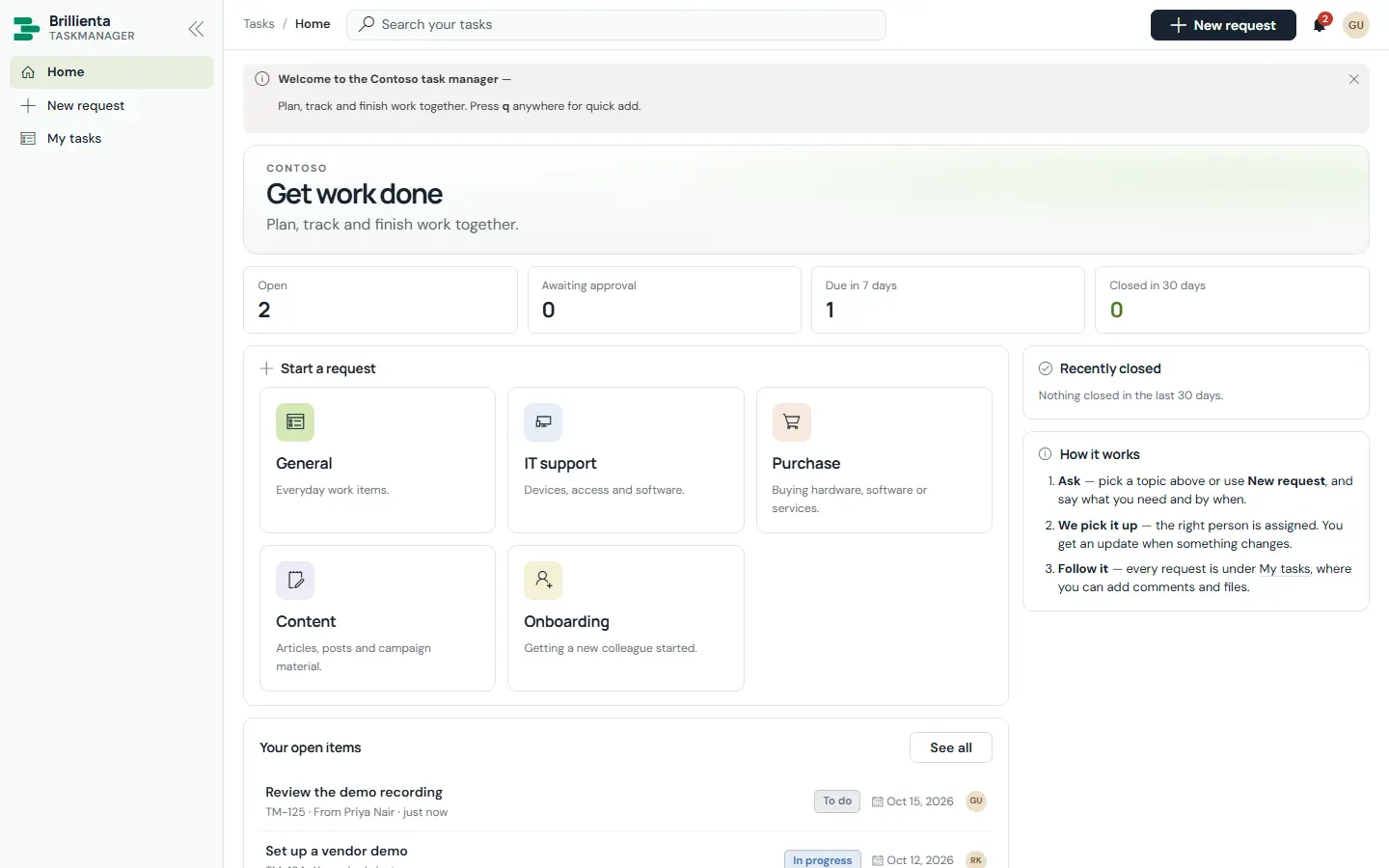
Plans: Plus (10 members) · Pro (50) · Enterprise. Guests don’t need a seat.
Full TaskManager page ↗ Book a walkthroughSIDE BY SIDE
Which app solves
your problem?
All four share the same architecture: one package, SharePoint lists in your tenant, security enforced by SharePoint, and email from your own mailbox.
| Helpdesk | Asset Management | Employee Directory | TaskManager | |
|---|---|---|---|---|
| Solves | Requests lost in inboxes, no SLAs | The asset spreadsheet and missing laptops | “Who does what, and who’s their manager?” | Work tracked in chats and spreadsheets |
| Main users | Agents, admins, every employee | Asset team, every employee | Everyone, HR | Members, managers, guests |
| Seats counted | Agents (5 / 25 / unlimited) | Admins + managers (5 / 25 / unlimited) | People (300 / 1,500 / unlimited) | Members (10 / 50 / Enterprise) |
| Microsoft Graph | None | Device sync only | Users, presence, mail | Only for integrations you switch on |
| Teams | Tab, personal app, Copilot agent | Teams tab | Presence & chat links | Channel posts |
| Power Automate flows | Email, reminders, email to ticket | Email, reminders, device sync | — (Graph mail) | Email, reminders, sync, AI |
Want them all, around HR? Brillienta HRMS includes directory, helpdesk, task and asset apps on one people list.
START WITH ONE APP