Should you build your SharePoint helpdesk in Microsoft Lists?
Set up a small ticket queue in Microsoft Lists, then run five tests to decide when your Microsoft 365 team needs a service desk.
 Brillienta team·Published ·5 min read
Microsoft Lists can handle a small internal support queue when agents enter requests, assign owners and review open items themselves. If employees need their own portal or your team has response targets and multiple queues, test those requirements before committing to a custom build.
Set up a starter ticket queue
On a SharePoint site whose members are your support team, create a list from Microsoft's Issue tracker template. Use its issue, priority, status and assigned-to columns. Add a Person column for the requester and a category choice for issues such as access, hardware and software. The built-in ID is enough to reference a ticket during the pilot.
Create an Unassigned view for open tickets without an owner and a My open tickets view filtered to the signed-in agent. Add the list as a tab in the support team's Microsoft Teams channel. Give each agent a sample request and agree on who checks the unassigned queue when the usual owner is out.
Run five tests before rolling it out
| Test | What to verify |
|---|---|
| Requester privacy | Use two ordinary employee accounts. Each should be able to follow their own request. Open the other employee's direct ticket link and confirm SharePoint denies access, including to attachments and internal notes. |
| Ownership | Submit one hardware request and one access request. Check who takes each ticket and what happens when a ticket matches no routing rule. |
| Business-hour SLA | With a Monday-to-Friday schedule ending at 5 p.m., a four-business-hour response target on a Friday 4 p.m. ticket is due Monday at noon if work resumes at 9 a.m. Check the same case with a Monday holiday. |
| Shared mailbox | Send one new email, reply to the acknowledgement and check that the response joins the original ticket. Test an out-of-office reply and check whether it creates noise in the queue. |
| Reporting | Ask the team lead to find all overdue tickets and explain which categories have the longest first response. Check that the underlying ticket history supports those numbers. |
A filtered view helps agents find work. SharePoint permissions determine what someone can open, so test access with ordinary accounts before opening the queue to employees. If you build flows yourself, assign someone to own their connections, errors and handover.
When to evaluate a service desk
If the starter queue passes your tests and agents can manage it reliably, keep it simple. If you would need to maintain separate logic for permissions, intake, routing, email replies and escalation, compare that maintenance work with a packaged service desk.
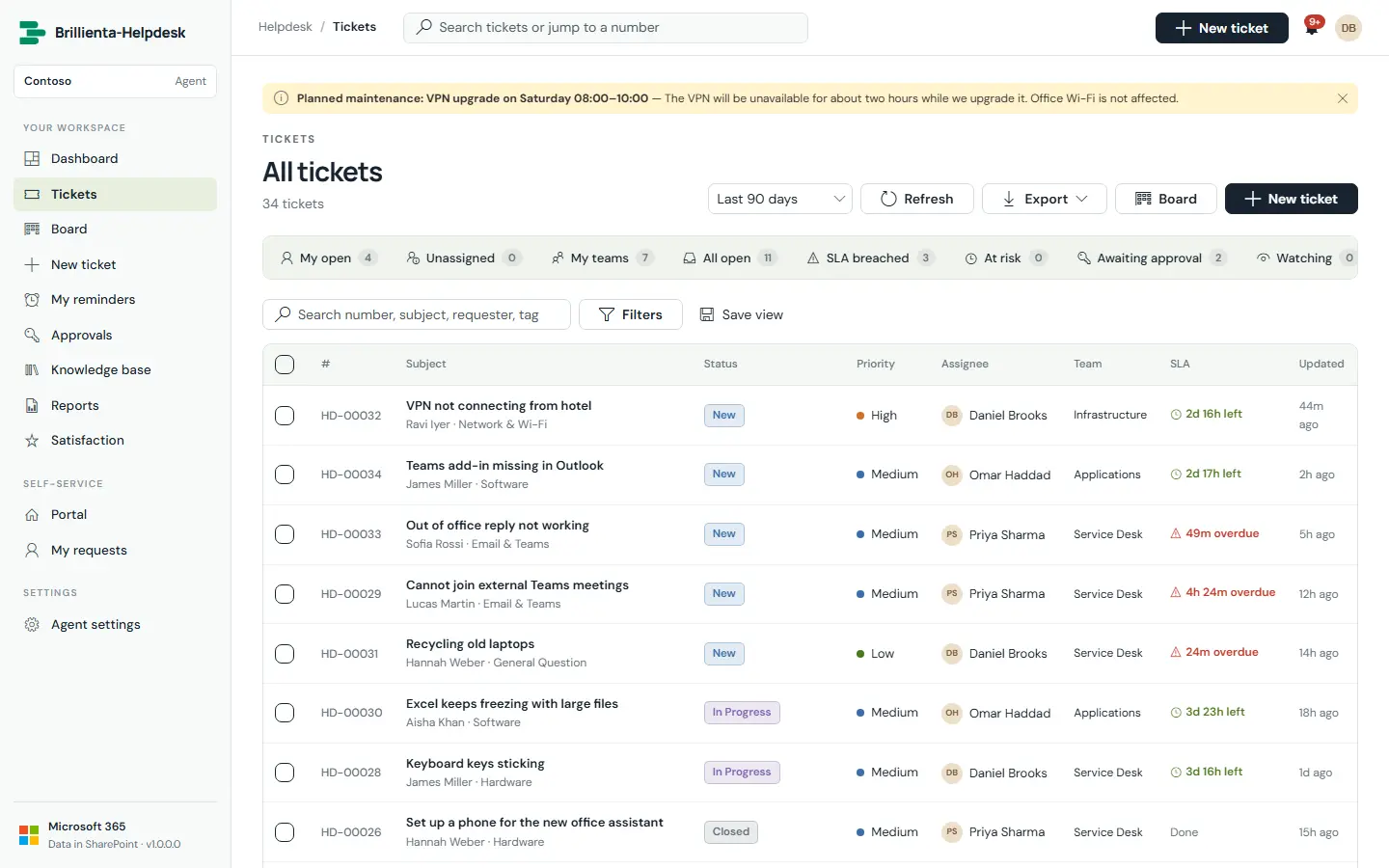
Brillienta Helpdesk includes an employee portal and an agent workspace and stores tickets in your SharePoint tenant. Check the plan comparison for routing, working hours and email-to-ticket. The deployment guide lists the app catalogue, site owner and mailbox prerequisites.